lsing and Caring for Your Cooktop
UsWngand reptacing the surface Hghf
(Freestanding modeb
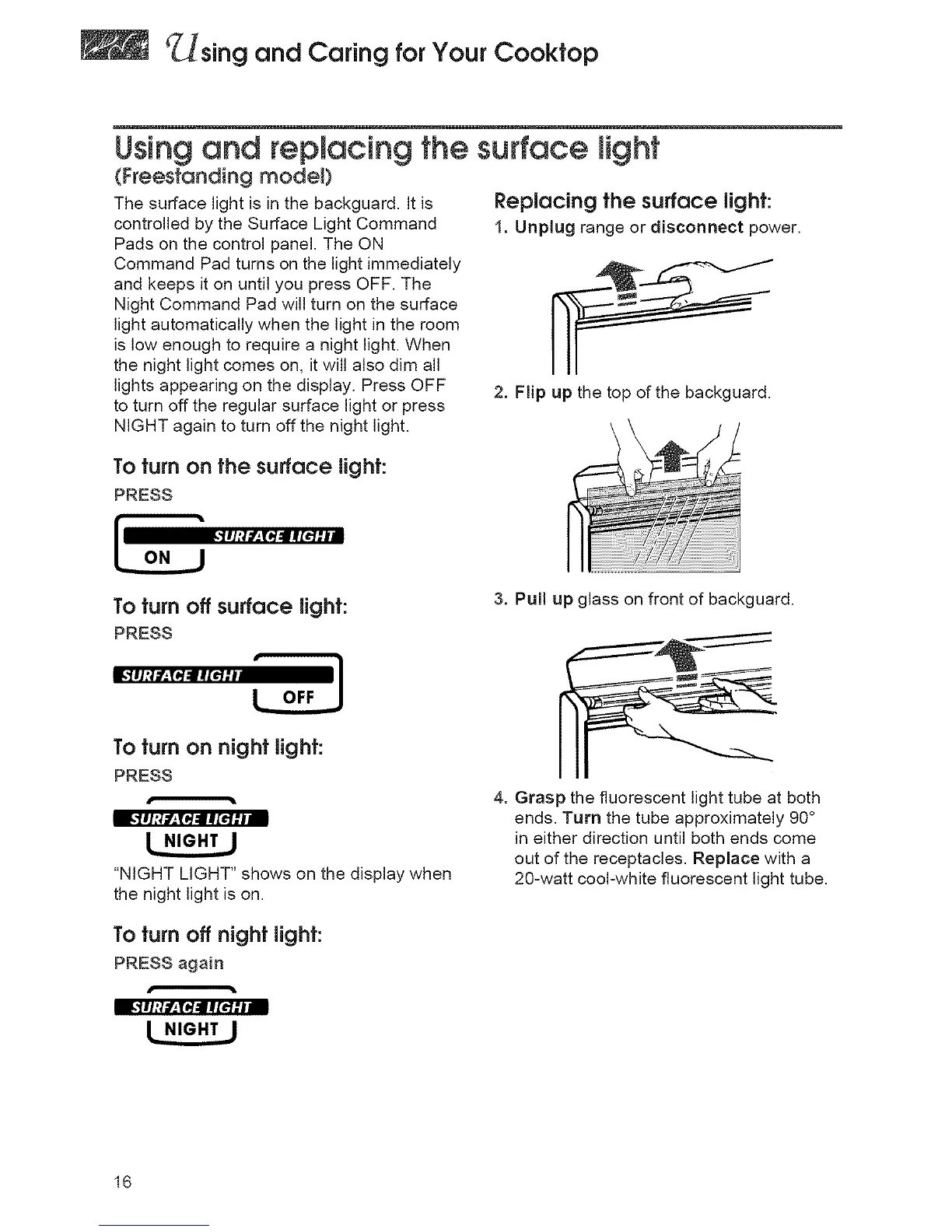
The surface light is in the backguard. It is
controlled by the Surface Light Command
Pads on the control panel. The ON
Command Pad turns on the light immediately
and keeps it on until you press OFF. The
Night Command Pad will turn on the surface
light automatically when the light in the room
is low enough to require a night light. When
the night light comes on, it will also dim all
lights appearing on the display. Press OFF
to turn off the regular surface light or press
NIGHT again to turn off the night light.
Replacing the surface light:
1. Unplug range or disconnect power.
2. Flip up the top of the backguard.
To turn on the surface light:
PRESS
_]lI;]f_.T_ rR[€'l:l
To turn off surface light:
PRESS
3. Pull up glass on front of backguard.
To turn on night light:
PRESS
"NIGHT LIGHT" shows on the display when
the night light is on.
To turn off night light:
PRESS again
4. Grasp the fluorescent light tube at both
ends. Turn the tube approximately 90°
in either direction until both ends come
out of the receptacles, Replace with a
20-watt cool-white fluorescent light tube,
16




 To Next Page