31
Cooking with the temperature probe
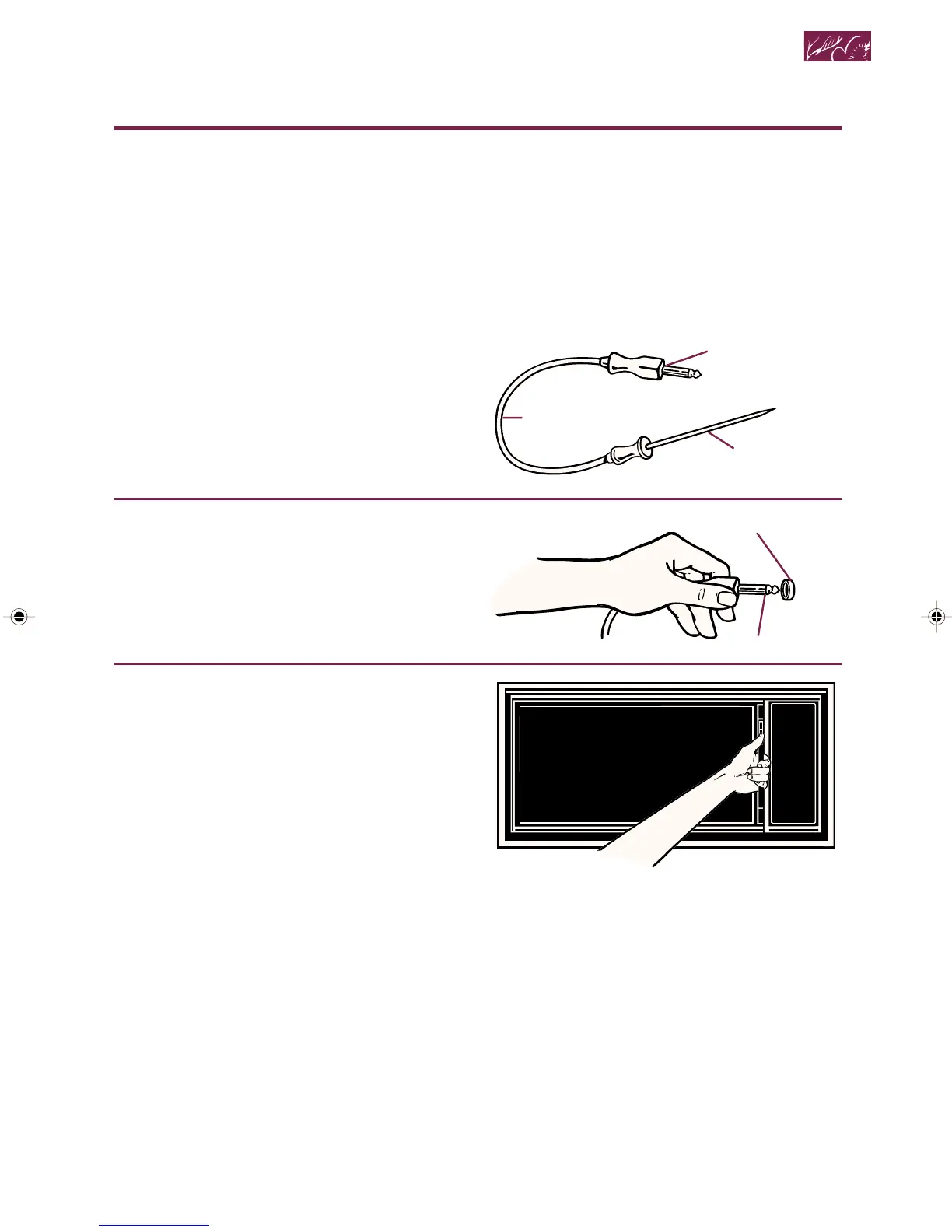
The Temperature Probe helps take the
guesswork out of cooking roasts and larger
casseroles. The probe is designed to turn off
the oven when it senses the temperature
you chose (between 90°F and 200°F). See
your cookbook for helpful information on
cooking different types of food.
1. Insert probe into food.
Insert at least
1
⁄3 of the Temperature
Probe into the food. (See page 33.)
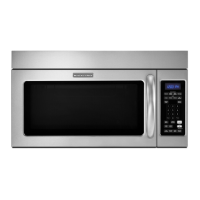
2. Place food in oven and plug
probe into socket on oven
wall.
Make sure the probe does not touch any
part of the oven interior.
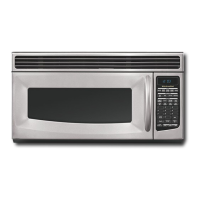
3. Close the door.
NOTE: If you have not plugged in the
Temperature Probe properly or if probe is
defective, “PROBE” will appear on the
Display, three tones will sound, and the
oven will not turn on. After correcting the
problem or removing the probe, touch
START to clear the Display.
Microwave Cooking
continued on next page
Plug
Cable
Probe
Socket
Plug
4359334 8/28/98, 12:03 PM31



 To Next Page