36
Using DELAY START
DELAY START lets you program your oven
to begin cooking automatically at a time of
day you choose. You can preprogram your
oven up to 11 hours, 59 minutes in advance.
NOTES:
• If you hear the fan start when you touch
START, you have not set the oven prop-
erly. Touch CANCEL/OFF and start over.
• You can use DELAY START with high
power or lower power cooking, tempera-
ture probe cooking, and KEEP WARM.
• Do not use foods containing baking
powder or yeast when using DELAY
START. They will not rise properly.
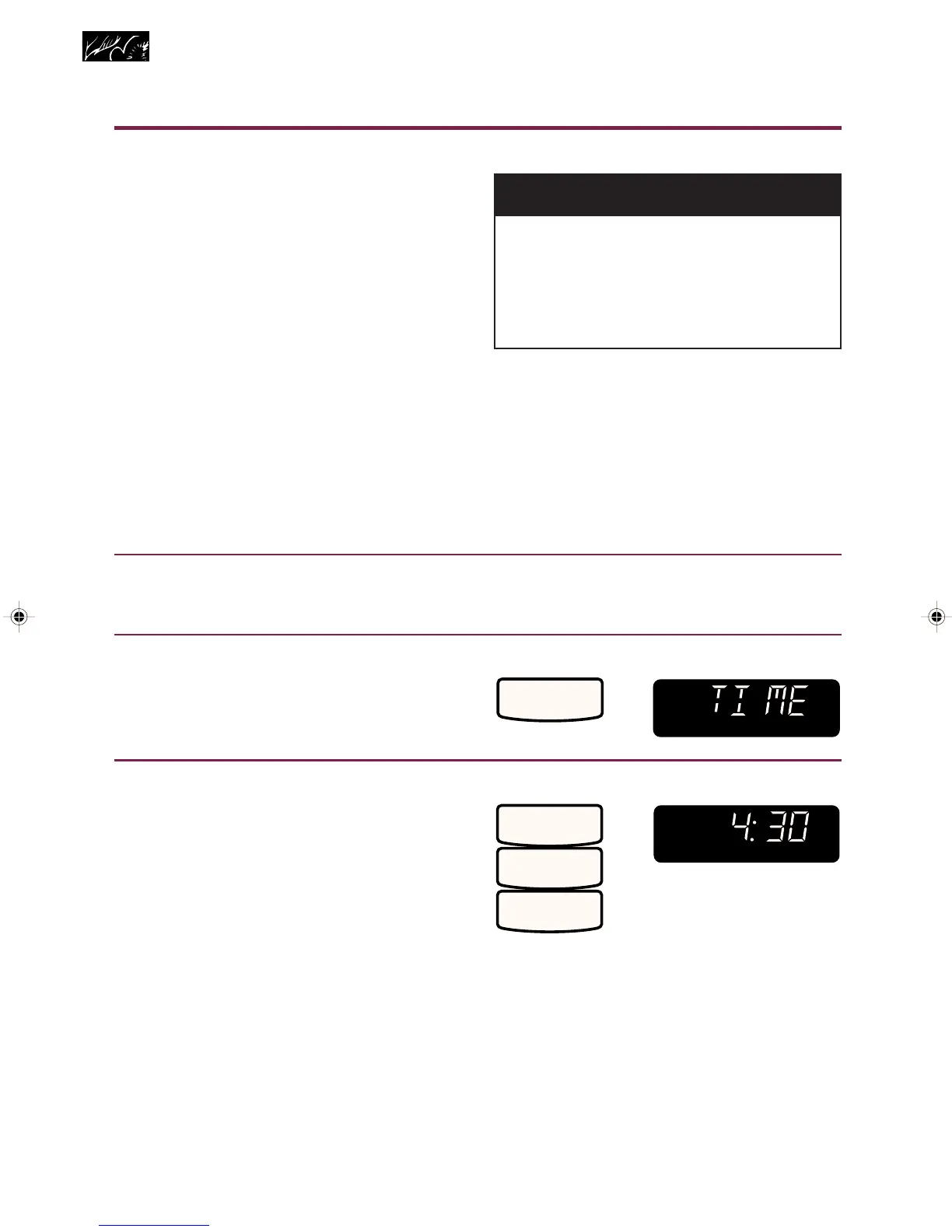
1. Put food in oven and close
door.
2. Make sure clock is set to correct
time of day.
3. Choose setting.
4. Set start time.
Example for 4:30:
Microwave Cooking
ENTER
SENSOR
WEIGHT
PREHEAT
AUTO
ROAST
COOK
PWR
DEFR
QTY
TEMP
PROBE START?
CONV
COMB
OZ
DELAY
LBS
COOK
234
TIMER
TOUCH YOU SEE
START
DELAY
TOUCH YOU SEE
ENTER
SENSOR
WEIGHT
PREHEAT
AUTO
ROAST
COOK
PWR
DEFR
QTY
TEMP
PROBE START?
CONV
COMB
OZ
DELAY
LBS
COOK
234
TIMER
4
3
0
wWARNING
Food Poisoning Hazard
Do not let food sit in oven more than
one hour before or after cooking.
Failure to follow the above can result
in death, food poisoning, or sickness.
4359334 8/28/98, 12:03 PM36



 To Next Page