55
Combination baking/roasting without preheating
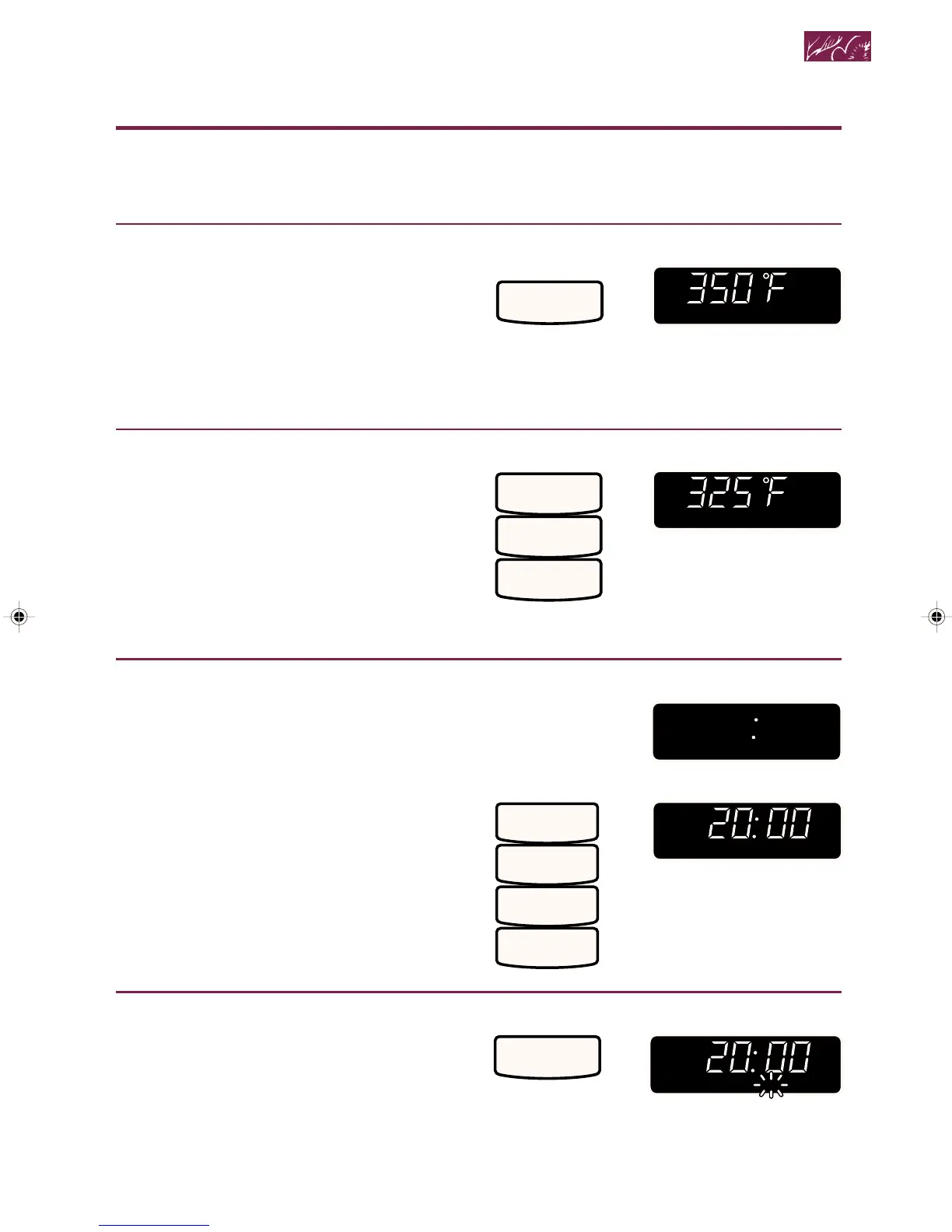
1. Put food in oven and close door.
2. Choose setting.
Example for baking:
The oven will automatically cook at
350°F for combination baking and 300°F
for combination roasting. If you want to
change the cooking temperature, follow
Step 3 below. If you want to cook at the
default temperature, skip Step 3 below.
3. Set baking/roasting temperature
(optional).
Example for 325°F:
NOTE: To clear the temperature you
entered, touch COMBINATION BAKE
(when baking) or COMBINATION
ROAST (when roasting) before entering
a cooking time. You can then re-enter
the cooking temperature, if desired.
4. Set cooking time.
One second after entering cook temperature:
You can enter a time up to 199 minutes,
99 seconds.
Example for 20 minutes:
5. Start oven.
NOTE: You can see the cooking tem-
perature anytime during cooking by
touching COMBINATION BAKE (when
baking) or COMBINATION ROAST
(when roasting). Cooking temperature
will show for 3 seconds.
TOUCH YOU SEE
BAKE
COMBINATION
TOUCH YOU SEE
3
2
5
YOU SEE
ENTER
COMB TIME
2
0
0
0
START?COMB TIME
TOUCH YOU SEE
TOUCH YOU SEE
START
(time will count down)
continued on next page
Combination Cooking
4359334 8/28/98, 12:04 PM55



 To Next Page