
 Need help?
Do you have a question about the KitchenAid KMLS311 and is the answer not in the manual?
Explains safety alert symbol, DANGER, and WARNING terms.
General safety precautions for using electrical appliances.
Lists actions and conditions to avoid for safety.
Specific measures to prevent exposure to microwave energy.
Electrical shock hazards and proper grounding instructions.
Overview of settings like clock, timer, fan, sound, language, and filter reset.
Details on manual, sensor cooking, presets, popcorn, and soften/melt.
Safe cookware types and general microwave usage tips.
Step-by-step instructions for cook, reheat, and defrost menus.
Specific instructions for softening and melting various food items.
Steps for installing/replacing grease and charcoal filters.
How to clean grease filters monthly.
Steps to replace the charcoal filter.
Instructions for replacing the cooktop light.
Instructions for replacing the internal cavity light.
List of recommended cleaning supplies for the appliance.
Solutions for common problems like non-operation and interference.
Explains display messages and normal fan behavior.
Details on what the one-year limited warranty covers and excludes.
How to get warranty service and customer support contact information.
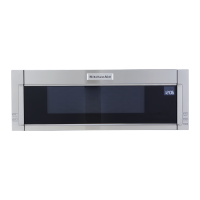
This document is a user guide for a KitchenAid Microwave Hood Combination appliance, providing essential information for safe operation, maintenance, and troubleshooting.
The primary function of this device is to serve as a microwave oven for heating, cooking, and drying food, combined with a ventilating hood to manage cooking fumes and grease. It is designed for household use and is not intended for industrial or laboratory applications. The microwave oven operates on a 120 V, 60 Hz, AC-only electrical supply, requiring a 15 or 20 A circuit with a fuse or circuit breaker. It must be properly grounded to prevent electrical shock.
The microwave oven offers various cooking and reheating functions, including manual cooking, sensor cooking, preset cooking, reheating, defrosting, popcorn, and soften/melt options.
For manual cooking, users can enter the desired cooking time and power level using the number keypads. The power level can be set from 10% to 90%, with 100% as the default.
Sensor cooking automatically adjusts cooking time based on moisture detected from the food. For optimal performance, the oven should be plugged in for at least one minute, and microwave-safe dishes with loose-fitting lids or plastic wrap should be used. It is recommended to wait at least 30 minutes after convection cooking or grilling before using sensor cooking.
Preset cooking, reheating, and defrosting functions are accessed by repeatedly touching the COOK, REHEAT, or DEFROST controls. Users can scroll through program options, select submenu items, and specify amounts before starting the program.
The Popcorn function offers two choices: a large bag (3.0-3.5 oz or 85-99 g) and a small bag (1.75 oz or 50 g). Users place the bag on the turntable and press Start, listening for the popping to slow down before stopping the cycle. For other bag sizes, manual cooking is recommended.
The Soften/Melt function is accessed by repeatedly touching the SOFTEN/MELT control, allowing users to scroll through options for softening butter, ice cream, cream cheese, frozen juice, and melting butter, chocolate, or marshmallows.
The ventilating hood component features a fan with four speed settings: HIGH, MEDIUM, MEDIUM LOW, and LOW, which can be selected by pressing the Vent Fan keypad repeatedly. An auto hood fan feature automatically activates at high speed if the temperature from the range or cooktop below becomes too hot, and cannot be turned off in this scenario. The vent light also has adjustable settings: HIGH, LOW, and OFF.
The device includes a Clock function (12-hour format) that can be set via the SETUP/CLOCK control. A Timer function allows users to set a countdown, with cook functions still accessible while the timer is active. The timer can be canceled by touching the Timer control during countdown.
A Control Lock feature prevents unintended starts and can be activated by holding the Cancel keypad for about three seconds. When locked, only the hood control buttons and Cancel button will function.
The SETUP/CLOCK menu provides access to various settings, including:
The appliance also features a Standby Mode that dims the LCD brightness after two minutes of inactivity, returning to normal brightness upon any button press or door action. The Turntable can be turned off for manual cooking, which is useful for larger or multiple dishes, but it remains active during preset or sensor functions.
Regular maintenance is crucial for the optimal performance and longevity of the KitchenAid Microwave Hood Combination.
CLEANRELEASE® Cavity Coating (on some models) helps resist soil buildup, making the microwave oven cavity easier to clean. Specific instructions for cleaning the oven cavity are provided in the "Microwave Oven Care" section.
The device includes grease filters located on the underside of the microwave oven. These filters should be removed and cleaned at least once a month. For recirculation models, the microwave oven should not be operated without the filters in place. For wall and roof ventilation, the charcoal filter should be removed from the bottom plate to ensure good airflow.
Charcoal filters are also located on the underside of the microwave oven and cannot be cleaned; they must be replaced approximately every six months. A Filter Status indicator (on some models) will appear on the display when it's time to replace the charcoal filter or clean/replace the grease filters. After maintenance, the filter status needs to be reset via the "Settings" section.
The cooktop light, located on the underside of the microwave oven, is replaceable. The process involves removing four screws from the "T" shaped bottom lighting cover, unplugging the terminal from the LED board, removing a screw from the LED board, replacing the LED, and reattaching the screws and cover.
The cavity light, situated at the top front of the microwave oven under a cover, is also replaceable. This involves removing a screw from the second left vent top cover, removing the cover, taking out the LED board, unplugging the LED terminal, replacing the LED, and reattaching the cover and screw.
The user guide also provides a list of available cleaning supplies, including heavy-duty degreaser, Affresh® Kitchen Appliance Cleaner, Affresh® Stainless Steel Cleaner, and Affresh® Stainless Steel Wipes, which can be purchased separately.
 General
| Type | Microwave Oven |
|---|---|
| Capacity | 1.1 cu. ft. |
| Power | 1000 Watts |
| Turntable | Yes |
| Sensor Cooking | Yes |
| Convection | No |
| Color | Stainless Steel |
| Category | Microwave Oven |
| Height | 12.5 in. |
| Cooking Modes | Popcorn, Reheat, Defrost |
| Control Type | Electronic Touch |

 To Next Page