11
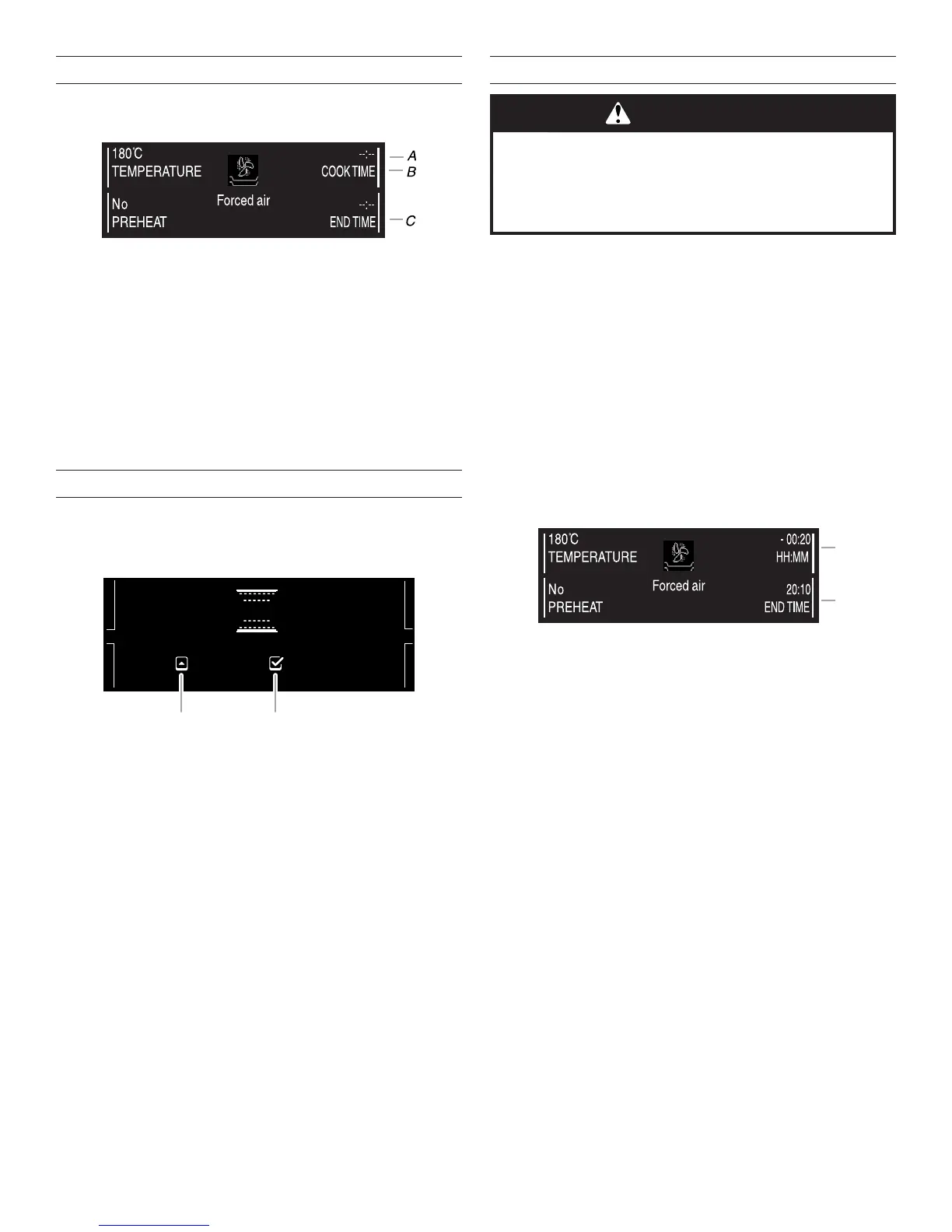
Setting Cooking Time
This function can be used to set a cooking time from 1 minute to
the maximum time allowed by the selected cooking function. At
the end of the cooking time, the oven will turn off automatically.
1. Touch the “Up” or “Down” arrow keypad and position the
cursor next to the Cook Time zone.
2. Touch the Select/Confirm Settings keypad. “--:--” will flash
on the display.
3. Touch the “Up” or “Down” arrow keypad to scroll through the
time and select the desired cooking time.
4. Touch the Select/Confirm Settings keypad to select the
cooking time.
5. The “Cook Time” and “End Time” will be displayed.
Browning
At the end of cooking time, with certain functions, you have the
option to brown your dish.
NOTE: Browning can be selected only when a cooking time has
been set.
1. At the end of the cooking time, the display will indicate “Up
Arrow to prolong, Select/Confirm Settings to brown.”
2. Touch the Select/Confirm Settings keypad to select a
5 minute browning cycle.
3. The display will indicate “Browning” with a cook time of
5 minutes and an end time 5 minutes after the end of the
cooking time (for example, 20:05).
NOTE: Browning can be used only once after cooking.
Setting End of Cooking Time/Delayed Start
The end of cooking time can be set to delay the start of cooking
by a maximum of 23 hours and 59 minutes.
NOTES:
■ End of cooking time can be set only after a cooking time has
been set.
■ End of cooking time can be set only when preheating is not
required for the selected cooking function.
■ During the time before cooking starts, the oven can turned
on by touching the Start keypad.
■ At any time during cooking, set values (temperature, grill
setting, cooking time, end of cooking time) can be changed
using the “Up” or “Down” arrow keypad and the Select/
Confirm Settings keypad.
1. Set the cooking time. Refer to “Setting Cooking Time” in this
section. After the cooking time is set, the display shows the
end of cooking time (for example 20:10).
2. To change the end of cooking time, and therefore the
cooking start time, position the cursor next to the end of
cooking time zone using the “Up” or “Down” arrow keypad.
3. Touch the Select/Confirm Settings keypad. The end of
cooking time flashes.
4. Touch the “Up” or “Down” arrow keypad to select the
desired end of cooking time. Then touch Select/Confirm
Settings keypad.
5. Touch the Start keypad. The display indicates shelf on which
the food should be placed.
6. Touch the Start keypad to activate the end of cooking time
function.
The oven will start cooking at the time required to finish
cooking at the end of cooking set time. For example, if the
cooking time is set at 20 minutes and the end of cooking
time is set to 20:10, the oven will begin cooking at 19:50.
A. Cooking time
B. Cooking time zone
C. End of cooking time
200˚C
TEMPERATURE
COOK TIME
END TIME
NO
PREHEAT
Cooking nished at 20:00
to prolong, to brown
A B
A. Up arrow
B. Select/Confirm settings
WARNING
Food Poisoning Hazard
Do not let food sit in oven more than one hour before
or after cooking.
Doing so can result in food poisoning or sickness.
A. Cooking time
B. End of cooking time zone










 To Next Page