6-5
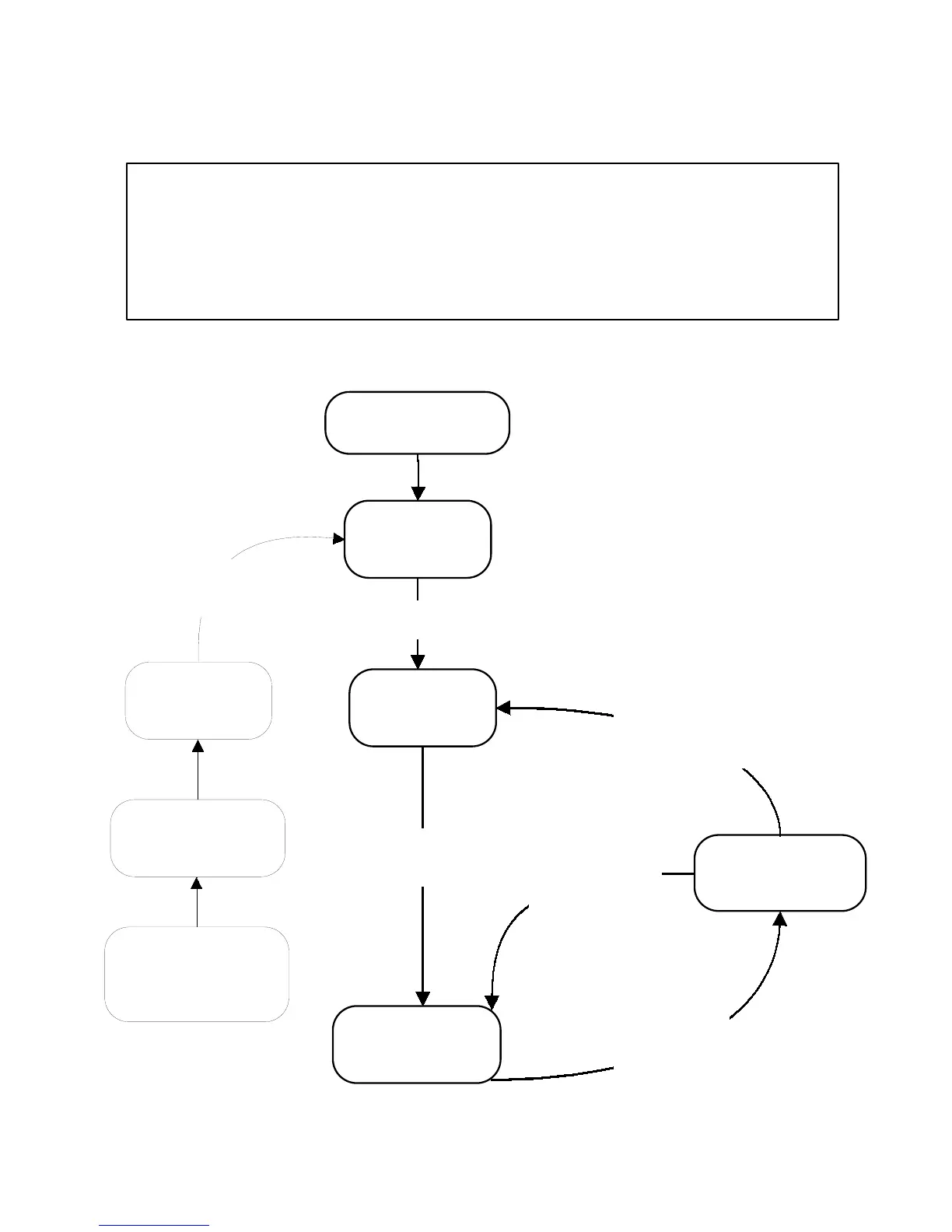
DIAGNOSTIC FLOW CHART FOR
ICE MAKER CONTROL BOARD #6100499
Freeze Mode begins
(See page 6-8)
Service Mode begins
(See page 6-11)
Harvest Mode begins
(See page 6-9)
Idle Mode begins
(See page 6-7)
Flush Mode begins
(See page 6-6)
When time, or
temperature is
satisfied go this
direction
Idle Mode ends
when the bin is
not full
When "Clean" has ended
and "Power On" is
selected go this direction
When Harvest ends
go this direction if
the bin is not full
OVERVIEW
The unit is first turned
on, (“On” is pressed)
Clean may be selected
at anytime. When
selected go this direction
5 minute Flush
Mode ends
Before using this chart, confirm that you have electronic control board #6100499.
Look for the part number on the control, or use the following procedure:
1. Disconnect the bin thermistor.
2. Place the unit into the Clean mode.
3. If the Clean LED flashes 2 times, it is the new control. The old control will not
flash the LED.
Clean Mode begins
(See page 6-11)
When Harvest ends
go this direction if
the bin is full



 To Next Page