4-10
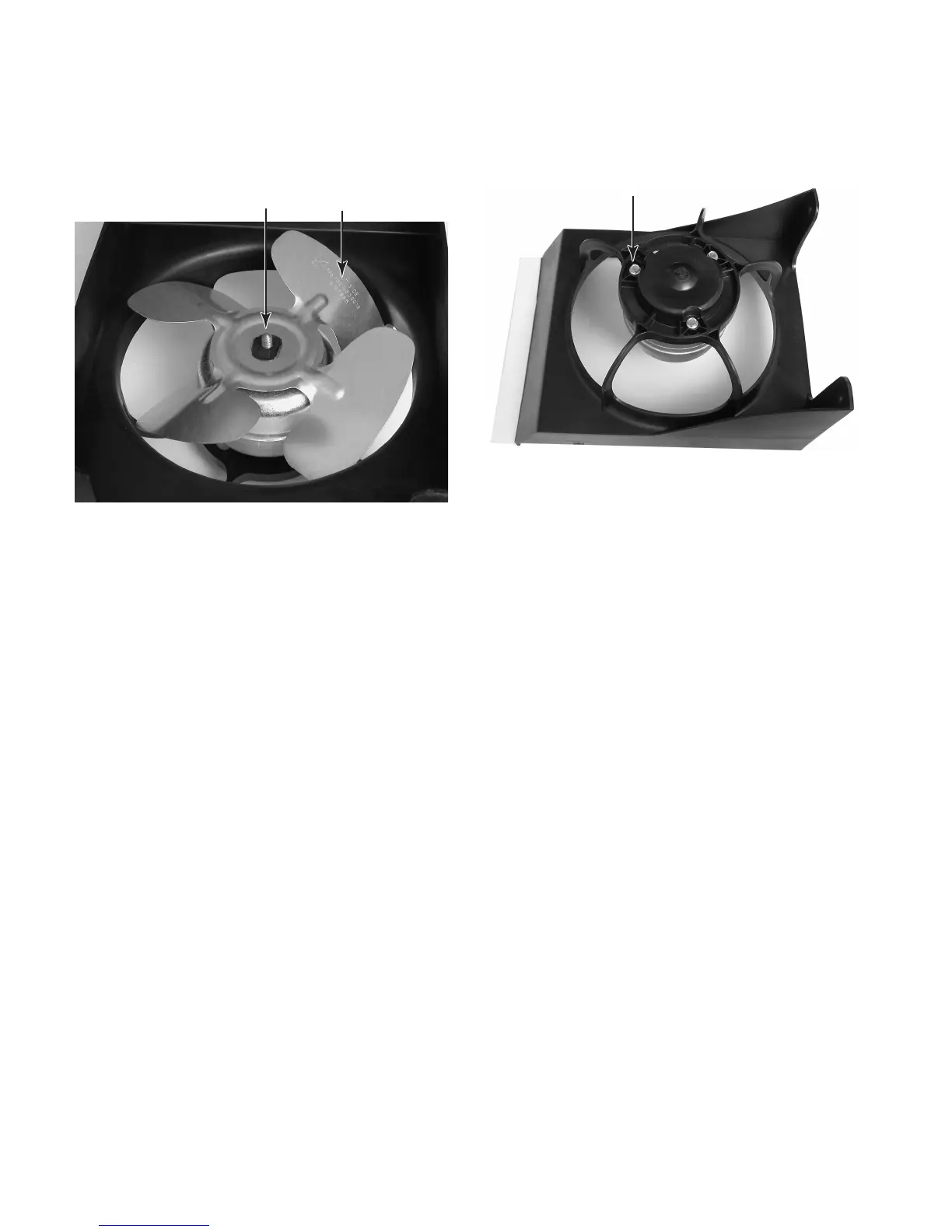
14. Remove the nut from the condenser fan
motor blade and remove the blade. NOTE:
Make sure to reinstall the fan with the
“NUT SIDE” marking facing the nut.
15. Remove the three hex-head screws from
the condenser fan motor and remove it
from the shroud.
Marking On Fan
Nut
Condenser Fan Motor Screw (1 of 3)



 To Next Page