6
PRODUCT ASSEMBLY
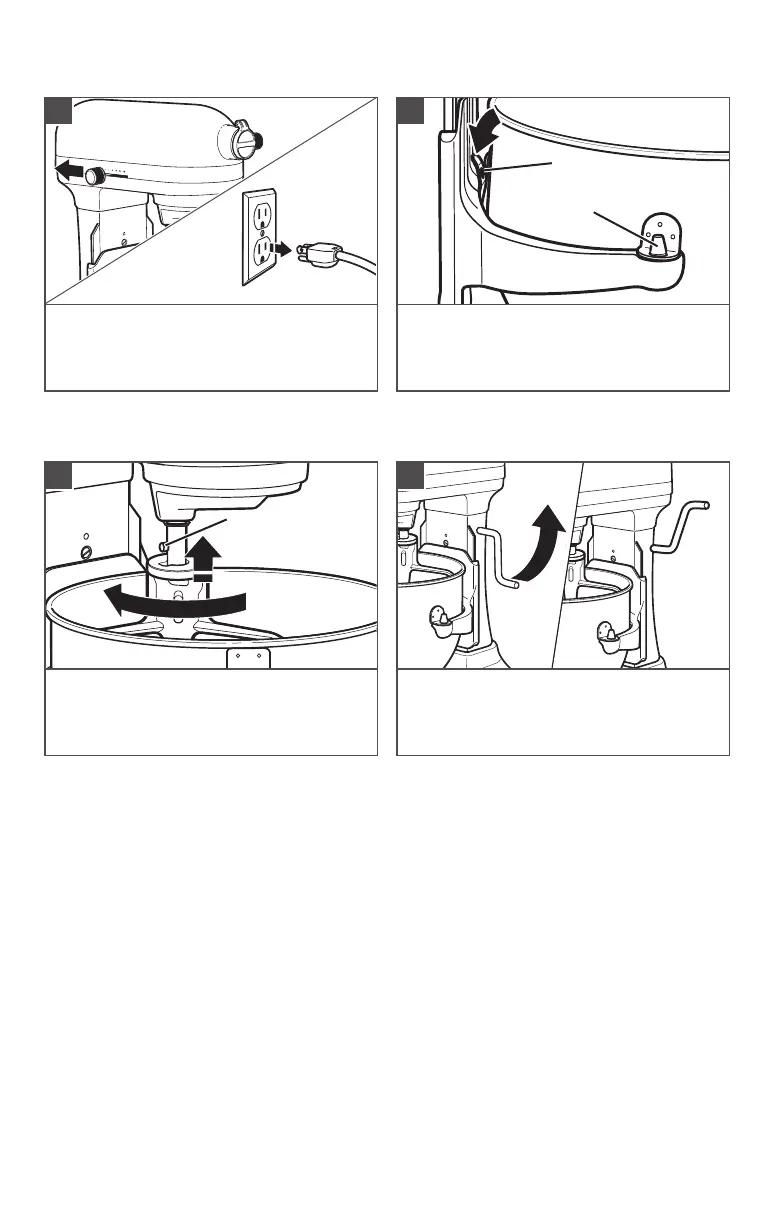
Turn the Stand Mixer to “OFF/ 0” and
then unplug.
1
To attach the bowl: Fit the bowl
supports over locating pins and press
down on back of the bowl
until bowl pin
snaps into spring latch.
2
To attach the accessory: Slip the
accessory onto the shaft. Turn to hook it
over the pin on the shaft.
3
To raise the bowl: Rotate the bowl
lift lever to the straight up position.
The bowl must always be in the raised
position when mixing.
4
IMPORTANT: If the bowl is not securely snapped into place, it will be unstable and
wobble during use.
Spring latch
Locating pin
Pin





 To Next Page