6 7
Please read this manual carefully before use.
Box contents
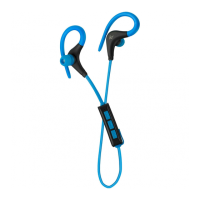
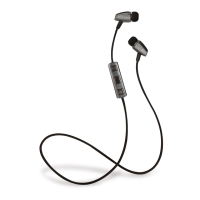
• KS Euphoria Bluetooth earphones
• USB charge cable
• Fitting kit
• Carry case
• User manual
Functions*
1. Volume+ / Next track
2. Play / Pause / Power
3. Volume– / Previous track
*Note: Button commands may vary depending on your device
1
2
3
Instructions for use
Charging the battery
1. Connect the micro USB end of the charging cable to the charging port and the standard USB end to a PC USB port
or USB mains charger
2. The LED indicator will be green whilst charging. It will turn o after around 2-3 hours. The battery is now fully charged
Note: The rst charge may take 4-5 hours.
Bluetooth setup
Pairing a Bluetooth device
1. Start by holding the power button down for 4 seconds. You will see the green LED indicator ash rapidly and
then enter pairing mode
2. Activate the Bluetooth feature on your device and search for Bluetooth devices (check your device’s manual
if you’re unsure how to do this)
3. Select ‘Euphoria’ from the list of found devices
4. If asked for a passcode, enter ‘0000’ or ‘1234’ and the headphones will then be connected to your device
5. After pairing successfully you will hear a tone; you can then answer the phone or listen to your music
6. The next time the headphones are switched on, they will automatically search for and attempt to connect
to the last paired device
[continued...]


 To Next Page