8 9
Re-pairing or pairing new devices
1. Make sure the Bluetooth is turned o on any previously paired devices
2. Follow the ‘Pairing a Bluetooth device’ instructions from step 1
Call-handling
Answer a call When a call comes through press the middle power button to answer
Holding down that button for 2 seconds will refuse that incoming call
Re-dial Whilst not in a call, tap the middle power button twice to redial the last number you called
Playing music
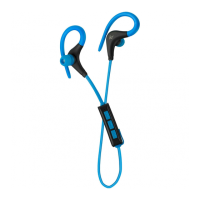
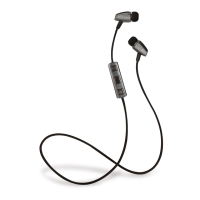
Play/Pause Press the middle button on the remote when music is playing on your device
Adjusting the volume Press the volume + or – buttons to control the volume, you will hear a tone at minimum
and maximum. The volume can also be adjusted on your device
Music selection Hold down the + or – buttons, you will hear a tone when the track changes
[...continued] Bluetooth setup
Care for your Euphoria Bluetooth
Please DON’T:
• Get the Euphoria Bluetooth wet
• Open up the Euphoria Bluetooth. There are no user serviceable parts inside
• Expose the Euphoria Bluetooth to extreme temperatures or rapid changes of hot to cold or vice versa
Please DO:
• Clean the Euphoria Bluetooth with a soft dry cloth and no detergents
Specications
Bluetooth V4
Bluetooth range up to 10 m
Frequency response 20 Hz – 20 kHz
Talk time up to 4.5 hours
Play time up to 5 hours
Standby time up to 60 hours
Battery type 3.7 V Li-Polymer, 70 mAh, rechargeable


 To Next Page