4 5
Please read this manual carefully before use.
Main features
• Supportedpictureformat:JPEG
• Supportedaudioformats:MP3andWMA
• Supportedvideoformats:MPEG1,MPEG2,MPEG4,AVIandM-JPEG
• Supportedmemorycards:SD/SDHC/MS/MMC
• USBconnection:miniUSB
• Built-inashmemorysupport
• Supportsautoslideshowwheninsertingcards
• Supportsviewingpicturesinthumbnailmode
• Supportsslideshowpictureinone/four/threewindowswithbackgroundmusic
• Image-displaymode:slideshow,preview,zoom,rotatefunction
• Adjustableslideshowspeedandvarioustransitionslideshoweffects
• Built-inclockandcalendarwithslideshowwindowandbackgroundmusic
• Built-instereospeakerandaudiooutearphone;scheduleautoon/off
• Copythelestothebuilt-inmemoryanddeletethelesinthebuilt-inmemory
• Adjustablebrightness,contrast,saturation
• OSDlanguage:Englishandotherlanguagesselectable
Getting started
Box contents
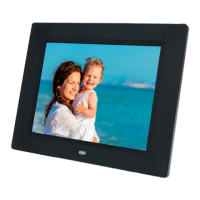
• 8"DigitalPhotoFrame
• AC/DCadaptor
• Remotecontrol
• Usermanual
Setting up your Digital Photo Frame
1. Extendthedigitalphotoframebracketonthebackoftheframetothewidestpositionforgreatest
stability,thenplugoneendoftheincludedACadaptorintoastandard110–240VACelectricaloutlet
andtheotherendintotheright-handsideoftheframe.
Note:Therearedifferentpositionsforthedigitalphotoframestand.
2. RemovetheprotectivelmcoveringtheLCD.
3. Removetheplasticbatteryinsulatorfromthebatterycompartmentandmakesuretheremotecontrol
has a battery inside.
4. Power on the unit by pressing the Power button on the remote control.


 To Next Page