12 13
Connecting to external equipment
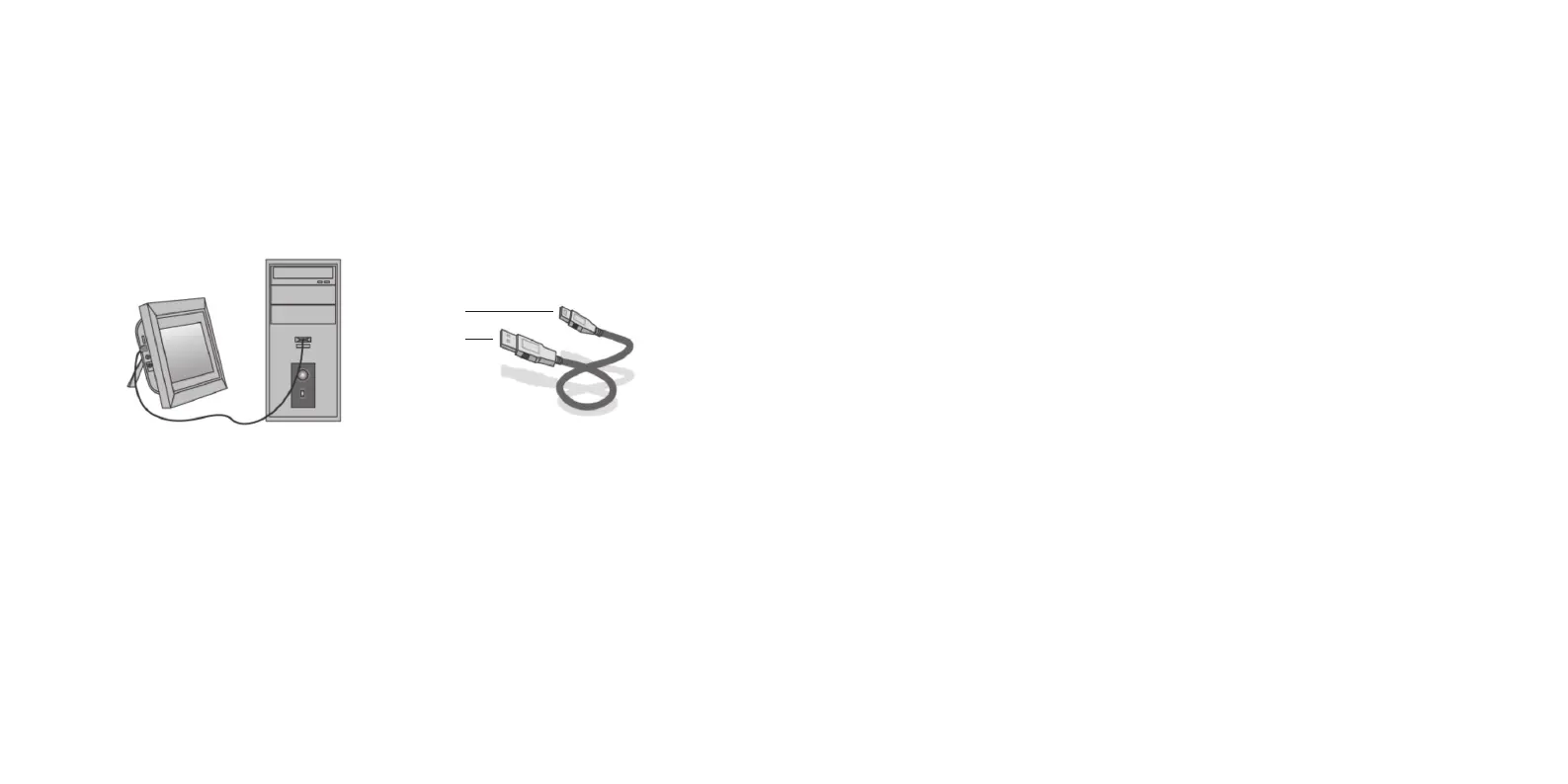
You can connect the unit to external equipment by using a USB cable:
1. TurnontheDigitalPhotoFrame,thenconnectittoyourcomputerwiththeUSBcable.
2. Theunitwillbeautomaticallydetectedandwilldisplay“USBDeviceConnected”whenyouareusing
Windows2000/XP.Youcanthencopylesbetweenthebuilt-inmemoryandtheDigitalPhotoFrame.
Whenyouhavenishedthecopy/deleteoperation,youwillneedtorestarttheDigitalPhotoFrame.
IMPORTANT:NeverdisconnecttheUSBcablewhilelesaretransferring.Doingsomaydamageyour
DigitalPhotoFrame.
miniUSB
USB
Care for your Digital Photo Frame
Precautions and maintenance
• Forindooruseonly
• Toavoidriskofreorelectricshock,donotexposetheunittomoistureorcondensation
• Toavoidoverheating,donotblocktheventilationholesonthebackoftheDigitalPhotoFrame
• KeeptheDigitalPhotoFrameoutofdirectsunlight
• Alwaysusetheejectbuttonsonthememorystoragecardslotstoremovethestoragecards
• DonotdismantletheDigitalPhotoFrame.Thereisariskofelectricshockandthereareno
user-serviceablepartsinside.DismantlingtheDigitalPhotoFramewillvoidyourwarranty
Cleaning the LCD screen
• Treatthescreencarefully.BecausethescreenoftheDigitalPhotoFrameismadeofglass,itcanbe
broken or scratched
• IfngerprintsordustaccumulateontheLCDscreen,werecommendusingasoft,non-abrasivecloth
such as a camera lens cloth to clean it
• Spraythecleaningclothwithcleaningsolutionandapplytheclothtothescreen
WARNING:
– PleasepowerofftheunitbeforeinsertingorremovingacardorUSBdevice
– Failuretodosomaycausedamagetothecard/USBandtheunit
– Toreducetheriskofreorelectricshock,donotexposethisappliancetorainormoisture


 To Next Page