26 27
Fixing the camera to a vented helmet
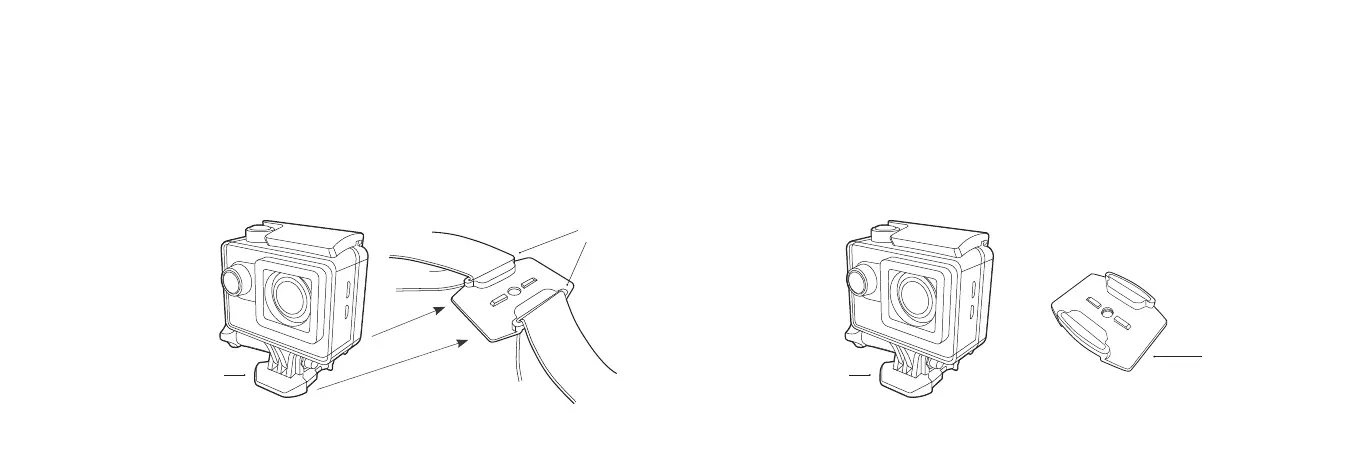
1. Fix the camera to the Mount Clip (i).
2. ThreadthesuppliedstrapsthroughtheslotsinaatorcurvedAdhesiveMount(don’tremovethe
adhesivelm)(ii).
3. Attach the camera assembly to the strap mount assembly by sliding it in until it clicks into position.
4. Afterxingthecameratothemountcorrectly,usethestraptoxittothehelmet.Adjustthe
length according to the helmet’s size, and then push the clips down into position to lock the
straps in place.
(ii)
(i) (i)
Fixing the camera to a board/at surface
1. Ensure the surface is clean and dry before applying the adhesive mount.
2. Peeloadhesivepaperandstickthemountinthedesiredposition.
3. Fix the camera to the Mount Clip (i).
4. Attach the camera assembly to the Adhesive Mount (C) by sliding it in until
youhearit“Click”intoposition.
(“Click”)
C



 To Next Page