Caution:
The length of the exhaust hose shall be 280~1,500mm, and this length is based on
the specications of the air conditioning. Do not use extension tubes or replace it with
other different hoses, or this may cause a malfunction. Exhaust must be unobstructed;
otherwise it may cause overheating.
Use and Operation
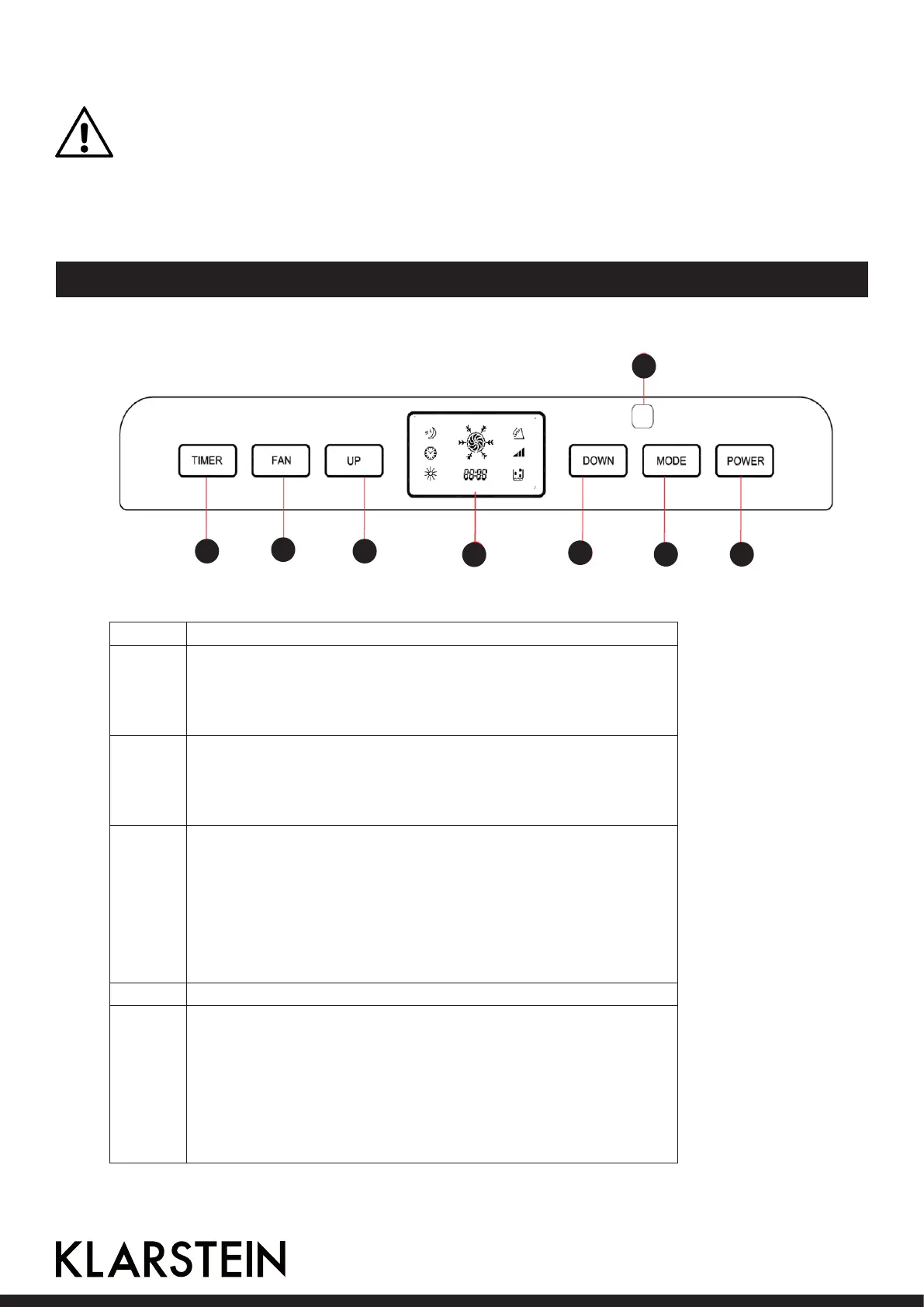
1 Remote control reception window
2 Power key
Press the key to turn on and turn off the machine. In the case of
power on, press the key to turn off the machine; in the case of
power off, press the key to turn on the machine.
3 Mode
In the case of power on, press the key to switch between cooling
→air supply →dehumidication → heating (single cold with no such
function) → cooling → ... mode.
4 Down key
Press the Up and Down keys to change the set temperature or
timing sett value, operate as follows:
While setting temperature, press up key or down key to
select the required temperature (not available in air supply or
dehumidication mode).
Pressing the up and down key simultaneously switches the display
of the temperature between degrees Celsius of Fahrenheit.
5 Display
6 Up key
Press the Up and Down keys to change the set temperature or
timing sett value, operate as follows:
While setting temperature, press up key or down key to
select the required temperature (not available in air supply or
dehumidication mode).
Pressing the up and down key simultaneously switches the display
of the temperature between degrees Celsius of Fahrenheit.
16
1
2 3
4
5
6
7
8
Operation interface:




 To Next Page