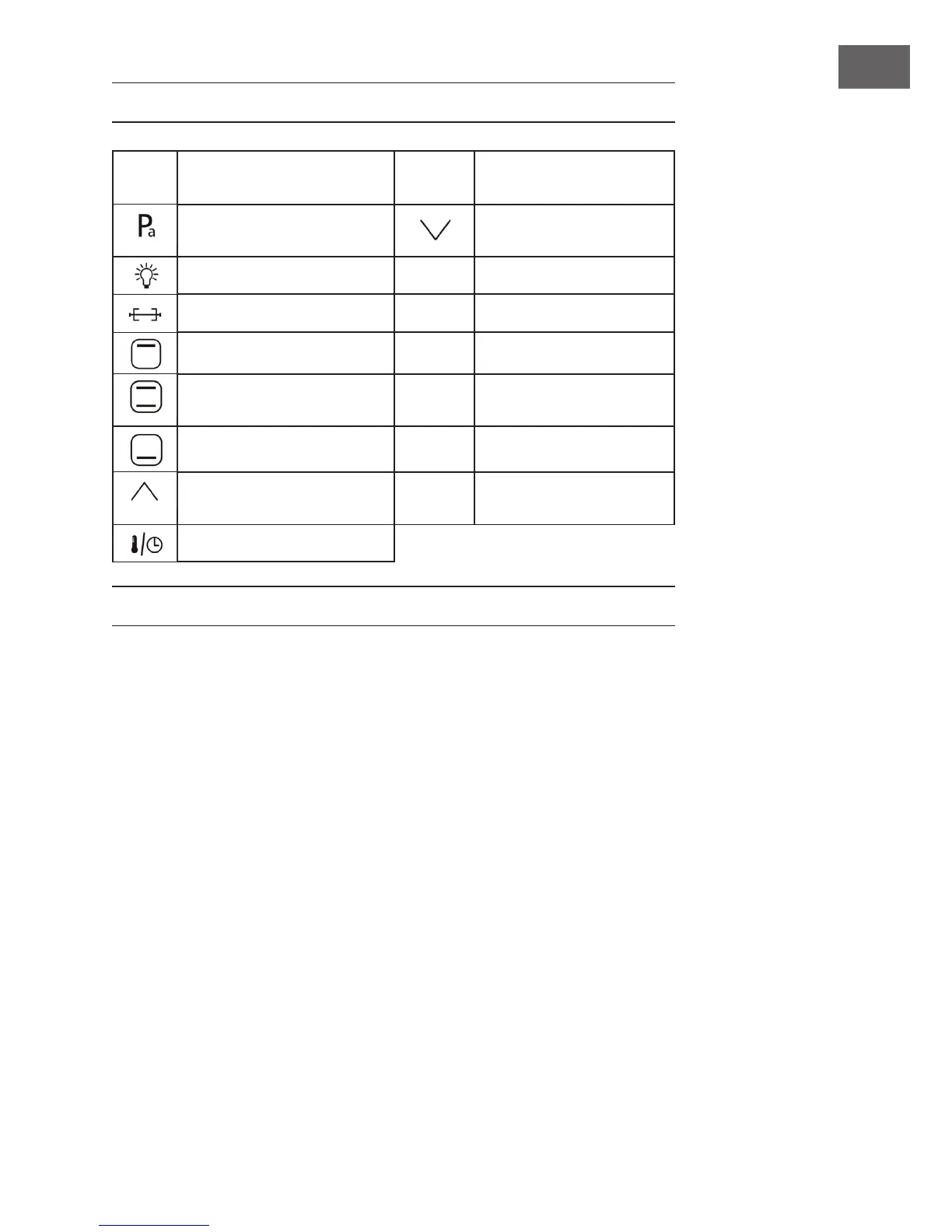
CONTROL PANEL AND BUTTONS
Button
Name
Function Description Button
Name
Function Description
Pressure roast
Decrease time or
temperature scale
Oven lamp BAKE Cake
Rolling fork TOAST Bread
Top Grill ROAST Chicken, etc
Both Grill
START/
CANCEL
Use for start working or
cancel programs
Bottom Grill BROIL Meat/Fish/Vegetable, etc
Increase time or temperature
scale
DIY DIY Menus
Adjust Temperature/Timer
BEFORE FIRST USE
Before Operation
• Keep using environment ventilated. And equipped with effective ventilation
equipment.
• The socket should be setinthe position easy plug. And avoid the place such asthe
power cord touch the sharp edge, high temperature cause the damage.
• Suggest to use the oven on the kitchen table. And make sure can bear the oven
weight and accept above
• 80°C if placed other place.


 To Next Page