Installation
1 Take off the packing case, take out all the accessories and packages.
2 Find the right location to place the oven to keep the effective distance for the both
side.
3 Conrm the socket supply power and earth wire connect correct.
4 Power on, according to the instruction manual to operate.
OPERATION
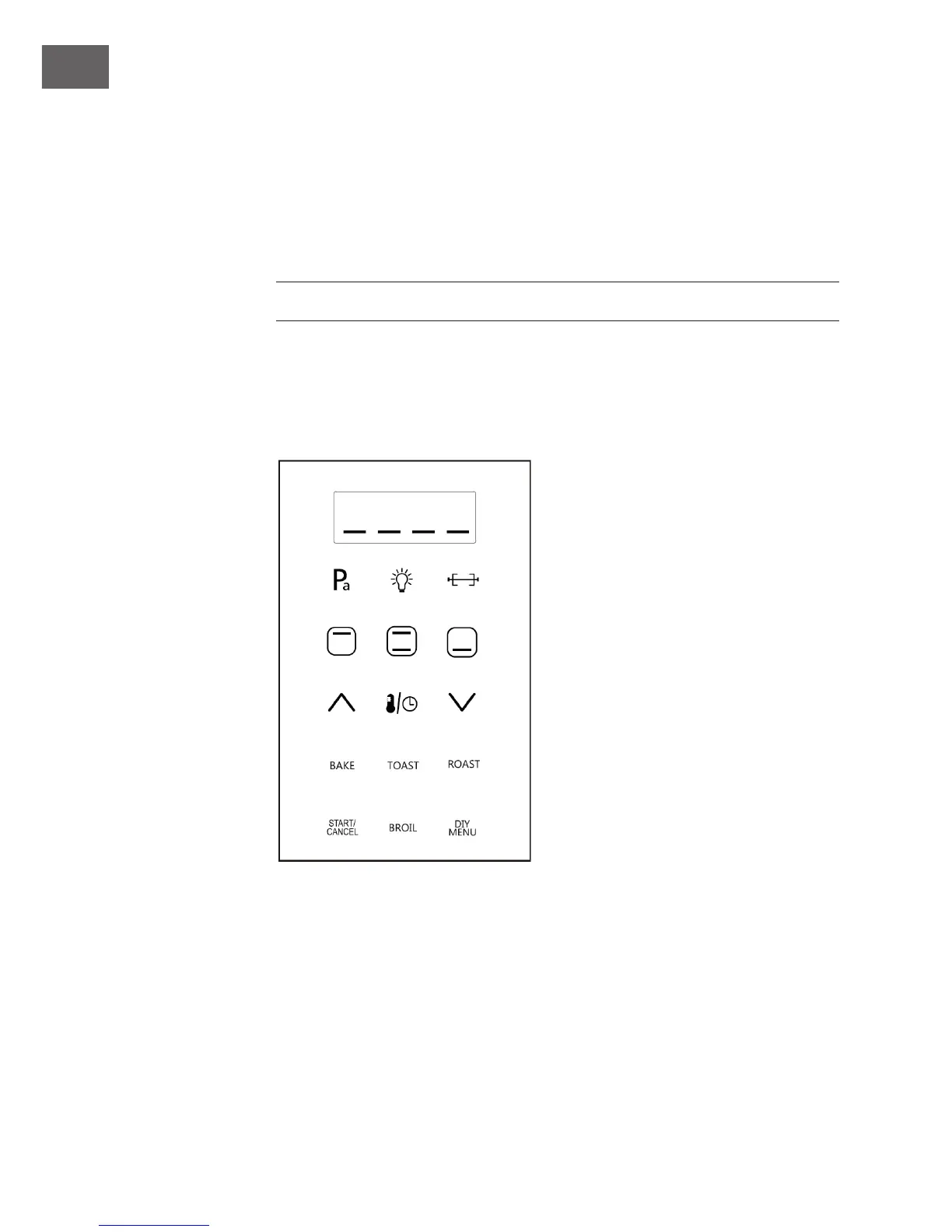
1. Power On
All buttons light 1 second,then LED display shows [----]. START/CANCEL button will
light and icker, others buttons will light o℃.


 To Next Page