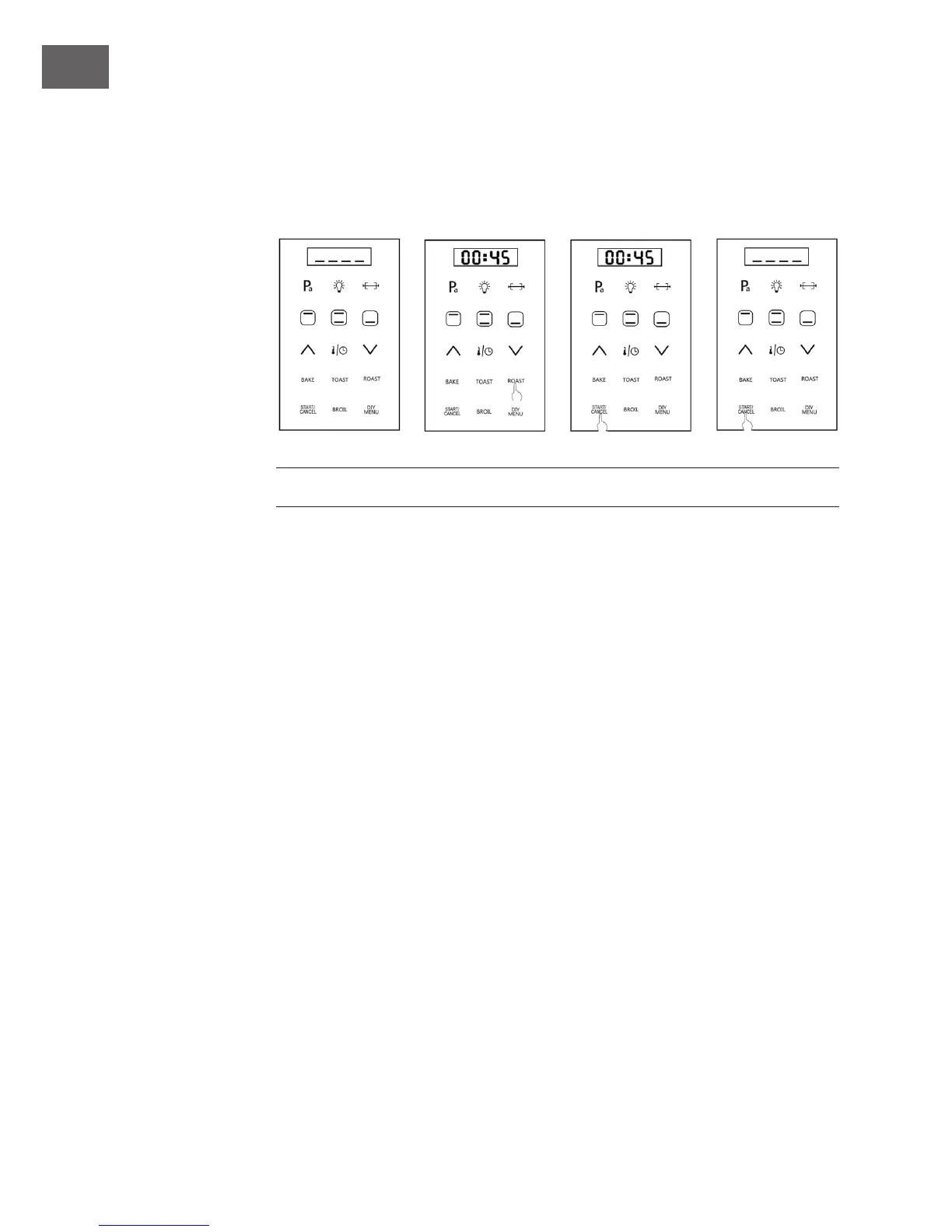
15. Start/Cancel
• Press℃START/CANCEL℃button to start the cooking after you set up function, time and
temperature.
• If you want to stop the oven working, press the℃START/CANCEL℃button when the
oven is working. Then the oven will stop.
ACCESSORIES USING MANUAL
Roasting Rack
Use for placing food or containers with food. Can be pushed in the notches on the inside
of the oven.
Tray
Use for place food. For example, put cake on the tray when cook cake. Use for collect
the oil. For example, place under the food to collect the oil when cook chicken.
Important Notes
• It will be high temperature when cooking.To avoid burns, please take protective
when put in and take out the accessory.
• Don‘t use the bottom grill working mode when use for the tray collect the oil.
• Don‘t put the food on the glass of oven after opening the window,avoid oven
topple over.


 To Next Page