19
EN
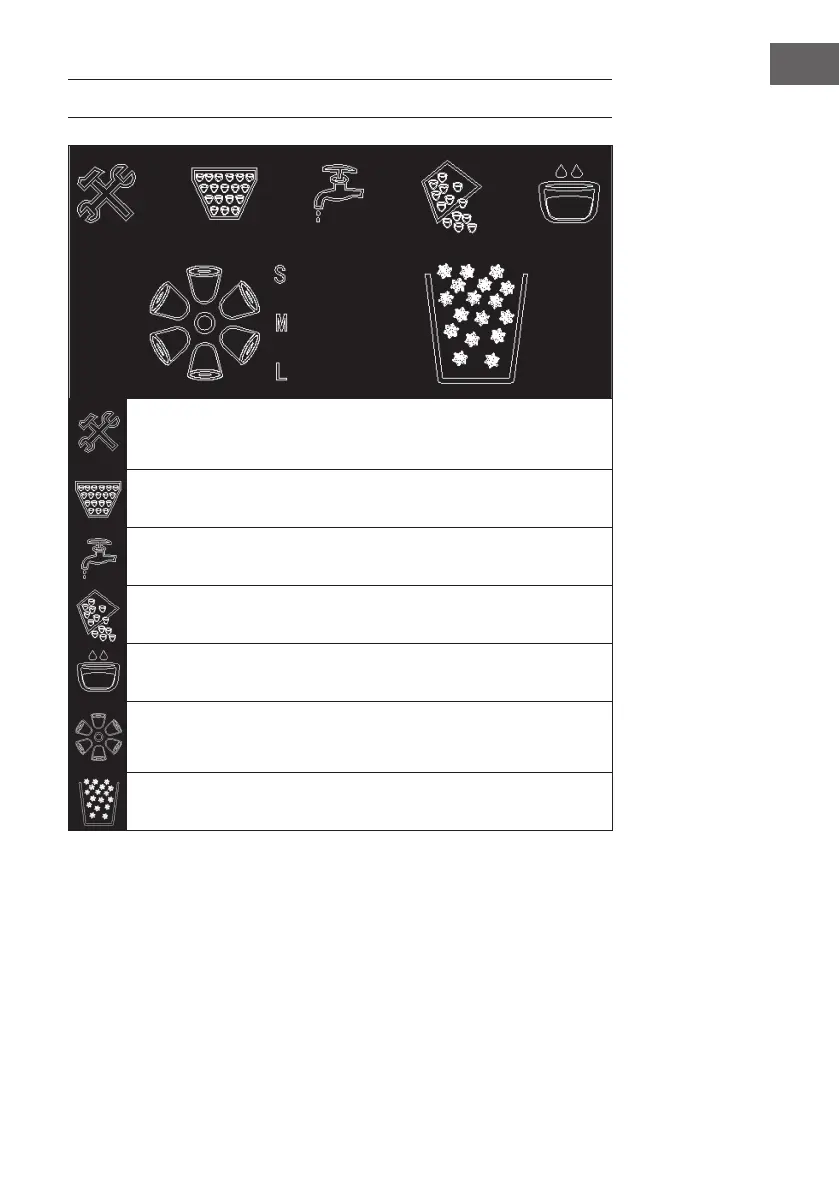
CONTROL PANEL
Error condition. Switch off the device and unplug the mains plug from the
socket. Restart the device. If the symbol reappears, contact your service
representative.
Ice container full.
There is too little water in the water tank. Rell with water.
The appliance is in ice dispensing mode.
Water alarm. Water must be relled.
Making ice cubes. If there is an S on the upper right side of the symbol,
small ice cubes are produced. If there is an L on the upper right side, large
ice cubes are produced.
Crushed ice is produced.





 To Next Page