23
EN
Step 12
Press the WATER button to obtain water.
Note: If you wish to receive cold water, at least the ice making function should be
activated. Be sure to place your glass under the water outlet before pressing the
button, otherwise the water will splash everywhere.
Step 13
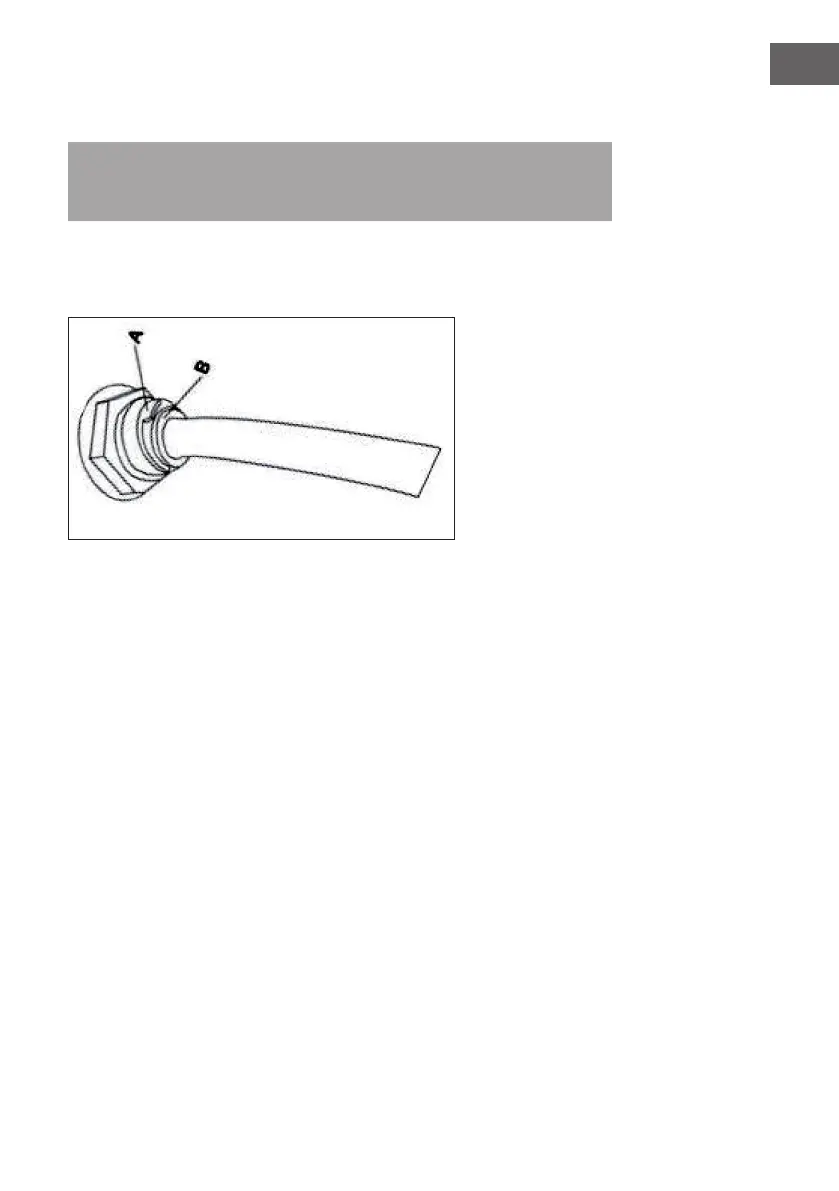
If you want to remove or replace the lling water line or insert the drain block, proceed
as follows:
First remove the blue ring (A) and then press the white ring (B) on the outside. Remove
the lling water pipe last.





 To Next Page