20
EN
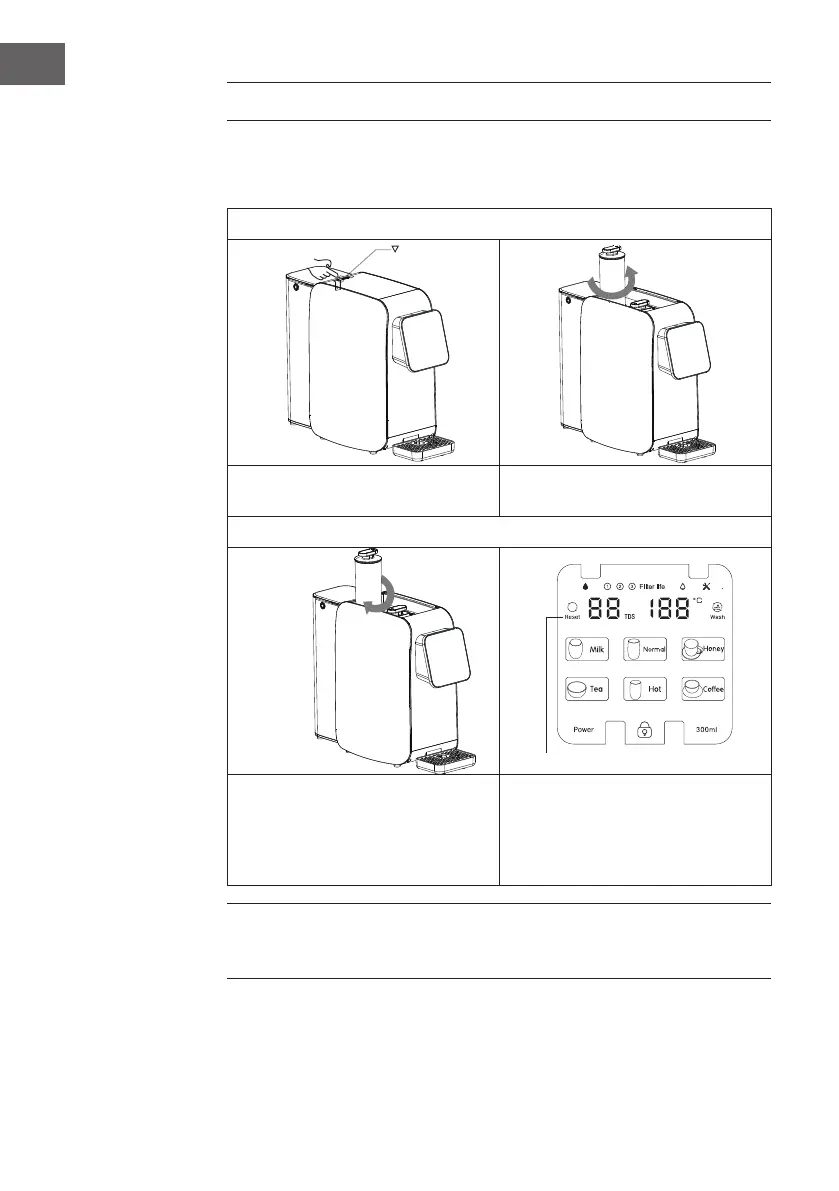
FILTER REPLACEMENT
When the lter element life is 20%, the indicator light will ash orange, indicating
that the lter element needs to be replaced.
Step 1: Turn off the device and take out the old lter cartridge.
Open the lid with the . Rotate the lter element anti-clockwise
and take it out upward.
Step 2: Installation of new lter element
Assemble the new lter element and
rotate it clockwise to lighten it.
Press and hold "RESET" and
then touch "RESET" to select the
corresponding lter element. Press
and hold "RESET" for 3s to complete
resetting.
Note: Original lter element must be used for replacement so as to ensure the
safety of drinking water. For any abnormal situation during the replacement of
lter element, please contact the customer service centre in a timely manner.



 To Next Page