21
EN
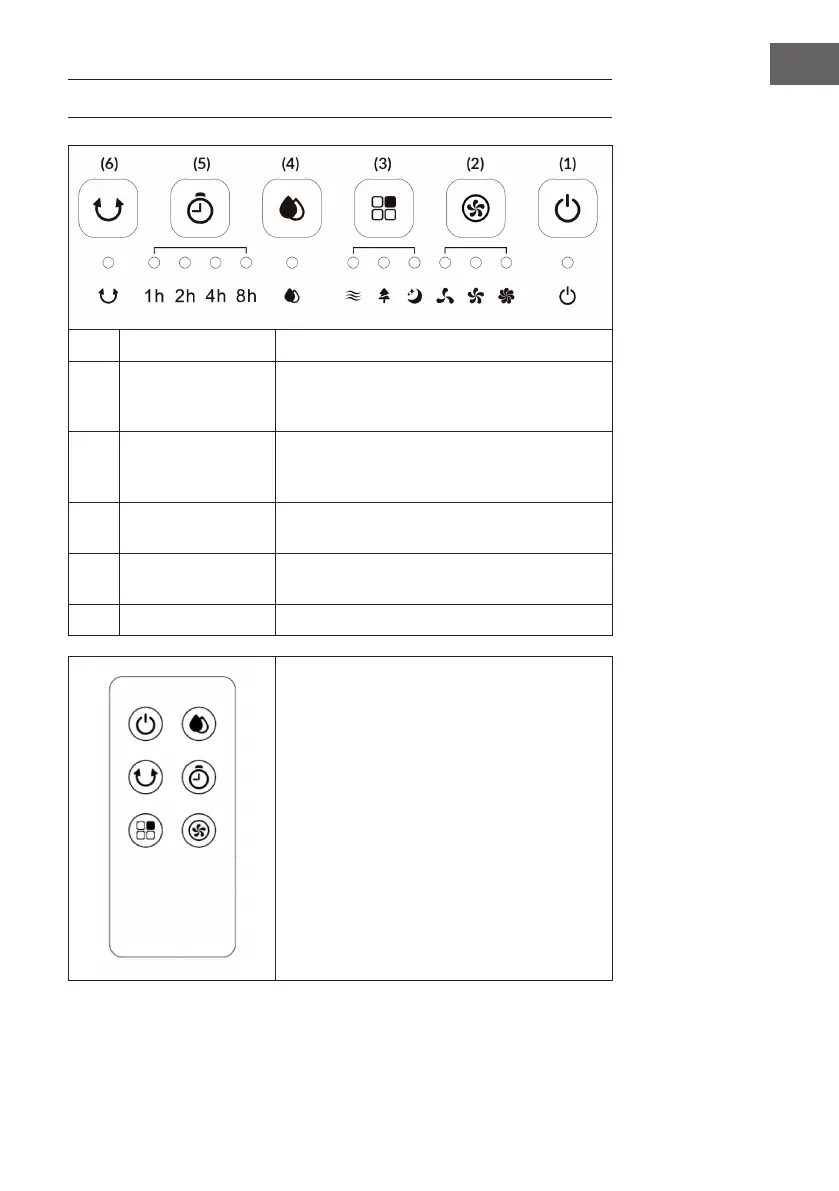
CONTROL PANEL AND KEYS
1
On/Off Switch the unit on and off.
2
Speed
Press several times to select the desired speed: low
> medium > high. The corresponding indicator light
comes on.
3
Mode
Press several times to select the desired mode:
Normal > Natural > Sleep. The corresponding
indicator light comes on.
4
Air humidication/
cooling
Switch cooling by humidication on and off.
5
timer
Press several times to select the desired switch-off
time: 1h > 2h > 4h > 8h
6
Swing Switch left/right oscillation on and off.
The buttons on the remote control have the same
functions as the buttons on the control panel.






 To Next Page