Need help?
Do you have a question about the Klein Tools IR1KIT and is the answer not in the manual?
Detailed measurement parameters including response time, data hold, and spectral response.
Guidelines for professionals on safe operation and hazard awareness when using the meter.
Explanation of icons and indicators displayed on the LCD screen for operational feedback.
Procedure for temperature measurement, laser targeting, and understanding distance-to-spot ratio.
Instructions on how to switch between Fahrenheit (°F) and Celsius (°C) temperature scales.
Procedure for battery replacement and cleaning the meter with a dry lint-free cloth.
Guidelines for storing the meter and proper disposal/recycling of equipment.
Crucial safety warnings and instructions for operating the GFCI Receptacle Tester.
How to test standard and GFCI receptacles, including fault identification.
Instructions for cleaning the tester and proper disposal/recycling.
This document describes the Klein Tools IR1KIT, an inspection kit comprising an Infrared Thermometer (IR1) and a GFCI Receptacle Tester (RT210). Both devices are designed for professional use, offering essential functionalities for electrical and temperature inspections.
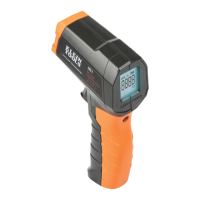
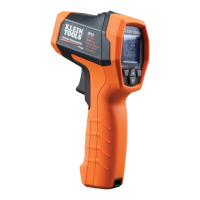
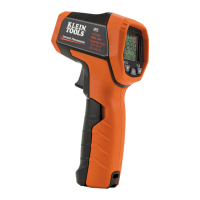
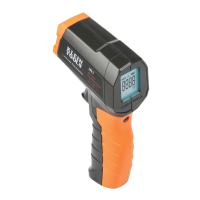
The Infrared Thermometer (IR1) is an entry-level device designed for non-contact temperature measurement. Its primary function is to measure surface temperatures over a wide range, making it suitable for both indoor and outdoor environments. The IR1 features a targeting laser to assist users in accurately pinpointing the measurement area, which is particularly useful for objects at varying distances. The device employs a 10:1 distance-to-spot ratio, meaning that the diameter of the measurement area increases proportionally with the distance from the target. For instance, at a distance of 10 inches, the measurement spot will have a diameter of 1 inch. This ratio helps users understand the size of the area being measured, especially when targeting objects from a distance.
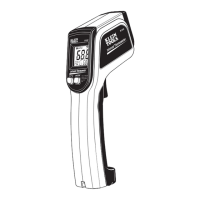
The IR1 is equipped with a backlit LCD display, which enhances visibility in various lighting conditions. This display shows the temperature reading, indicates when the targeting laser is active, displays a "HOLD" function to freeze the last measurement, and provides a battery level indicator. Users can select their preferred temperature scale, either Fahrenheit (°F) or Celsius (°C), via a switch located behind the battery compartment door. The device also includes an auto power-off feature to conserve battery life when not in use.
To operate the IR1, the user simply aims the meter at the desired object and pulls the trigger. Holding the trigger for at least two seconds ensures an accurate measurement. Upon releasing the trigger, the "HOLD" function activates, and the last measurement remains displayed. If the display shows "OL" or "—OL," it indicates that the measured surface temperature is outside the device's operational range. The targeting laser, which is a Class II laser, activates when the trigger is held and deactivates upon release. It is crucial to avoid direct eye exposure to the laser beam. The IR1 is not intended for measuring the temperature of people or animals. Users should also exercise caution when measuring reflective materials, as the instrument might indicate a cooler temperature than the actual surface temperature due to the device's fixed emissivity of 0.95.
Maintenance of the IR1 is straightforward. Battery replacement is necessary when the battery level indicator appears on the LCD. This involves loosening a screw on the battery compartment door, replacing the 9V battery, and re-securing the door. For cleaning, the meter should be turned off and wiped with a clean, dry, lint-free cloth. Abrasive cleaners or solvents should be avoided. The sensor lens, which is critical for accurate measurements, must be kept clean. Loose debris can be removed with compressed air, and the lens can be cleaned with a soft cloth or cotton swab moistened with water or rubbing alcohol, ensuring it is completely dry before subsequent use. For prolonged storage, the battery should be removed, and the device should not be exposed to extreme temperatures or humidity.
The GFCI Receptacle Tester (RT210) is designed to verify the wiring configuration of standard and GFCI (Ground Fault Circuit Interrupter) receptacles. Its primary function is to detect common wiring problems such as open ground, reverse polarity, open hot, open neutral, and hot/ground reversed. The tester provides clear indications of these conditions through a pattern of illuminated and non-illuminated lights.
To use the RT210 for standard receptacles, users must first verify its operation on a known live and correctly wired receptacle. Once confirmed, the tester is plugged into the receptacle under test. The pattern of illuminated lights on the tester is then compared to a key code printed on the device to identify any wiring faults. If a fault is detected, a qualified electrician should be consulted.
For GFCI receptacles, the process involves checking the GFCI receptacle's user manual for specific operational information. The tester is then inserted into the GFCI receptacle, and the lights on the tester should illuminate. The user then presses the "TEST" button on the GFCI receptacle. If the GFCI trips and the lights on the tester go dark, it indicates proper operation, and the GFCI can be reset. If the GFCI does not trip, it suggests improper operation or miswiring, requiring an electrician's intervention. A further test involves pressing and holding the test button on the RT210 for seven seconds. If the GFCI trips and the lights go dark, it confirms the GFCI is operating correctly.
It is important to note that the RT210 only detects common wiring problems and does not indicate issues such as the quality of the ground, multiple hot wires, combinations of defects, or the reversal of grounded and grounding conductors. Before testing, all other appliances or equipment on the circuit should be unplugged to prevent erroneous readings. The tester is intended for indoor use only, and its operation can be interfered with by other devices attached to the circuit.
Cleaning the RT210 involves wiping it with a clean, dry, lint-free cloth, avoiding abrasive cleaners or solvents. Both devices in the IR1KIT should be disposed of according to local regulations, and should not be placed in regular trash. Resources like www.epa.gov or www.erecycle.org are provided for additional information on proper disposal.
 General
| Type | Infrared Thermometer |
|---|---|
| Response Time | <500 ms |
| Display | LCD |
| Battery | 9V |
| Optical Resolution (Distance-to-Spot Ratio) | 12:1 |
| Distance to Spot Ratio | 12:1 |
| Display Type | LCD |
| Backlight | Yes |
| Accuracy | ±4°F (±2°C) or 2% of reading, whichever is greater |
| Laser | Single |
| Auto Power Off | Yes |

 To Next Page