Need help?
Do you have a question about the Klein Tools VDV501-852 and is the answer not in the manual?
Explains symbols used on the tester for safe operation.
Explains the function of each button in detail for various modes.
Steps to measure cable length for voice, data, and coax cables.
How to set and edit the length constant for accurate measurements.
Procedure to find length constant using a known cable sample.
How to switch between feet and meters for measurements.
Steps for testing voice, data, and Ethernet cables.
Steps for testing coaxial cables.
How to identify data and voice cables using remotes.
How to identify coaxial cables using remotes.
How to trace voice, data, and Ethernet cables using tones.
How to trace coaxial cables using tones.
Testing continuity and identifying cables at multiple locations.
How to test for Power Over Ethernet (PoE) voltage and configuration.
How to use the Hub Blink feature to identify network ports.
Details power parameters for 802.3af and 802.3at PoE standards.
Visual examples of cable wiring and tester display outputs.
Visual examples of properly wired, open, and shorted coax cables.
Instructions for replacing the battery and cleaning the instrument.
Guidance on storing, disposing, and ordering replacement remotes.
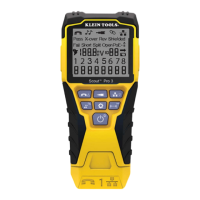
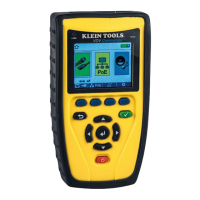
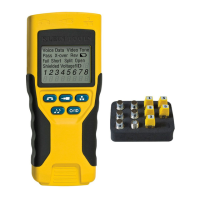
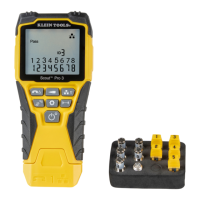
The Klein Tools VDV Scout™ Pro 3 is a versatile, handheld cable tester designed for professionals working with voice, data, and video cables. This device is engineered to simplify the process of testing, troubleshooting, and identifying various cable types, making it an essential tool for network installers, technicians, and anyone involved in cable infrastructure management. Its comprehensive feature set allows for efficient and accurate assessment of cable integrity and performance, reducing diagnostic time and improving workflow efficiency.
The primary function of the VDV Scout™ Pro 3 is to test and troubleshoot a wide range of cables, including RJ11, RJ12, RJ45, and F-connector terminated cables. It excels at detecting common cable faults such as short circuits, open circuits, reversals, miswires, crossover wiring, and split pairs. This capability is crucial for ensuring that cables are properly installed and functioning according to industry standards. The device also incorporates Power over Ethernet (PoE) testing, which is vital for verifying the presence and configuration of power on Ethernet cables, a common requirement for IP cameras, VoIP phones, and wireless access points.
Beyond basic fault detection, the VDV Scout™ Pro 3 offers advanced features like cable ID, which allows users to identify and map multiple cable runs quickly. This is particularly useful in complex wiring environments where numerous cables converge in a single location. The device can trace up to 19 locations, significantly streamlining the identification process. For cable tracing, it includes a tone generator that produces various cadences, enabling technicians to locate specific cables using an analog tone probe. This is invaluable for identifying unlabelled or hidden cables within walls or bundles.
Another key feature is length measurement, which utilizes the capacitive properties of a cable to determine its length. This helps in estimating cable requirements, identifying excessively long runs that might degrade signal quality, and verifying cable inventory. The device supports both feet and meters as units of measurement. The extra-large backlit LCD display ensures clear visibility of test results and settings, even in dimly lit environments, enhancing usability and reducing eye strain.
The VDV Scout™ Pro 3 also includes a Hub Blink function, which helps identify the port on a network switch or hub to which a cable is connected. By sending a signal that causes the corresponding port light to blink, it simplifies the process of tracing cables back to their active network equipment. An auto power-off feature conserves battery life, ensuring the device is ready for use when needed.
Operating the VDV Scout™ Pro 3 is designed to be intuitive, with a user-friendly keypad and clear on-screen indicators. The device supports various test modes, including voice, data, and video, each accessible via dedicated buttons. For wiremap testing on RJ11/RJ12 and RJ45 cables, users simply connect the cable and press the respective VOICE/UP or DATA/DOWN button. Continuity testing for F-terminated coax cables is initiated with the VIDEO button.
The tone generator offers multiple cadences, which can be cycled through using the TONE/HUB BLINK button. A long press on this button activates the Hub Blink function. Length measurement is initiated by pressing the LENGTH/PoE button, which also serves to start PoE testing with a long press. The SETTINGS button allows users to configure units of measurement (feet or meters) and enter the Length Constant Edit mode, which is crucial for accurate cable length readings. The Length Constant can be adjusted based on known cable values or determined for unknown cable types, ensuring precision in measurements.
The display provides comprehensive feedback, indicating the cable type being tested (voice, data, or video), active modes like Hub Blink or Tone, and various cable fault indicators such as "Pass," "Fail," "Short," "Split," "Open," "X-over," and "Rev." It also shows whether a cable is shielded, displays voltage information during PoE tests, and provides the remote ID number for location mapping. The tester-end and remote-end wire maps are clearly displayed, showing pin connections and highlighting any discrepancies.
For cable identification, the VDV Scout™ Pro 3 utilizes location ID remotes. These remotes are attached to the far end of cables, and the main tester displays the remote's ID number, allowing technicians to quickly map cable runs to specific rooms or locations. This digital identification method eliminates the need for manual tracing in many scenarios. The device also supports Test + Map™ ID Remotes, which not only identify locations but also perform wire map and length tests simultaneously, further enhancing efficiency.
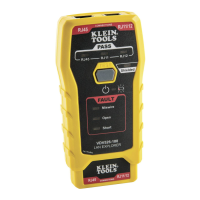
The device's design includes dedicated ports for RJ45, RJ11/12, and F-connectors, as well as a specific PoE port for testing energized Ethernet cables. This clear separation of ports helps prevent accidental damage and ensures correct testing procedures. The self-storing Test + Map™ ID Remote #1 is conveniently integrated into the main unit, making it easy to keep track of and readily available. Additional remotes are available separately to expand the device's mapping capabilities.
Maintaining the VDV Scout™ Pro 3 is straightforward, focusing on battery replacement and general cleaning to ensure its longevity and reliable performance. The device operates on a 9-volt alkaline battery, which can be easily replaced by loosening a screw with a No. 2 Phillips screwdriver and removing the battery cover. Users are instructed to recycle exhausted batteries and install new ones with the wires running under the battery towards the inside of the housing. It is important not to overtighten the screw when replacing the battery door.
For cleaning, the instrument should be turned off and disconnected from any cables. A damp cloth can be used to clean the device, but abrasive cleaners or solvents should be avoided to prevent damage to the housing or display.
Proper storage is also crucial for the device's lifespan. When not in use for prolonged periods, the batteries should be removed to prevent leakage and potential damage. The VDV Scout™ Pro 3 should not be exposed to high temperatures or humidity. If stored in extreme conditions, it is recommended to allow the instrument to return to normal operating conditions before use to ensure accurate readings and functionality.
The manual also provides guidance on disposal and recycling, emphasizing that the equipment and its accessories should not be placed in regular trash. Instead, they should be disposed of in accordance with local regulations, with references to relevant environmental protection agencies for more information. This highlights a commitment to environmental responsibility and proper end-of-life management for electronic devices.
Overall, the VDV Scout™ Pro 3 is a robust and user-friendly tool designed to meet the demands of cable testing and troubleshooting with efficiency and accuracy, supported by simple maintenance practices to ensure its continued performance.
 General
| Test type | PoE tester |
|---|---|
| Display type | LCD |
| Product type | Twisted pair cable tester |
| Product color | Black, Yellow |
| Built-in display | Yes |
| Supported connectors | BNC, RJ-11, RJ-12, RJ-45 |
| Battery voltage | 9 V |
| Battery technology | Alkaline |
| Number of batteries supported | 1 |
 Weight and Dimensions
| Depth | 178 mm |
|---|---|
| Width | 38 mm |
| Height | 80 mm |
| Weight | 500 g |


 To Next Page