EasyManua.ls Logo

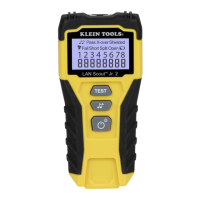
Klein Tools VDV526-200 - User Manual

Klein Tools VDV526-200
5 pages
Print Icon
To Next Page IconTo Next Page
Loading...
ENGLISH






 
 
 
VDV526-200
Test Equipment Depot - 800.517.8431 -
5
Commonwealth Ave, Woburn MA 01801
TestEquipmentDepot.com
Question and Answer IconNeed help?

Do you have a question about the Klein Tools VDV526-200 and is the answer not in the manual?

Summary

General Specifications

Warnings

Symbols on Tester

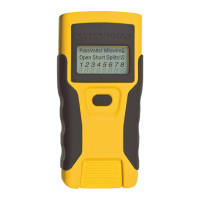
Tester Ports, Buttons & Display

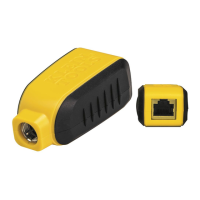
Tester Ports

Describes RJ45 shielded jacks on the main tester and remote.

Buttons

Details the function of the Test, Tone, and Power/Backlight buttons.

Display Indicators

Tone Icon

Indicates tone transmission and conductor wires being toned.

Pass Icon

Indicates a properly wired data or crossover cable.

X-Over Indicator

Indicates a correctly wired crossover pattern.

Shielded Indicator

Indicates a correctly assembled shield contact.

Voltage Detected Warning

Alerts to detected voltage, preventing testing.

Fail Icon

Indicates incorrect wiring to cabling standards.

Short Icon

Indicates a short on conductor wires.

Split Icon

Indicates designated wire pairs are not terminated correctly.

Open Icon

Indicates an unterminated conductor wire.

Battery Low Icon

Signals low battery, potentially affecting results.

Tester-End Wire Map

Shows pin mapping from the tester end.

Remote-End Wire Map

Shows pin mapping to the remote end with dashed lines for shorts.

Control Buttons

Power;Backlight Button

Controls unit power and backlight.

Cable Testing Button

Initiates cable tests, default loop mode.

Toning Button

Transmits analog tones on conductor wires.

Operating Instructions

Wire Map and Display Examples

Properly Wired T568 A UTP

Example of correctly wired UTP cable test result.

T568 A Split Pairs

Example of a cable with split pairs.

T568 A Short and Open

Example of a cable with short and open faults.

T568 A Miswire

Example of a cable wired incorrectly according to T568A standard.

Toning

Tone Tracing on Uninstalled Cable

Instructions for tracing tones on uninstalled cables.

Tone Tracing on Installed Cable

Instructions for tracing tones on installed cables.

Battery Replacement

Warranty

Cleaning

Storage

Disposal and Recycling

Summary

General Specifications

Warnings

Symbols on Tester

Tester Ports, Buttons & Display

Tester Ports

Describes RJ45 shielded jacks on the main tester and remote.

Buttons

Details the function of the Test, Tone, and Power/Backlight buttons.

Display Indicators

Tone Icon

Indicates tone transmission and conductor wires being toned.

Pass Icon

Indicates a properly wired data or crossover cable.

X-Over Indicator

Indicates a correctly wired crossover pattern.

Shielded Indicator

Indicates a correctly assembled shield contact.

Voltage Detected Warning

Alerts to detected voltage, preventing testing.

Fail Icon

Indicates incorrect wiring to cabling standards.

Short Icon

Indicates a short on conductor wires.

Split Icon

Indicates designated wire pairs are not terminated correctly.

Open Icon

Indicates an unterminated conductor wire.

Battery Low Icon

Signals low battery, potentially affecting results.

Tester-End Wire Map

Shows pin mapping from the tester end.

Remote-End Wire Map

Shows pin mapping to the remote end with dashed lines for shorts.

Control Buttons

Power;Backlight Button

Controls unit power and backlight.

Cable Testing Button

Initiates cable tests, default loop mode.

Toning Button

Transmits analog tones on conductor wires.

Operating Instructions

Wire Map and Display Examples

Properly Wired T568 A UTP

Example of correctly wired UTP cable test result.

T568 A Split Pairs

Example of a cable with split pairs.

T568 A Short and Open

Example of a cable with short and open faults.

T568 A Miswire

Example of a cable wired incorrectly according to T568A standard.

Toning

Tone Tracing on Uninstalled Cable

Instructions for tracing tones on uninstalled cables.

Tone Tracing on Installed Cable

Instructions for tracing tones on installed cables.

Battery Replacement

Warranty

Cleaning

Storage

Disposal and Recycling

Klein Tools VDV526-200 Specifications

General IconGeneral
Test typeContinuity testing
Cable typeCat7, Cat6/6A, Cat5E, Cat3
Display typeLCD
Product typeTwisted pair cable tester
Product colorBlack, Yellow
Built-in displayYes
Supported connectorsRJ-45
Battery typeAAA
Battery technologyAlkaline
Number of batteries supported2
Weight and Dimensions IconWeight and Dimensions
Depth130 mm
Width64 mm
Height25 mm
Weight122 g

Related product manuals