Q:Why can’t the door lock recognize my ngerprint well or it failed to unlock with the App?
A:When recording ngerprints, please place your clean and dry nger at dierent angles and positions to ensure
that a larger area is scanned. The old and children may not use their ngerprints eectively, so keep ngers
clean before unlocking.
Q:If the batteries die, how can I open the door?
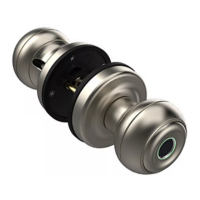
A:The smart door knob built-in rechargeable battery. You can use an emergency power supply to charge the
smart door knob through a USB A+Type C port or use the backup key to open the door.
Q:After installing the new lock, what should I do to pair and set it up?
A:This smart Knob is controlled by the Bluetooth Smart Life app. Please conrm that the Bluetooth and Location
permission is turned on for the App. After authorization, you need to touch the ngerprint sensor to wake up the
smart lock.If two use APP to manage one lock at the same, only one user can connect to control this lock.
Q:Why is my Smart Lock low-powered?
A:Charge the lock for 3-4 hours before installing. When the low battery warning occurs (ngerprint unlocked rst
green light then ashing red light), indicating the need for charging.
Q:What can I do if the smart knob locks me out after several times incorrectly input?
A:For user safety, if you enter the wrong ngerprint ve times in a row, the lock will enter security mode, and
stop accepting ngerprints for unlock. Methods to exit this mode:
1. Unlock via app. 2. Unlock via backup key. 3. Waiting for 2 minutes.
FAQ
22


 To Next Page