Semi-Micro Osmometer K-7400S instructions, V3700
Product information 5
1.3 Views
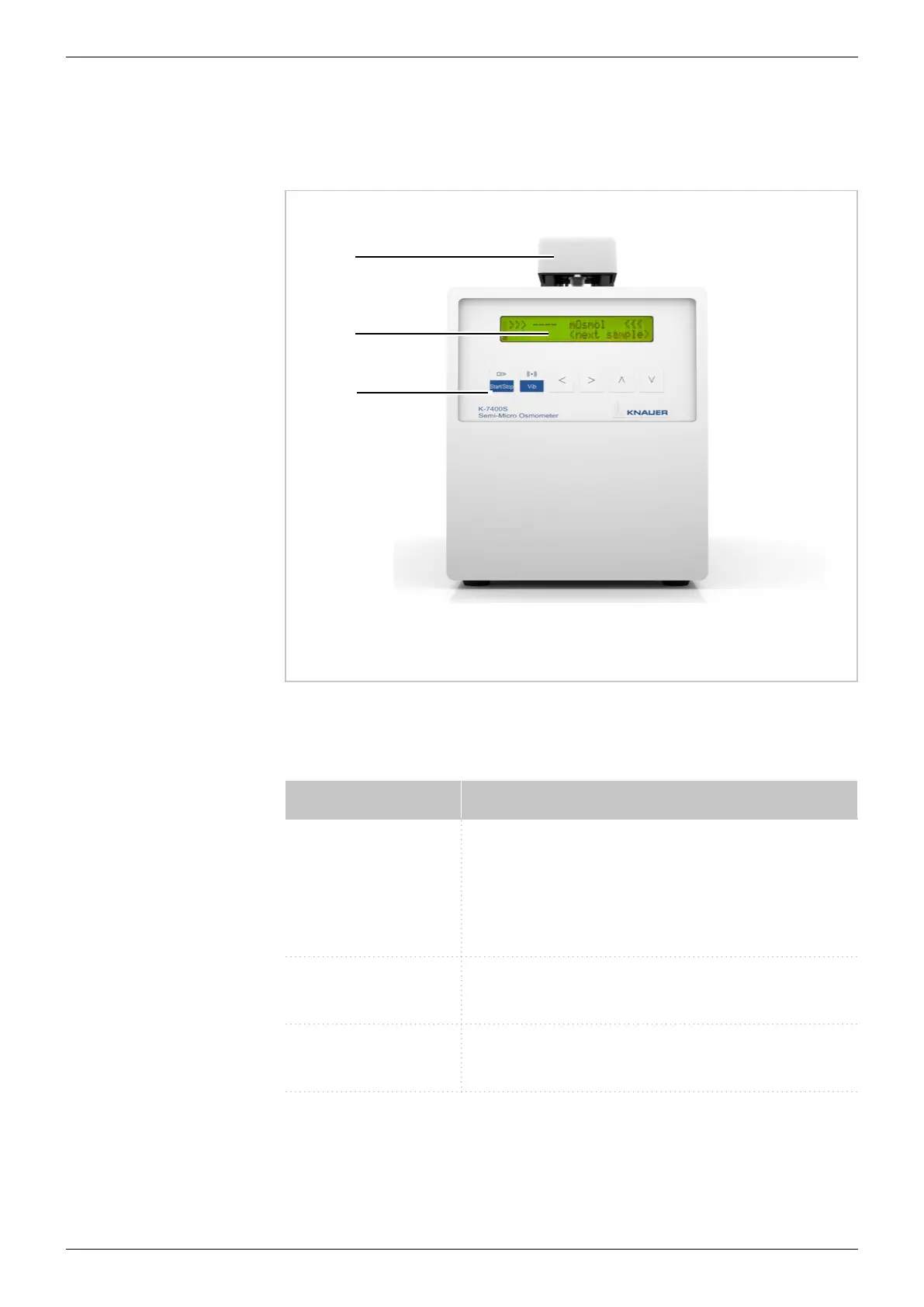
1. 3.1 Front view
Legend:
1
Measuring head
2
LCD display
3
Keypad
Fig. 1: Front view
1.3.2 Keypad
Buttons Function
START/STOP Starts a measurement or calibration run. If this
button has no specific function on the screen, it
causes to return on the main screen.
With this button, every running measurement
can be interrupted.
VIB Activates the stirring wire. During RUN and
CALIBRATE, the button is without any function.
Arrows Cursor navigation buttons for parameter or
value selec tion
3
2
1


 To Next Page