Semi-Micro Osmometer K-7400S instructions, V3700
Using the EuroOsmo 7400 Software 33
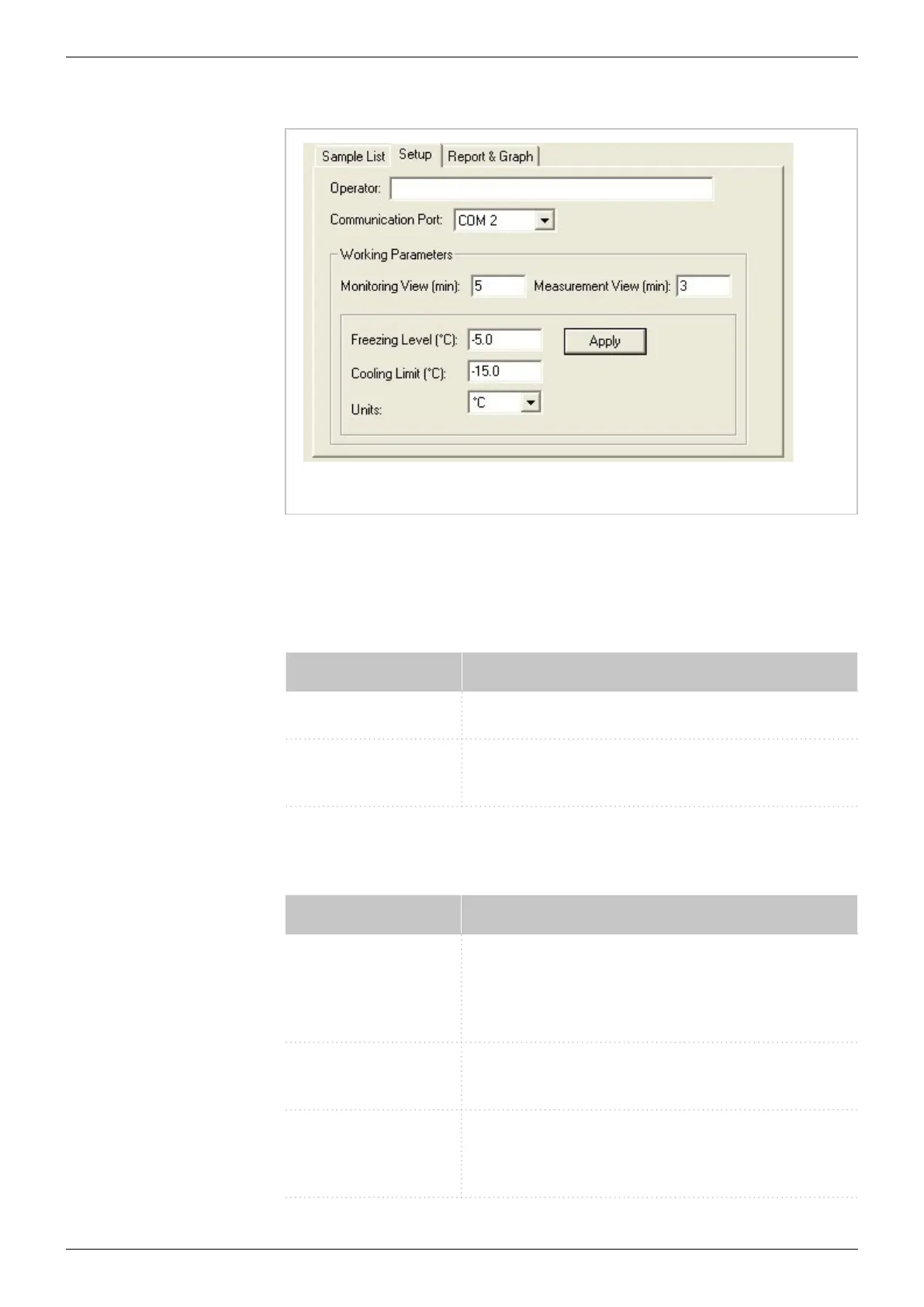
Fig. 14: Setup area of the main window
10.6 Setup
Area for editing general settings for measurement sequences and corre-
sponding reports.
Command Explanation
Operator Enter the name of the user.
Communication
Port
Select the COM port to which your osmometer
is connected.
10.7 Working parameters
Command Explanation
Monitoring view The entered value defines the scale of the moni-
tor by its final value in minutes. The temperature
pattern is shown continuously for the defined
period.
Measurement view The entered value defines the scale of the mea-
surement by its final value in minutes.
Freezing Level The initiation point FREEZE can be set within the
range from – 13.0 to – 4.0 ° C. Any decimal value
will be rounded in steps of 0.5 ° C.


 To Next Page