15 Connecting the Pluto boards to a PC
15.1 Serial connection
The Pluto boards connects to a PC's RS-232 port.
The recommended way is through a TXDI board, although it is not mandatory. The TXDI board simplifies the Pluto boards
connection as it combines the bulky RS-232 connection and the power connection into one cable. If a TXDI is not desired,
a simple DB-9 connector can be used.
15.2 With a TXDI
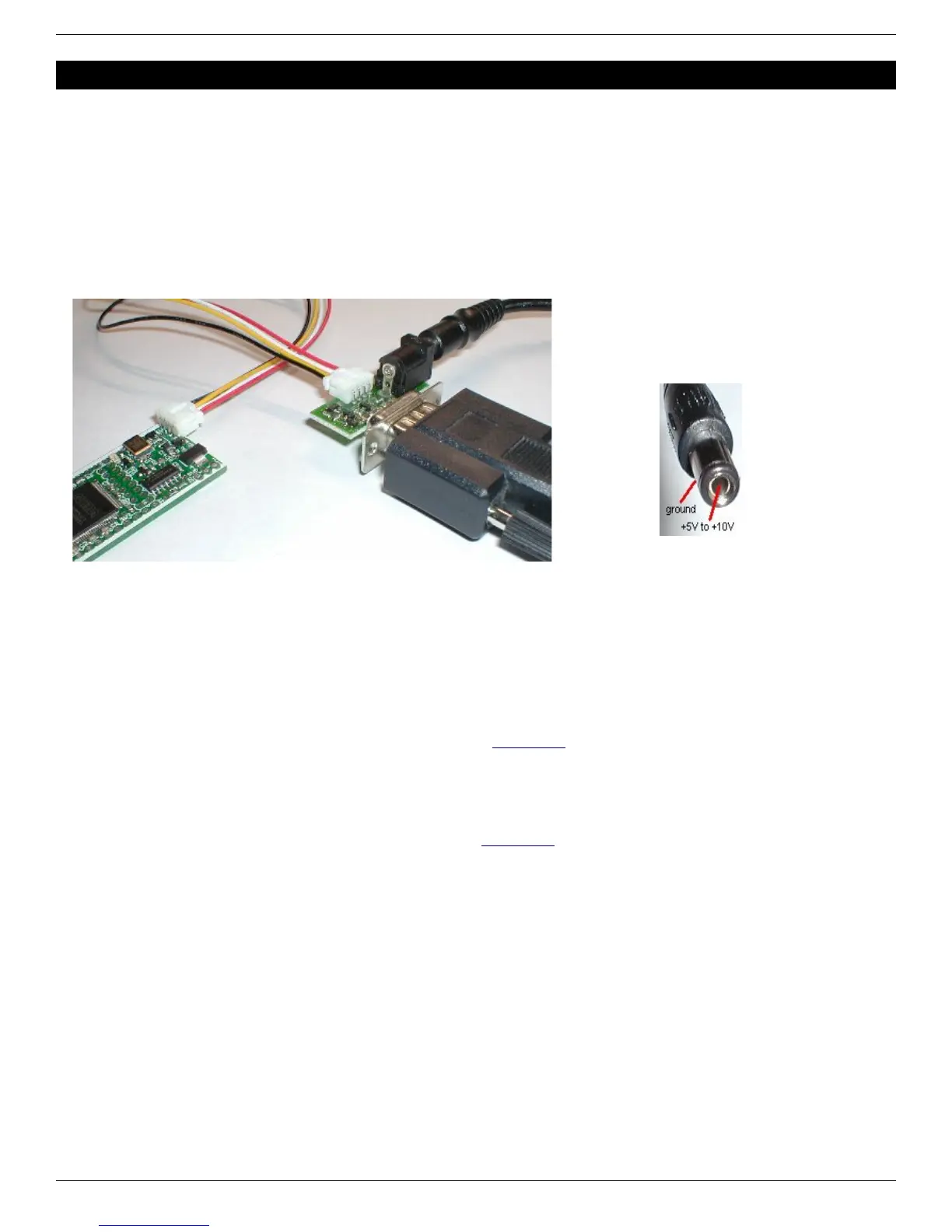
Connect the Pluto and TXDI has shown below (the small multi-color cable between the two is provided).
IMPORTANT: Make sure the DC-plug is center-positive.
15.3 With a TXDI/MAX232 or TXDI/FTDI
The TXDI/MAX232 and TXDI/FTDI are more versatile than the regular TXDI as they can also be used with the secondary
connector (to create a second RS-232 port).
TXDI connector:
● With TXDI/MAX232, place the jumper on the “B” position.
● With TXDI/FTDI, TxD needs to be inverted (use FTDI's FT_PROG utility if required).
Note: the TXDI/FTDI board resets the FPGA when the USB cable is plugged, which may prevent or disturb the
FPGA boot-PROM configuration process at start-up.
Secondary connector:
● With TXDI/MAX232, place the jumper on the “M” position.
● With TXDI/FTDI, don't invert the TxD line (use FTDI's FT_PROG utility if required).
15.4 Without a TXDI
In the absence of a TXDI, the Pluto boards are shipped with a small cable. Connect it to a DB-9 female connector as
follow:
● White wire to DB-9 pin 3.
● Black wire to DB-9 pin 5 and power supply GND.
● Red wire to DC power supply (+5V to +10V).
In short, the board is powered using the black and red wires, and the PC sends data to the board through the white wire.
Note that this method provides only unidirectional communication with the FPGA board (the PC can send RS-232 data to
the FPGA, but the FPGA cannot send data to the PC) so cannot be used to program the Pluto-II/-IIx/-3 boot-PROM.
FPGA RS-232 development boards Page 20



 To Next Page