P.8P.7
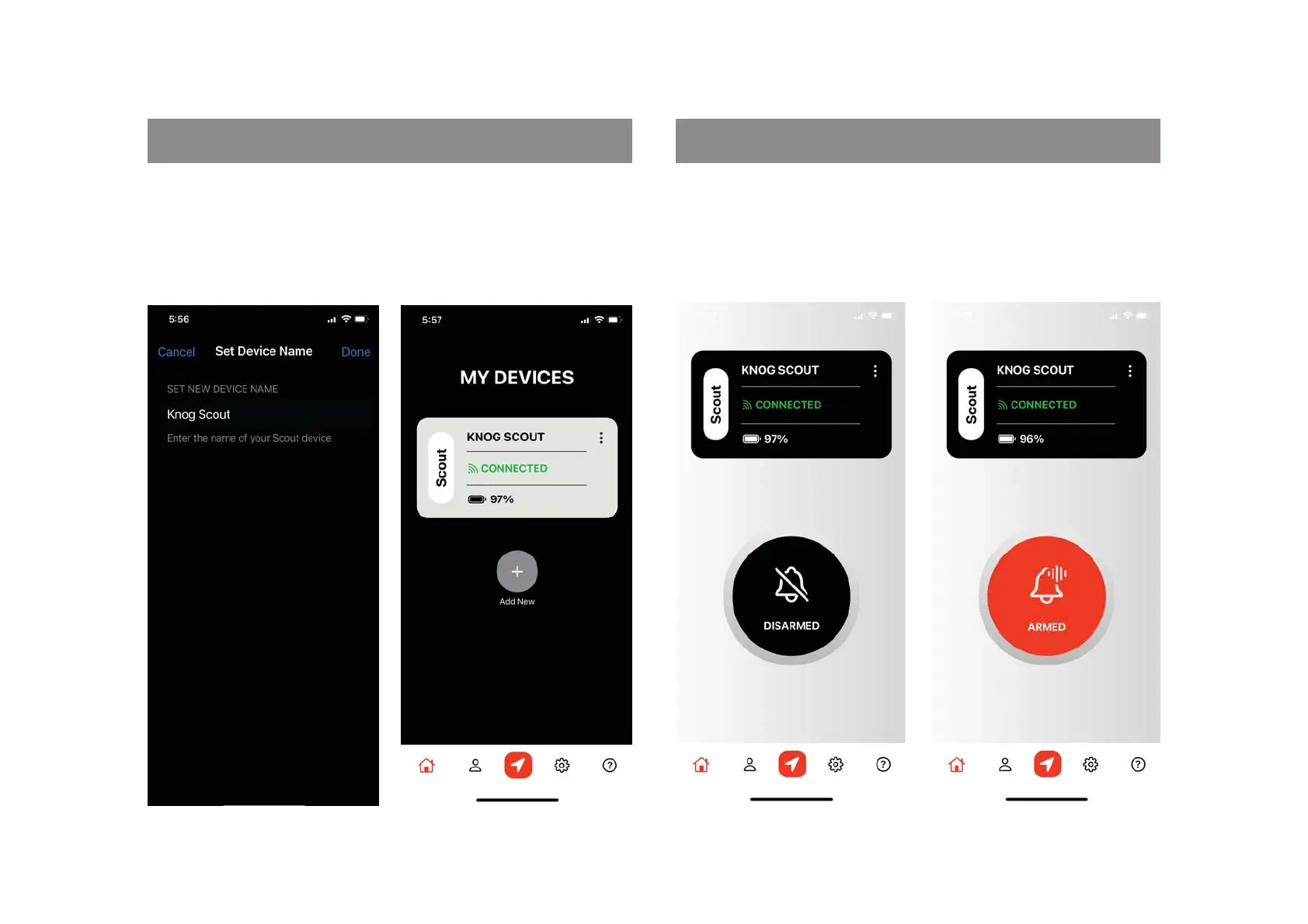
DEVICE CONNECTED ARMING + DISARMING FROM PHONE
6. Knog Scout Connected5. Choose a name for your
Scout
1. To arm Scout make sure the
phone is in range. The Scout
should show connected.
Click the black button on
screen to arm the Scout
2. The Button will now show
the Scout is Armed.
To disarm, ensure the scout is
in range, and press the red
button on screen


 To Next Page