P.15 P.16
SERIAL NUMBER LOOK-UP
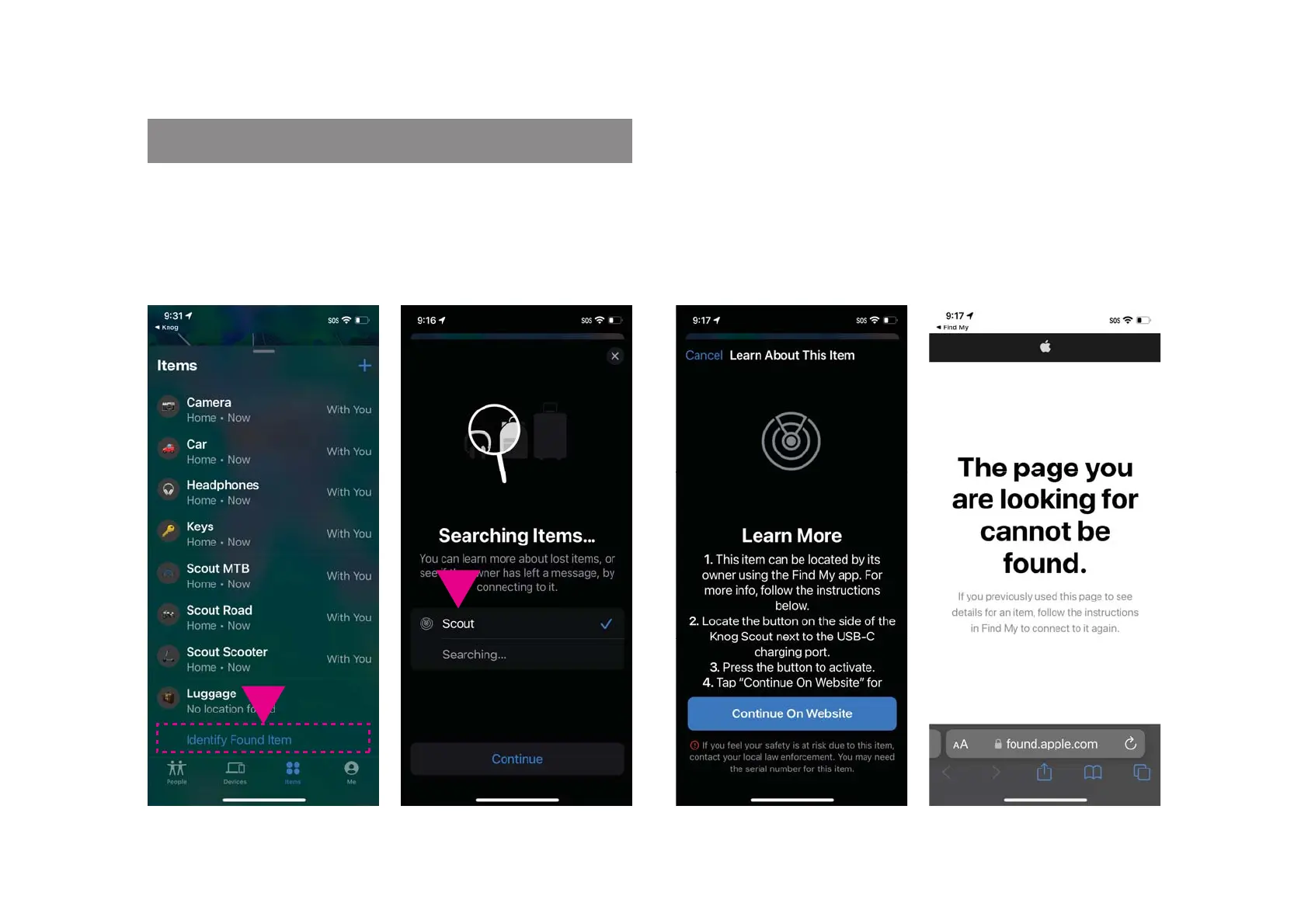
The Apple Find My app can be used to lookup the serial
number of an unknown scout in your possession.
1. In the Find My app, select
Identify found item, when the
unknown Scout is nearby.
2. Select the item from a list
of nearby items, then press
continue.
3. When the following page is
displayed, press the button
on the Scout, then select
‘Continue On Website’
4. A page similar to this
should be displayed with the
Scout serial number. If the
device has been set to lost
mode, a message and contact
details from the owner may
also be displayed here.
UPD ATE



 To Next Page