EasyManua.ls Logo

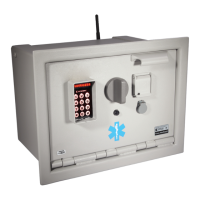
Knox MedVault - User Manual

Knox MedVault
12 pages
Print Icon
To Next Page IconTo Next Page
Loading...
MedVault
®
Larger Capacity - Narcotics Locker
Hardware Installation Guide
1601 W. Deer Valley Road, Phoenix, AZ 85027
Phone: 800-552-5669 ● Fax: 623-687-2299
www.knoxbox.com
OPE-MVHDWR-0202-H
Warning
Treat this manual as a confidential document.
Limit access to authorized personnel.

Other manuals for Knox MedVault

Question and Answer IconNeed help?

Do you have a question about the Knox MedVault and is the answer not in the manual?

Summary

Installing the MedVault Unit

Installing the Hardware

Guidance on installing the physical hardware components.

Mounting Options

Details on surface-mounted and recessed mounting configurations.

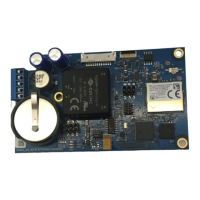
Installing the Electronics

Wire Connection Table

Specifies wire connections for power supply.

Testing the Installation

Procedures to verify successful hardware and electronics installation.

Specifications

Hardware Specifications

Physical dimensions, weight, and connector details of the unit.

Electronics Specifications

Electrical parameters including voltage, current, and temperature range.

Contacting Electronic Support

Support Procedures

Steps for contacting support and obtaining RMA numbers for service.

Removing the Door

Attaching the Door

Knox MedVault Specifications

General IconGeneral
BrandKnox
ModelMedVault
CategoryIndoor Furnishing
LanguageEnglish

Related product manuals