Log in to the IP phone configuration page, select the mode as Static mode in the
Setting->Network option, and fill in the IP address, subnet mask, and exit
gateway information into the information you need. The IP address set in this
example is 192.168.1.199, subnet mask 255.255.255.0, gateway 192.168.1.1.
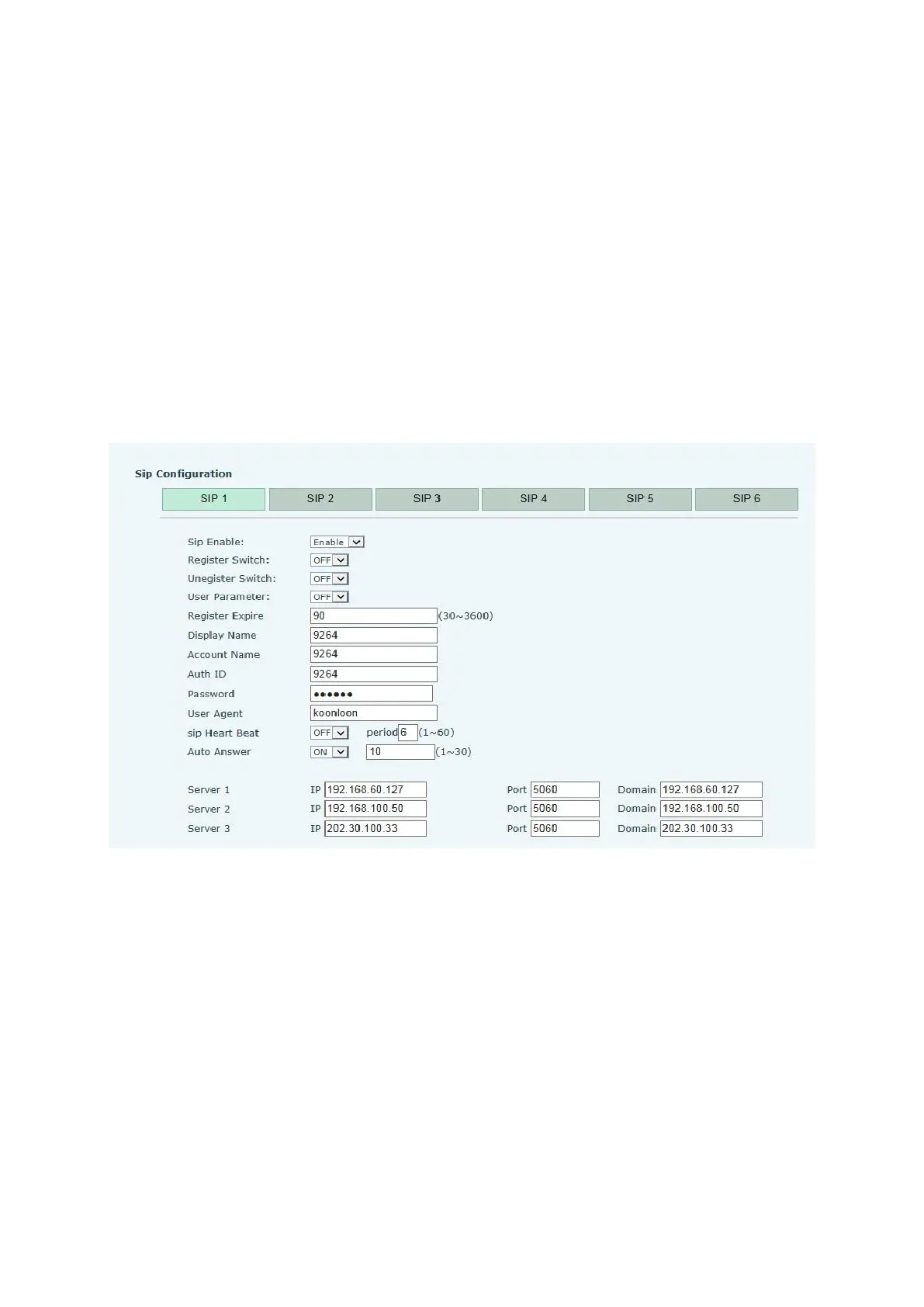
2.Enter the SIP config settings page to fill in the phone number of this IP phone,
as shown below.
In the SIP config settings -> SIP 1 settings, configure the phone number of
this IP phone. The IP phone supports 2 phone numbers. Under normal
circumstances, just fill one number is enough, and fill like the above picture,
fill in the phone number at the Display Name and Account Name. The phone
number in this test case is 9264. Note that OFF is selected at the Register
Switch.



 To Next Page