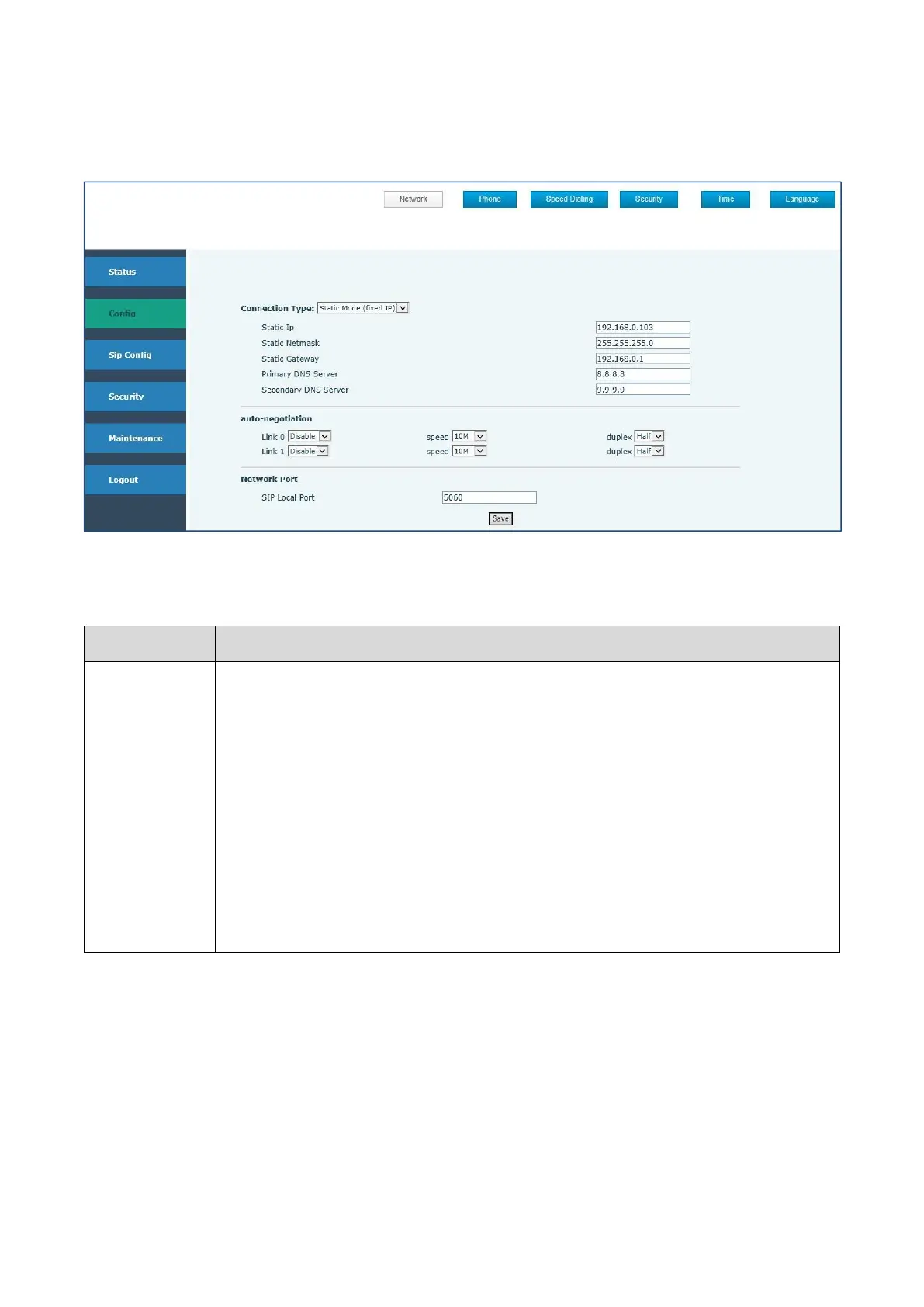
Displays the configuration information on LAN port, including the connect mode of
LAN port (Static, DHCP, ), MAC address, the IP address of LAN port, ON or OFF of
DHCP mode of LAN port.
Please select the proper network mode according to the network condition. Three
different network settings:
Static: If your ISP server provides you the static IP address, please select this
mode, then finish Static Mode setting. If you don’t know about parameters of
Static Mode setting, please ask your ISP for them.
DHCP: In this mode, you will get the information from the DHCP server
automatically; need not to input this information artificially.



 To Next Page