Machine Tools OPERATING INSTRUCTIONS
22
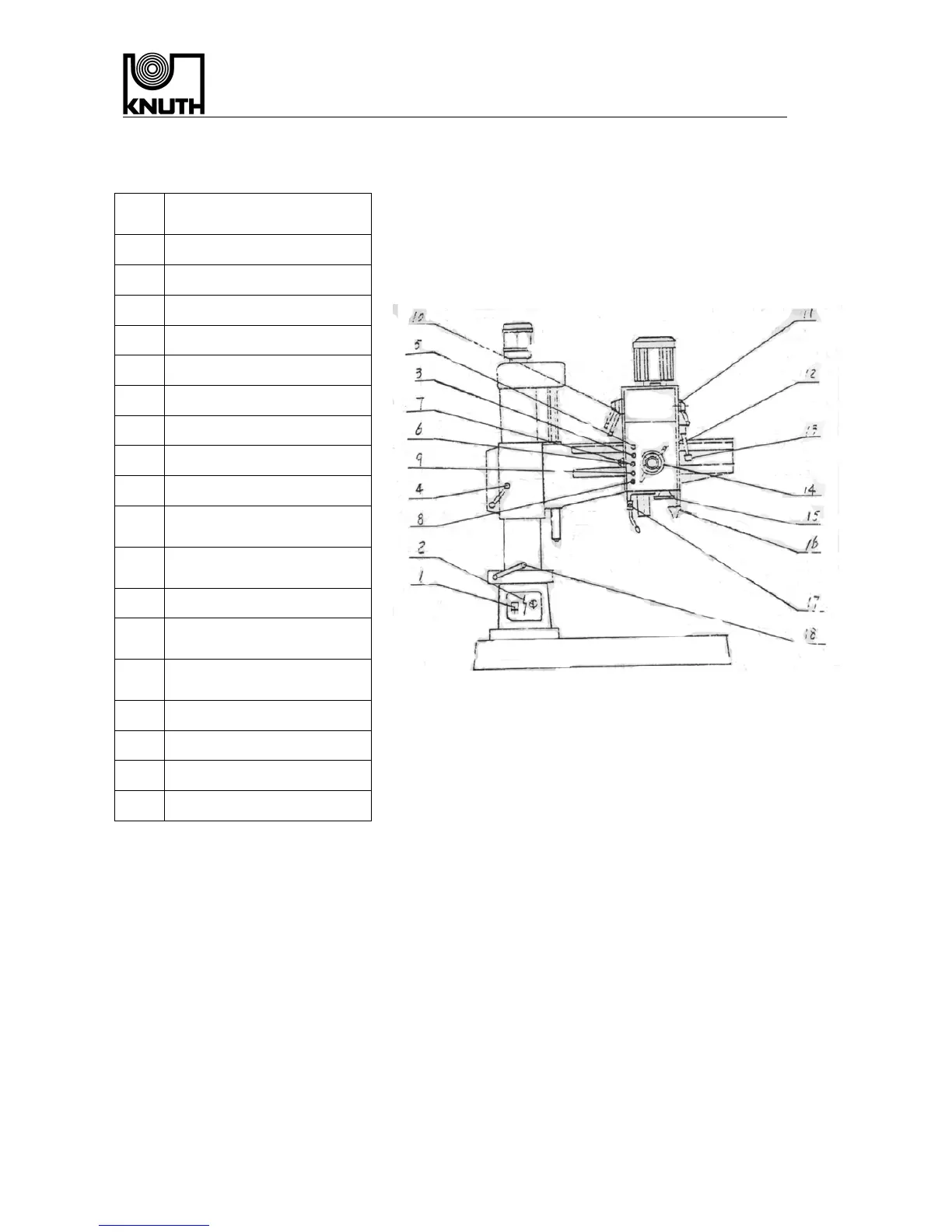
8、Operation of the machine
Part
The name of the
operation part
1 General electricity switch
2 Cooling pump switch
3
Arm down button
4 Arm clamping handle
5 Arm up button
6 Motor stop button
7 Overall stop button
8 Spindle reverse button
9 Spindle change button
10
Fixing cutting limitation
handle
11
Spindle speed change
handle
12 Spindle moving handle
13
Spindle head clamping
handle
14
Spindle head moving
handle
15 Slight feeding hand-wheel
16 Illumination switch
17 Cooling liquid switch
18 Column clamping handle
8.1、Start of machine
Turn on the electricity 1,every part is connected ,make preparation for all parts。
8.2、Spindle circumgyrate clockwise and unti-clockwise and stop .
Press spindle circumgyrate clockwise button 9,spindle circumgyrate clockwise,press
General motor stop button 6,spindle stopped circumgyrate,Press spindle Circumgyrate
unti-clockwise button ,spindle circumgyrate unti-clockwise
8.3、Spindle speed change
Operating the spindle speed change handle 10,put the handle to the position of speed You
needed on the plate ,press spindle circumgyrate clockwise and unti-clockwise button again,then
spindle circumgyrate clockwise and unti-clockwise
8.4、Feeding speed change
Operating the feeding speed change handle 11,push the handle to the position on the plate you
needed , then you can change the feeding speed .


 To Next Page