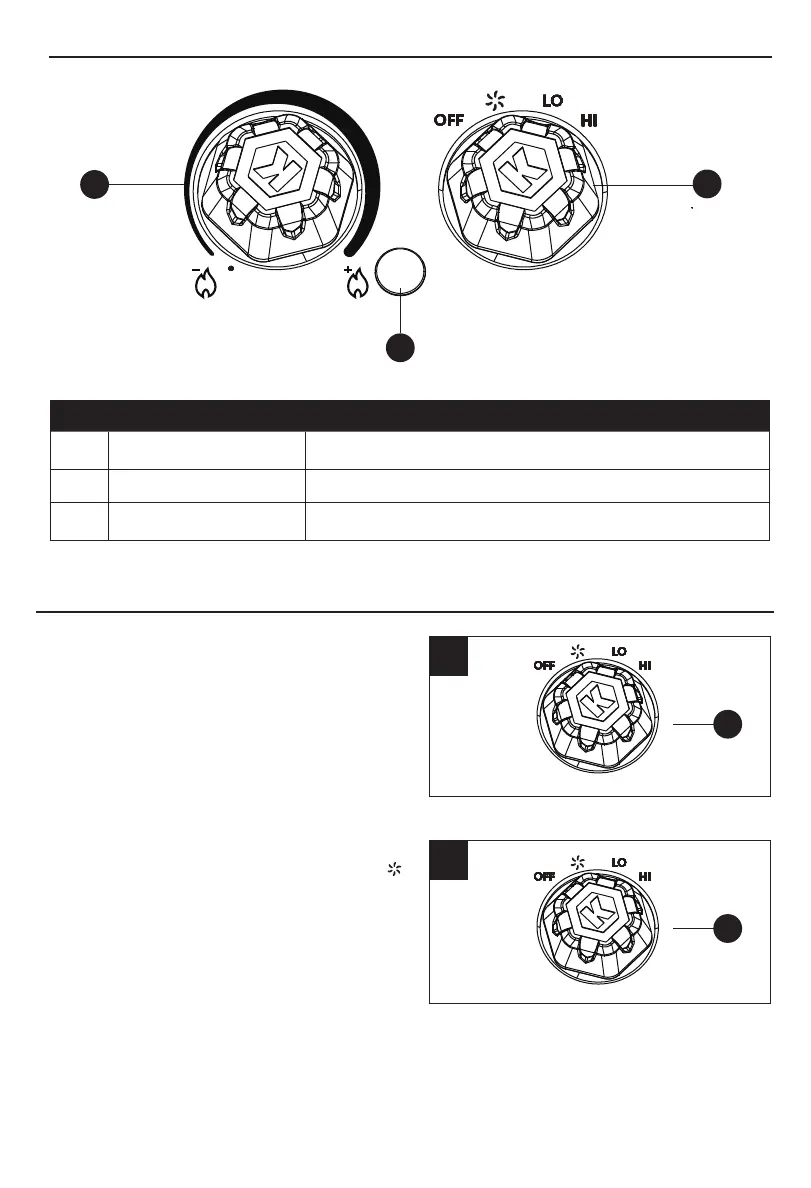
CONTROL PANEL
1
2
3
PART NAME DESCRIPTION
1 Power Indicator Light Indicates when the unit is receiving power from the wall outlet
2 Thermostat Dial Increases and decreases desired temperature
3 Mode Dial
Toggles between various modes
6
Power for setting “LO” mode is 1000 W;
setting “HI” mode is 1,500 W.
Turn the heater on by turning the MODE dial on
the control panel (C) to the "LO" position. To
power the heater off, turn the MODE dial to the
"OFF" position on the control panel (C). Once
the power is off, the heating elements and fan
will stop working.
1.
1
2.
C
2
C
Select a heat setting by turning the MODE dial
on the control panel (C) to the “LO”, “HI” and “ ”
positions.
OPERATING INSTRUCTIONS



 To Next Page