EasyManua.ls Logo

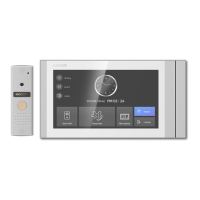
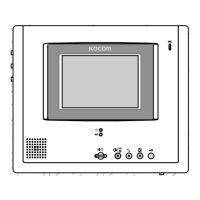
KOCOM KCV-W354 - User Manual

KOCOM KCV-W354
6 pages
Print Icon
To Next Page IconTo Next Page
Loading...
KCV-W354 / DW354
09.07
PRODUCT
MODEL
DATE PURCHASED
WARRANTY PERIOD
AGENCY ADDRESS
KOCOM Warranties the original purchaser of this product as follows.
1) This product is produced under strict quality control and inspection procedures.
2) If this product breaks down during proper use as a result of product defect, KOCOM
will repair it within one year from date of purchase free of charge.
3) The following cases will be subject to charge, even during warranty period:
a. Breakdown during transport, or through careless treatment, by consumer.
b. Breakdown cause by unauthorized repair, or system modification.
c. Breakdown caused by natural disaster or power disorder.
Warranty
Warranty Card
To receive after-sales service, have the following
ready when you contact our branches
1. Name of the product
2. Model number of the product
3. The area of problem
4. Phone number and address at which you can be contacted.
KC-C60
KC-MC24
KC-MC20
KC-MC30
KC-MC31
KCV-W354 / DW354 MANUAL
[
4 Wire Color Handsfree Videophone
]
KCV-W354 / DW354










Question and Answer IconNeed help?

Do you have a question about the KOCOM KCV-W354 and is the answer not in the manual?

Summary

Safety Precautions and Guidelines

Installation and Setup Safety

Guidelines for safe installation, wiring, placement, and preventing electrical hazards.

Operational and Usage Safety

Safe operating practices, troubleshooting, and general system precautions.

Product-Specific Cautions

Key product features, limitations, and specific safety advice for videophones.

Product Components and Specifications

Installation and Connection

Full System Configuration Diagram

Diagram illustrating the connection of multiple monitors, cameras, and door locks.

Connection Port Identification

Labeling of all connection ports on the monitor for various devices.

Operation and Wiring

Communication with Door Camera

Instructions on initiating and ending communication with the door camera.

Camera Monitoring Procedure

Steps to monitor the camera feed, including duration and activation methods.

Advanced Functions and Wiring

Summary

Safety Precautions and Guidelines

Installation and Setup Safety

Guidelines for safe installation, wiring, placement, and preventing electrical hazards.

Operational and Usage Safety

Safe operating practices, troubleshooting, and general system precautions.

Product-Specific Cautions

Key product features, limitations, and specific safety advice for videophones.

Product Components and Specifications

Installation and Connection

Full System Configuration Diagram

Diagram illustrating the connection of multiple monitors, cameras, and door locks.

Connection Port Identification

Labeling of all connection ports on the monitor for various devices.

Operation and Wiring

Communication with Door Camera

Instructions on initiating and ending communication with the door camera.

Camera Monitoring Procedure

Steps to monitor the camera feed, including duration and activation methods.

Advanced Functions and Wiring

KOCOM KCV-W354 Specifications

General IconGeneral
BrandKOCOM
ModelKCV-W354
CategoryTelephone
LanguageEnglish

Related product manuals