EasyManua.ls Logo

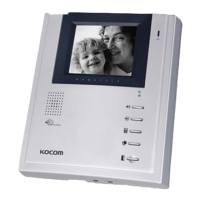
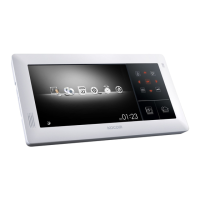
KOCOM KCV-D464 - User Manual

KOCOM KCV-D464
12 pages
Print Icon
To Next Page IconTo Next Page
Loading...
6MUSB4MJN%FTJHO7JEFP1IPOF
$0-03)"/%4&5
ⷄ
JODI$PMPS%JHJUBM-$%4DSFFO
ⷄ
$BMM$PNNVOJDBUJPOXJUIB7JTJUPS
ⷄ
&YQBOEBCMFVQUP%PPS$BNFSBT
BOE*OEPPS6OJUT.POJUPSXJUI4VCJOUFSQIPOF,*1(
ⷄ
7JEFP0VUQVUTGPS$$57$BNFSB$POOFDUJPO
ⷄ
*OUFSOBM$PNNVOJDBUJPOCFUXFFOJOEPPSVOJUT
ⷄ
7JEFPBOE"VEJP.POJUPSJOHPGUIFEPPSDBNFSBT
ⷄ
0QFSBUJOH$POEJUJPO%JTQMBZXJUI*DPOT04%
ⷄ
5PVDI#VUUPOTGPS$POUSPM
ⷄ
%PPS0QFO
ⷄ
.VMUJGBNJMZ"QBSUNFOU"QQMJDBUJPO4:45&..PEF
<%JHJUBM$PMPS-$%7JEFPQIPOF>
KCV-464/D464/D464V MANUAL
XXXLPDPNDPN
.0/*503
5"-,
Question and Answer IconNeed help?

Do you have a question about the KOCOM KCV-D464 and is the answer not in the manual?

Summary

Cautions for Safety

Cautions for Setup

Precautions to ensure safe and correct setup of the product.

Warnings for Usage

Important warnings and precautions to observe during the product's operational life.

Cautions for Use and Operation

Installation Location and Guidelines

Product Wiring Diagrams

Wiring Connections and Cable Requirements

Instructions for Operation

Visitor Communication

Step-by-step guide on how to communicate with a visitor.

Camera and CCTV Monitoring

Instructions for monitoring door cameras and CCTV feeds.

Door Open Operation

How to use the door open function during communication.

Advanced Operation Instructions

Menu Setup and Configuration

Adjusting Sound and Brightness

How to adjust call volume and screen brightness.

System Setting Menu

Guide to accessing and configuring various system settings.

Summary

Cautions for Safety

Cautions for Setup

Precautions to ensure safe and correct setup of the product.

Warnings for Usage

Important warnings and precautions to observe during the product's operational life.

Cautions for Use and Operation

Installation Location and Guidelines

Product Wiring Diagrams

Wiring Connections and Cable Requirements

Instructions for Operation

Visitor Communication

Step-by-step guide on how to communicate with a visitor.

Camera and CCTV Monitoring

Instructions for monitoring door cameras and CCTV feeds.

Door Open Operation

How to use the door open function during communication.

Advanced Operation Instructions

Menu Setup and Configuration

Adjusting Sound and Brightness

How to adjust call volume and screen brightness.

System Setting Menu

Guide to accessing and configuring various system settings.

KOCOM KCV-D464 Specifications

General IconGeneral
BrandKOCOM
ModelKCV-D464
CategoryTelephone
LanguageEnglish

Related product manuals