EasyManua.ls Logo

KOCOM KIV-102 - User Manual

KOCOM KIV-102
12 pages
Print Icon
To Next Page IconTo Next Page
Loading...
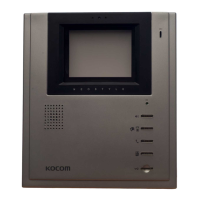
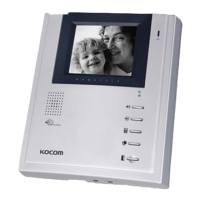
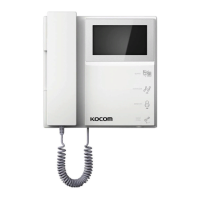
KIV-102, KIV-D102 Users Manual for Operation and Installation
Communication and monitoring by front door camera
Interactive call and communication between house and guardroom
Inner line call and communication within the house
Communication with lobby phone and door open function
Monitoring of lobby
For both single house and multi house (Apartments)
KIV-102 : AC type
KIV-D102 : DC type
B/W HANDS-FREE
VIDEO PHONE
Thank you very much
for purchasing KOCOM
video doorphone.
please read this manual
thoroughly to ensure
correct usage, before
operating
KIV-102, KIV-D102 05.08
This manual is based on the date as shown in the right and specifications
are subject to change without notice for quality improvement.
PRODUCT
MODEL
DATE PURCHASED
WARRANTY PERIOD
AGENCY ADDRESS
KOCOM Warranties the original purchaser of this product
as follows.
1) This product is produced under strict quality control and inspection procedures.
2) If this product breaks down during proper use as a result of product defect, KOCOM
will repair it within one year from date of purchase free of charge.
3) The following cases will be subject to charge, even during warranty period:
a. Breakdown during transport, or through careless treatment, by consumer.
b. Breakdown cause by unauthorized repair, or system modification.
c. Breakdown caused by natural disaster or power disorder.
Warranty
Warranty Card
To receive after-Sale service, have the following ready
when you contact our branches
1. Name of the product
2. Model number of the product
3. The area of problem
4. Phone number and address at
which you can be contacted.
Question and Answer IconNeed help?

Do you have a question about the KOCOM KIV-102 and is the answer not in the manual?

Summary

Warranty Information

Warranty Card

Section for recording product details for service.

KOCOM Product Warranty Terms

Details of KOCOM's warranty policy and conditions.

Safety Precautions and Symbols

Understanding Safety Symbols

Explains the meaning of warning and caution symbols used in the manual.

Installation Safety Guidelines

Provides critical safety precautions for installing the product.

Safe Usage and Maintenance

Details precautions for safe operation and routine maintenance.

Usage and Abnormality Cautions

Cautions for Safe Product Use

Specific guidelines for safe operation and avoiding hazards.

Handling Product Abnormalities

Steps to take when the product exhibits unusual behavior or failures.

System-Specific Safety Instructions

General Safety Guidelines

Provides overarching safety instructions for all KOCOM equipment.

Safety for Specific Systems

Details safety advice for multi-unit, lobby, CCTV, and video phone systems.

Operation and Component Details

Operational Precautions

Key considerations for operating the video phone system safely.

Component Identification

Identifies and explains the function of each part of the video phone system.

Installation Precautions

Specific advice for installing the monitor and camera correctly.

Installation Guides

Monitor Installation Guide

Step-by-step instructions for mounting the video monitor.

Door Camera Installation Guide

Instructions for mounting the KC-C63 surface-mounting door camera.

Product Specifications and Components

Monitor Components and Wiring

Details monitor parts, wiring, and accessories.

Front Door Camera Components

Details the KC-C63 camera components and specifications.

KIV-102;KIV-D102 Specifications

Lists technical specifications for the monitor unit.

KC-C63 Camera Specifications

Lists technical specifications for the front door camera.

Wiring Diagrams and Cautions

Single House Wiring Diagram

Illustrates wiring for a single house setup without lobby phone.

Multi-House Wiring Diagram

Illustrates wiring for multi-house setups with lobby phone.

Wiring Connection Cautions

Important warnings and tips for making secure wiring connections.

Operation Instructions - Communication and Monitoring

Multi-House Wiring for Lobby Phone

Wiring details for multi-house systems with KLP-100 series lobby phones.

Visitor Communication

How to communicate with visitors at the front door.

Front Door Monitoring

How to monitor the front door camera feeds.

Advanced Operation Features

Communication with Guardroom;Lobby

Guidelines for communicating with guardroom and lobby phones.

Lobby Phone Monitoring

How to monitor lobby situations and common gate camera.

Password and Door Opening

Procedures for changing passwords and opening doors via lobby phone.

Lobby Phone Direct-Button Operation

Using direct buttons on lobby phones for house calls.

DIP Switch Settings

DIP Switch Setting Principles

Explains the method for setting DIP switches and calculating house numbers.

Example DIP Switch Configurations

Illustrates various DIP switch settings for different house numbers.

DIP Switch Setting Precautions

Basement Floor DIP Switch Settings

Specific guidance for setting DIP switches for basement floors.

House Number Setting Table

Provides a table linking DIP switch settings to house numbers.

General DIP Switch Precautions

Important warnings about setting DIP switches and their impact.

Summary

Warranty Information

Warranty Card

Section for recording product details for service.

KOCOM Product Warranty Terms

Details of KOCOM's warranty policy and conditions.

Safety Precautions and Symbols

Understanding Safety Symbols

Explains the meaning of warning and caution symbols used in the manual.

Installation Safety Guidelines

Provides critical safety precautions for installing the product.

Safe Usage and Maintenance

Details precautions for safe operation and routine maintenance.

Usage and Abnormality Cautions

Cautions for Safe Product Use

Specific guidelines for safe operation and avoiding hazards.

Handling Product Abnormalities

Steps to take when the product exhibits unusual behavior or failures.

System-Specific Safety Instructions

General Safety Guidelines

Provides overarching safety instructions for all KOCOM equipment.

Safety for Specific Systems

Details safety advice for multi-unit, lobby, CCTV, and video phone systems.

Operation and Component Details

Operational Precautions

Key considerations for operating the video phone system safely.

Component Identification

Identifies and explains the function of each part of the video phone system.

Installation Precautions

Specific advice for installing the monitor and camera correctly.

Installation Guides

Monitor Installation Guide

Step-by-step instructions for mounting the video monitor.

Door Camera Installation Guide

Instructions for mounting the KC-C63 surface-mounting door camera.

Product Specifications and Components

Monitor Components and Wiring

Details monitor parts, wiring, and accessories.

Front Door Camera Components

Details the KC-C63 camera components and specifications.

KIV-102;KIV-D102 Specifications

Lists technical specifications for the monitor unit.

KC-C63 Camera Specifications

Lists technical specifications for the front door camera.

Wiring Diagrams and Cautions

Single House Wiring Diagram

Illustrates wiring for a single house setup without lobby phone.

Multi-House Wiring Diagram

Illustrates wiring for multi-house setups with lobby phone.

Wiring Connection Cautions

Important warnings and tips for making secure wiring connections.

Operation Instructions - Communication and Monitoring

Multi-House Wiring for Lobby Phone

Wiring details for multi-house systems with KLP-100 series lobby phones.

Visitor Communication

How to communicate with visitors at the front door.

Front Door Monitoring

How to monitor the front door camera feeds.

Advanced Operation Features

Communication with Guardroom;Lobby

Guidelines for communicating with guardroom and lobby phones.

Lobby Phone Monitoring

How to monitor lobby situations and common gate camera.

Password and Door Opening

Procedures for changing passwords and opening doors via lobby phone.

Lobby Phone Direct-Button Operation

Using direct buttons on lobby phones for house calls.

DIP Switch Settings

DIP Switch Setting Principles

Explains the method for setting DIP switches and calculating house numbers.

Example DIP Switch Configurations

Illustrates various DIP switch settings for different house numbers.

DIP Switch Setting Precautions

Basement Floor DIP Switch Settings

Specific guidance for setting DIP switches for basement floors.

House Number Setting Table

Provides a table linking DIP switch settings to house numbers.

General DIP Switch Precautions

Important warnings about setting DIP switches and their impact.

KOCOM KIV-102 Specifications

General IconGeneral
DisplayYes
Display TypeTFT LCD
TypeVideo Intercom
Connectivity4-wire
Wiring4-wire
Operating Temperature-10°C ~ +50°C
MountingWall-mounted

Related product manuals