EasyManua.ls Logo

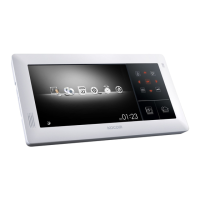
KOCOM KVR-A510 - User Manual

KOCOM KVR-A510
102 pages
Print Icon
To Next Page IconTo Next Page
Loading...
Quad DVR Videophone KVR-A510
Product Introduction
rGvGkU
gUU

Questions and Answers

Summary

Quad DVR Videophone KVR-A510 Product Introduction

General Information and Design

Key Features and Specifications

Details include 10-inch touch screen, high-res display, smart home control, DVR, electric characteristics, and interfaces.

Physical Design and Ports

Covers dimensions, mounting, and rear/side panel connection ports.

System Configuration and GUI

Illustrates system configuration diagrams and user interface (GUI) elements.

Videophone Mode Operation

Multi-Camera View and Communication

Displays feeds from multiple cameras and provides communication icons (talk, door open, intercom).

DVR Mode Functionality

Playback and Setup Menu

Covers playback controls and navigation of the DVR setup menu.

Camera, Recording, and Event Settings

Detailed settings for camera display, privacy zones, recording parameters, and event alerts.

Storage, Network, and System Configuration

Management of storage, network setup, system upgrades, and time settings.

Search, Control, and Mobile Viewer

Features for searching footage, PTZ control, audio volume, backup, and mobile viewer support.

Home Control Mode Features

Lighting, Gas Valve, and Curtain Control

Control interfaces for lighting, gas valves, and curtains in different rooms.

Special Function Control

Control of relay units for appliances via RS485.

Scheduler Mode Operations

Calendar and Event Management

Interface for viewing the calendar, entering events, and saving them.

Digital Album Mode

Album Content Display

Displays photos stored in the digital album.

Clock;Calendar Mode Display

Date and Time Presentation

Shows the current date and time on the device.

System Setting Configuration

Mode and Feature Settings

Configure Videophone, DVR, Screen, Lighting, Curtain, and Language settings.

End Matter

Question & Answer Section

Section for frequently asked questions.

Thank You Message

Concluding message.

Summary

Quad DVR Videophone KVR-A510 Product Introduction

General Information and Design

Key Features and Specifications

Details include 10-inch touch screen, high-res display, smart home control, DVR, electric characteristics, and interfaces.

Physical Design and Ports

Covers dimensions, mounting, and rear/side panel connection ports.

System Configuration and GUI

Illustrates system configuration diagrams and user interface (GUI) elements.

Videophone Mode Operation

Multi-Camera View and Communication

Displays feeds from multiple cameras and provides communication icons (talk, door open, intercom).

DVR Mode Functionality

Playback and Setup Menu

Covers playback controls and navigation of the DVR setup menu.

Camera, Recording, and Event Settings

Detailed settings for camera display, privacy zones, recording parameters, and event alerts.

Storage, Network, and System Configuration

Management of storage, network setup, system upgrades, and time settings.

Search, Control, and Mobile Viewer

Features for searching footage, PTZ control, audio volume, backup, and mobile viewer support.

Home Control Mode Features

Lighting, Gas Valve, and Curtain Control

Control interfaces for lighting, gas valves, and curtains in different rooms.

Special Function Control

Control of relay units for appliances via RS485.

Scheduler Mode Operations

Calendar and Event Management

Interface for viewing the calendar, entering events, and saving them.

Digital Album Mode

Album Content Display

Displays photos stored in the digital album.

Clock;Calendar Mode Display

Date and Time Presentation

Shows the current date and time on the device.

System Setting Configuration

Mode and Feature Settings

Configure Videophone, DVR, Screen, Lighting, Curtain, and Language settings.

End Matter

Question & Answer Section

Section for frequently asked questions.

Thank You Message

Concluding message.

KOCOM KVR-A510 Specifications

General IconGeneral
BrandKOCOM
ModelKVR-A510
CategoryTelephone
LanguageEnglish

Related product manuals