www.kodak.com/go/c613support 3
ENGLISH
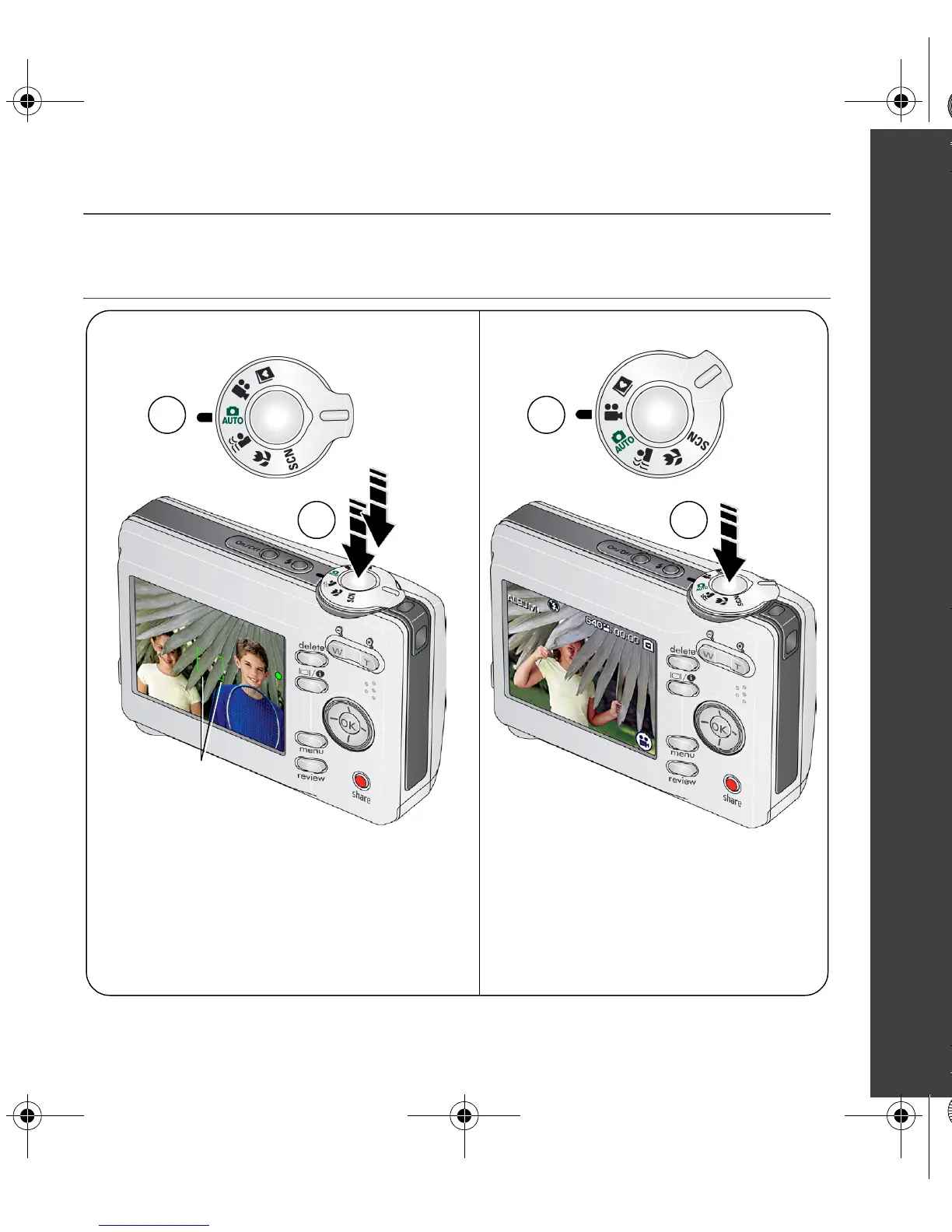
Taking a picture/video
2
Press the Shutter button halfway
to focus and set exposure.
When the framing brackets turn
green, press the Shutter button
completely down.
Pictures Videos
Press the Shutter button
completely down and release.
To stop recording, press and
release the Shutter button again.
1
2
1
Framing brackets
urg_00712.book Page 3 Tuesday, February 6, 2007 9:06 AM



 To Next Page
 Loading...