28 www.kodak.com/go/support
Reviewing and editing
Displaying pictures/videos on a television
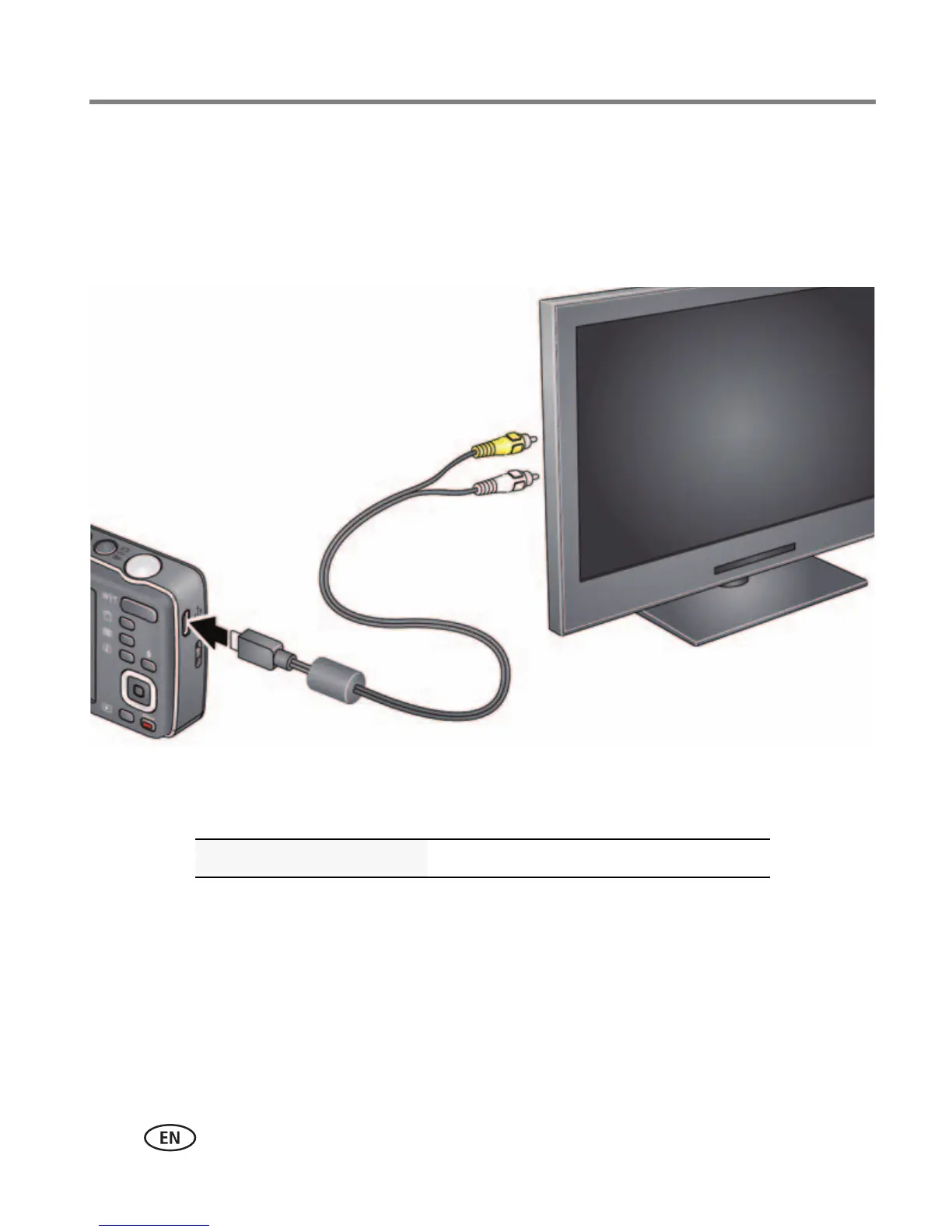
You can display pictures/videos on a television, computer monitor, or any device
equipped with a video input. To connect the camera directly to a television, use an
A/V cable (may be sold separately).
NOTE: Ensure that the camera Video Out setting (NTSC or PAL) is correct (see page 38). Image quality on a
television screen may not be as good as on a computer monitor or when printed.
Purchase accessories www.kodak.com/go/accessories












 To Next Page