EasyManua.ls Logo

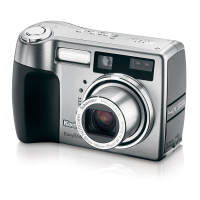
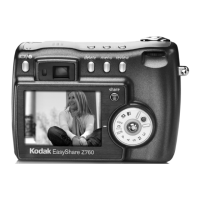
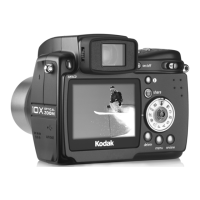
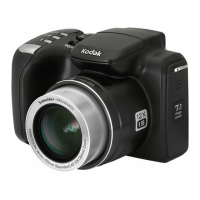
Kodak EasyShare Z700 - User Manual

Kodak EasyShare Z700
78 pages
Print Icon
To Next Page IconTo Next Page
Loading...
Kodak EasyShare Z700
zoom digital camera
User’s guide
www.kodak.com
For interactive tutorials, www.kodak.com/go/howto
For help with your camera, www.kodak.com/go/z700support

Table of Contents

Questions and Answers

  • G
    greerjeffreyJul 30, 2025
    Why is my Kodak EasyShare Z700 Digital Camera not recognizing the memory card?
    • C
      Christian ClayJul 30, 2025
      If your Kodak Digital Camera doesn't recognize the memory card or freezes with the card inserted, it could be due to card corruption. Try formatting the card in the camera. Alternatively, try using another memory card.
  • K
    Karen MontgomeryAug 5, 2025
    What to do if my Kodak EasyShare Z700 won't take a picture?
    • E
      Eric MercadoAug 5, 2025
      If your Kodak Digital Camera won't take a picture, try the following: * Turn the camera off, then on again, ensuring it is not in Favorites mode. * Press the shutter button completely down. * Insert a new or charged battery. * Wait until the Ready light glows green before taking another picture. * If the memory is full, transfer pictures to your computer, delete pictures from the camera, change the image storage location, or insert a new card.
  • M
    Mrs. Megan HerreraAug 10, 2025
    Why is the battery life so short on my Kodak EasyShare Z700?
    • A
      Adam ReyesAug 10, 2025
      If the battery life of your Kodak Digital Camera seems short, consider these solutions: 1. Ensure the correct battery type is loaded. 2. Wipe the battery contacts with a clean, dry cloth before inserting the battery. 3. Insert a new or fully charged battery.
  • R
    rachellittleAug 17, 2025
    What to do if an error message appears on my Kodak Digital Camera's LCD screen?
    • E
      Elizabeth KirbyAug 17, 2025
      If your Kodak Digital Camera displays an error message on the LCD screen, try these steps: * Turn the camera off. * Remove the memory card. * Remove the battery and wipe the contacts with a clean, dry cloth. * Insert a new or charged battery. * Turn the camera back on.
  • K
    Kenneth ThompsonAug 22, 2025
    How to free up storage on my Kodak EasyShare Z700 Digital Camera?
    • C
      Christopher HendersonAug 23, 2025
      If your Kodak Digital Camera's storage is almost or entirely full, you can: * Transfer pictures to your computer. * Delete pictures from the card or insert a new one. * Change the image storage location to internal memory.

Summary

Setting Up Your Camera

Initial Setup Procedures

Attaching strap, loading batteries, and powering on the camera.

Taking Pictures and Videos

Capturing Photos and Videos

Guide to taking still pictures and recording video clips.

Reviewing and Managing Media

Viewing, checking status, and deleting captured photos/videos.

Transferring and Printing Pictures

Transferring Files via USB and Docks

Methods for transferring pictures via USB cable or docking stations.

Troubleshooting Common Issues

Camera Operational Problems

Solutions for issues like camera not turning on, controls not working.

Connectivity and Transfer Issues

Troubleshooting computer communication and file transfer problems.

Getting Help and Support

Appendix: Technical Information

Technical Specifications

Detailed specifications of the camera's hardware and features.

Kodak EasyShare Z700 Specifications

General IconGeneral
Camera typeCompact
Sensor TypeCCD
Image Sensor Size1/2.5 inch
Effective Pixels4.0 MP
Image Resolution2304 x 1728
Lens TypeZoom Lens
Optical Zoom5x
Digital Zoom4x
Focus Range60 cm - Infinity
Macro Focus Range12-70 cm
Storage MediaSD Card
Internal Memory32 MB
Aperture Rangef/2.8 - f/4.8
ISO SensitivityISO 80, ISO 100, ISO 200, ISO 400
Supported Flash MemorySD
Battery Type2x AA

Related product manuals