EasyManua.ls Logo

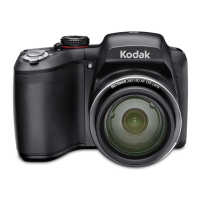
Kodak EasyShare Z7590 - User Manual

Kodak EasyShare Z7590
104 pages
Print Icon
To Next Page IconTo Next Page
Loading...
Kodak EasyShare
Z7590 zoom digital camera
User’s guide
www.kodak.com
For interactive tutorials, www.kodak.com/go/howto
For help with your camera, www.kodak.com/go/z7590support
FPO

Table of Contents

Questions and Answers

  • R
    Robert GonzalezAug 12, 2025
    How to improve battery life on Kodak Digital Camera?
    • R
      Roberto LaraAug 12, 2025
      If your Kodak Digital Camera's battery life is short, you can try the following: * Wipe the contacts with a clean, dry cloth before inserting a battery in the camera. * Insert a charged battery.
  • C
    Christine Duncan DDSAug 16, 2025
    What to do if I cannot take a picture with my Kodak Digital Camera?
    • M
      Misty LivingstonAug 16, 2025
      If you cannot take a picture with your Kodak Digital Camera, try the following: * Turn the camera off, then on again. * Depress the shutter button all the way. * Insert a charged battery. * Wait until the AF/AE indicator turns green before attempting to take another picture. * If the memory is full, transfer pictures to the computer, delete pictures from the camera or card, change the image storage location, or insert a new card.
  • D
    Devin MooreAug 19, 2025
    Why does the pictures remaining number not decrease on my Kodak Digital Camera?
    • O
      ohunterAug 19, 2025
      If the pictures remaining number does not decrease after taking a picture with your Kodak Digital Camera, continue taking pictures. The camera is operating normally. The camera estimates the number of pictures remaining after each picture is taken, based on picture size and content.
  • A
    April JenkinsAug 23, 2025
    What to do if an error message appears on my Kodak Digital Camera?
    • W
      watsontaylorAug 25, 2025
      If you receive an error message on the EVF/LCD screen of your Kodak Digital Camera, follow these steps: 1. Turn the camera off. 2. Remove the memory card from the camera. 3. Remove the battery and wipe the contacts with a clean, dry cloth. 4. Reinstall the battery. 5. Turn on the camera.
  • L
    levi61Aug 27, 2025
    What to do if storage location is full on Kodak EasyShare Z7590?
    • R
      Renee LeonAug 27, 2025
      If the storage on your Kodak Digital Camera is almost or entirely full: * Transfer pictures to the computer. * Delete pictures from the card or insert a new one. * Change image storage location to internal memory.
  • M
    Melissa PetersonAug 31, 2025
    Why does the flash not fire on my Kodak EasyShare Z7590?
    • L
      Lisa FrostAug 31, 2025
      If the flash does not fire on your Kodak Digital Camera: * Open the flash unit. * Check the flash setting and change as needed.
  • F
    fordjasonSep 3, 2025
    What to do if Kodak EasyShare Z7590 Digital Camera doesn't recognize memory card?
    • M
      Michael HollowaySep 4, 2025
      If your memory card is not recognized or the camera freezes with the card, the card may be corrupted. Format the card in the camera or use another memory card.
  • M
    Marie MataSep 7, 2025
    How to fix picture orientation on Kodak EasyShare Z7590 Digital Camera?
    • C
      Crystal Clark DVMSep 7, 2025
      To ensure accurate picture orientation on your Kodak Digital Camera, set the Orientation Sensor to ON.

Summary

Getting Started

Initial Setup: Software and Battery

Installing software and charging/inserting the battery.

Taking Pictures and Videos

Capturing Still Images

Steps for taking a picture, focus, and exposure.

Camera Modes and Settings

Overview of capture modes, zoom, flash, and exposure settings.

Recording Videos

Guide to recording video, adjusting size, and stopping.

Sharing, Transferring, and Printing

Transferring Media

Steps to transfer photos/videos via USB cable or docks.

Troubleshooting Common Issues

Camera and Connectivity Problems

Solutions for camera malfunctions and computer connection issues.

Kodak EasyShare Z7590 Specifications

General IconGeneral
BrandKodak
ModelEasyShare Z7590
CategoryDigital Camera
LanguageEnglish

Related product manuals