20/KODAK M-SERIES PROJECTORS
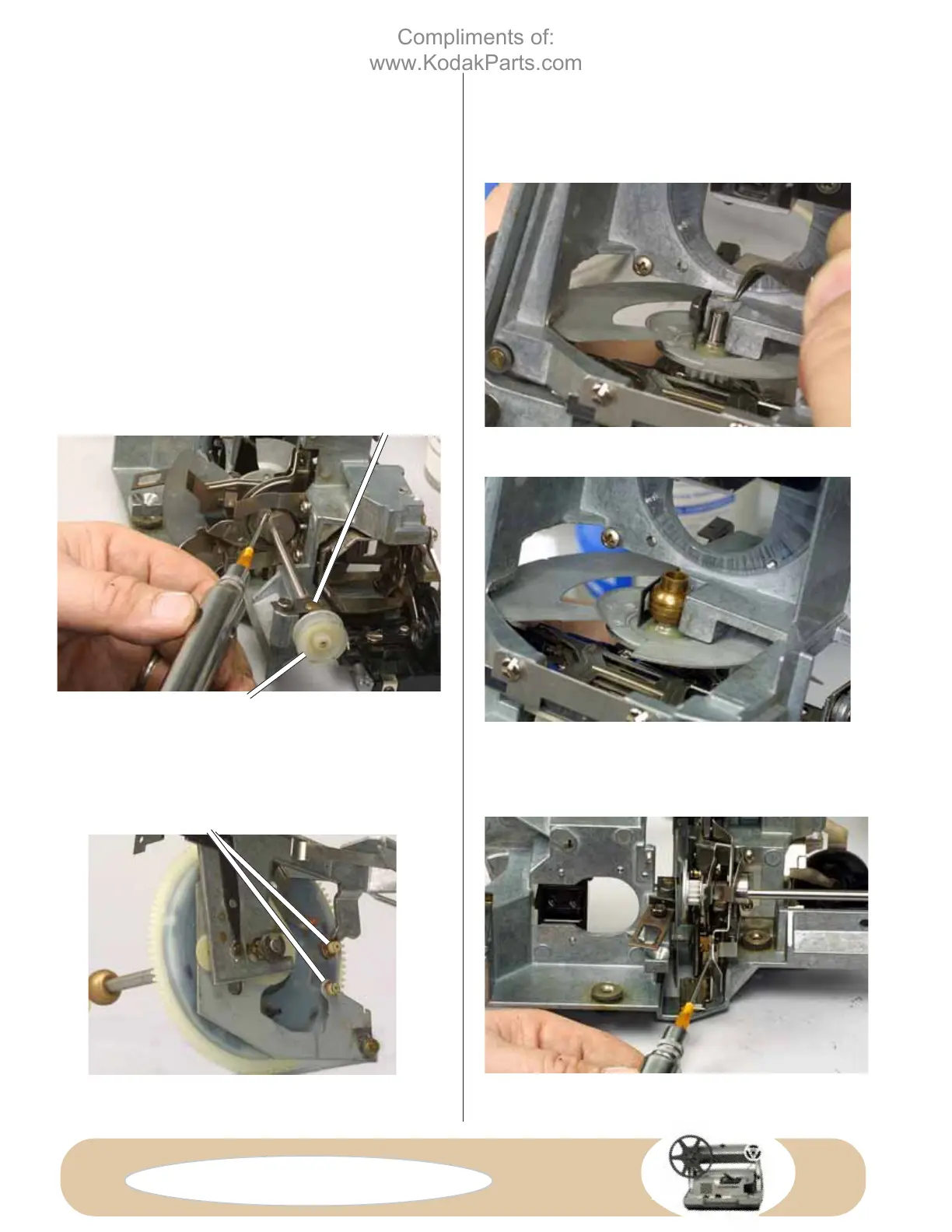
Seat the washer over the end of the shutter-drive shaft, Fig.
D64. Next seat the shutter-side bearing, Fig. D65. Remember
that there are two types of shutter-side bearings. Fig. D65
shows the early style. But here, because we've installed the
late-style shutter, we've flipped the rear bearing 180°. If you
haven't replaced the shutter—and you're using the early style
shutter—the smaller end of the shutter-side bearing faces the
shutter (180° from the position shown in Fig. 65).
Seat the wire clamp over the shutter-side bearing and tighten
the screw. Finally tighten the screw for the pulley-side
bearing, Fig. D66.
Check the freedom and operation of the shutter-drive shaft
by turning the pulley, Fig. D66, in a counterclockwise
direction (as seen from the pulley end of the shutter-drive
shaft). The shutter-drive shaft should turn freely, and the
claws should move up and down.
FIG. D64 Replacing the washer over the
shutter-drive shaft.
FIG. D66 Lubricate the cams of the shutter-
drive shaft with grease.
FIG. D65 Seat the shutter-side bearing. Here
we've flipped an early style shutter-side
bearing so the large surface faces the new-
style shutter.
FIG. D68 Lubricate the arms that contact the
in-and-out-cam followers with grease.
PULLEY-SIDE BEARING
IN-AND-OUT-CAM FOLLOWERS
FIG. D67 Cam assembly.
PULLEY
Using your grease syringe, lubricate the cams on the shutter-
drive shaft, Fig. 66. Also grease lubricate the surfaces of the
claw arms, Fig. D68, that come against the followers of the
in-and-out cam, Fig. D67.
Compliments of:
www.KodakParts.com


 To Next Page
 Loading...