EasyManua.ls Logo

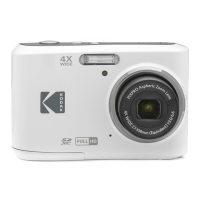
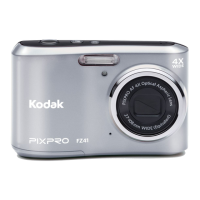
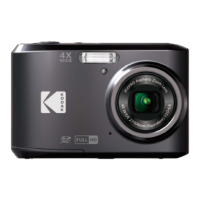
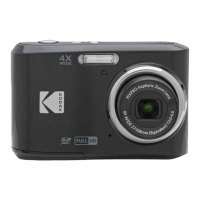
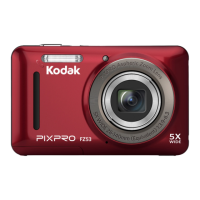
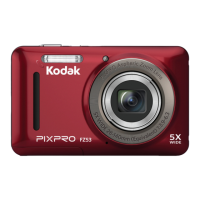
Kodak PIXPRO FZ45 - User Manual

Kodak PIXPRO FZ45
81 pages
Print Icon
To Next Page IconTo Next Page
Loading...
i
User Manual
DIGITAL CAMERA
KODAK PIXPRO FZ45

Table of Contents

Questions and Answers

  • R
    Renee CamachoAug 15, 2025
    Why my Kodak Digital Camera does not turn on?
    • S
      Sean SolisAug 15, 2025
      Your Kodak Digital Camera might not be turning on because the battery is depleted or not inserted correctly. Replace with new batteries to solve this problem.
  • S
    Stephen GreenAug 18, 2025
    What to do if I cannot write to the memory card of Kodak PIXPRO FZ45 Digital Camera?
    • B
      Belinda CraigAug 19, 2025
      If you cannot write to the memory card of your Kodak Digital Camera, it may be locked. Release the write lock or replace it with another card.
  • S
    smithlisaAug 22, 2025
    How to fix blurred picture on Kodak PIXPRO FZ45?
    • T
      todd42Aug 22, 2025
      If your picture is blurred on Kodak Digital Camera, it may be due to camera movement while taking the picture. Turn on Anti-shake mode.
  • R
    robertsmithAug 25, 2025
    What to do if my Kodak Digital Camera images and video files cannot be saved?
    • Q
      qkimAug 26, 2025
      If your Kodak Digital Camera isn't saving images and video files, it could be due to a full or locked memory card. Try using another memory card, deleting unnecessary files, or unlocking the memory card.
  • B
    Barbara ShermanAug 28, 2025
    Why does my Kodak Digital Camera turn off suddenly?
    • J
      Jeff ReyesAug 29, 2025
      If your Kodak Digital Camera turns off suddenly during operation, the battery may be depleted. Replace it with a new battery.
  • G
    Gloria TurnerAug 31, 2025
    Why is saving data to memory card slow on Kodak PIXPRO FZ45?
    • R
      Ricky HughesSep 1, 2025
      If saving data to your memory card is slow on your Kodak Digital Camera, it might be because you're using a memory card below Class 10. Use a memory card with Class 10 or higher to improve performance.
  • T
    Travis LeonardSep 4, 2025
    What does 'too many movies to process' mean on Kodak PIXPRO FZ45?
    • C
      Craig WilliamsSep 4, 2025
      The 'too many movies to process' message on your Kodak Digital Camera means the number of pictures or folders on the memory card exceeds the specifications, so the playback cannot be displayed. Delete unwanted files to resolve this.
  • A
    amanda05Sep 7, 2025
    Why does the flash flash on the LCD screen of my Kodak PIXPRO FZ45?
    • T
      Thomas WilliamsSep 7, 2025
      The flash flashes on the LCD screen of your Kodak Digital Camera because the current shooting environment requires flash. Turn on the flash.
  • S
    srodriguezSep 12, 2025
    How to fix Kodak PIXPRO FZ45 when images will not print?
    • A
      Andrew PhillipsSep 12, 2025
      If your Kodak Digital Camera images won't print, check the connection between the camera and printer. Also, make sure the printer has paper and ink, and that there is no paper jammed inside.

Summary

Safety Notes

Safety Notes for Battery

Guidelines for safe handling, disposal, and usage of camera batteries to prevent damage or hazards.

Safety Notes for Memory Cards

Recommendations for proper use, care, and handling of memory cards to ensure performance and data integrity.

Other Safety Notes

Additional safety precautions related to camera operation, LCD care, and general usage guidelines.

Getting Started

Accessories Included

Lists the items included in the camera box with the purchased model.

Part Names

Identifies and labels all external buttons, ports, and components of the digital camera.

Installing Battery and Memory Card

Step-by-step instructions for inserting the battery and memory card into the camera.

Turning Camera On and Off

Procedure for powering the camera on and off, including a shortcut for playback mode.

How to Take Pictures

Basic steps and techniques for holding the camera and capturing a photograph.

Set your Language, Date;Time

Initial setup for selecting the user interface language and configuring the date and time.

Mode Overview

Display Setting

Options to configure the display of camera parameters on the screen (Classic, Full, Off).

Basic Operation

Using the Zoom Function

How to use optical and digital zoom to frame subjects while taking pictures.

Macro Mode

Setting for focusing on small objects or close-up subjects near the camera.

Self-timer Setting

Configure self-timer intervals (2s, 10s) or smile detection for delayed shots.

Flash Mode

Control flash behavior (Force Off, Auto, Force Flash, Slow Sync, Red-Eye Reduction).

EV Setting

Adjust exposure value (EV) to control overall picture brightness.

Exposure Compensation

Fine-tune picture brightness, especially in high contrast scenes.

ISO

Set light sensitivity (ISO) to optimize performance in various lighting conditions.

Shutter Adjustment

Control shutter speed to capture motion or freeze action.

Playback

Using the Menus

Movie Menu

Playback Menu

General Settings

Connection Settings

Connecting to a Computer

Steps to connect the camera to a PC or Mac for transferring photos and videos.

Connecting to a Printer

Instructions for connecting the camera directly to a printer for photo printing.

File Settings

Format

Prepare the memory card or internal memory by deleting all data.

Troubleshooting

Kodak PIXPRO FZ45 Specifications

General IconGeneral
Megapixel16 MP
Camera typeCompact camera
Sensor typeCMOS
Image stabilizerYes
Image sensor size1/2.3 \
Image formats supportedJPEG
Supported aspect ratios3:2, 4:3, 16:9
Maximum image resolution4608 x 3456 pixels
Still image resolution(s)12MP: 4608×2592, 2MP: 1920x1080
Digital zoom6 x
Optical zoom4 x
Focal length range4.9 - 19.6 mm
Lens structure (elements/groups)7/7
Maximum focal length (35mm film equiv)108 mm
Minimum focal length (35mm film equiv)27 mm
FocusTTL
Focus adjustmentAuto
Auto focusing (AF) modes-
Macro focusing range (wide)0.05 — ∞ m
Normal focusing range (tele)1 — ∞ m
Normal focusing range (wide)0.6 — ∞ m
Light meteringSpot
ISO sensitivity100, 200, 400, 800, 1600, 3200, Auto
ISO sensitivity (max)3200
ISO sensitivity (min)100
Light exposure controlProgram AE
Light exposure correction± 3EV (1/3EV step)
Fastest camera shutter speed1/2000 s
Slowest camera shutter speed4 s
Flash modesAuto, Flash off, Flash on, Red-eye reduction, Slow synchronization
Flash range (tele)1 - 2.4 m
Flash range (wide)0.3 - 5.2 m
Video resolutions640 x 480, 1280 x 720, 1920 x 1080 pixels
Video formats supportedMOV
Maximum video resolution1920 x 1080 pixels
Resolution at capture speed640x480@120fps, 640x480@30fps, 1280x720@30fps, 1280x720@60fps, 1920x1080@30fps
Internal memory63 MB
Compatible memory cardsSD, SDHC, SDXC
Maximum memory card size512 GB
Display diagonal2.7 \
Display resolution (numeric)230000 pixels
USB version2.0
Scene modesBeach, Children, Fireworks, Landscape (scenery), Night, Night portrait, Party (indoor), Pet, Portrait, Snow, Sports, Sunset
White balanceAuto, Cloudy, Daylight, Fluorescent, Incandescent, Manual
Shooting modesAuto, Movie
Camera playbackSingle image, Slide show, Thumbnails
Self-timer delay- s
Cables includedUSB
Quantity per pack1 pc(s)
Operating temperature (T-T)0 - 40 °C
Operating relative humidity (H-H)0 - 90 %
Battery technologyAlkaline
Battery life (CIPA standard)120 shots
Product colorRed
Weight and Dimensions IconWeight and Dimensions
Depth28.7 mm
Width93 mm
Height60.2 mm
Weight117 g

Related product manuals