EasyManua.ls Logo

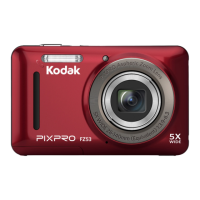
Kodak PIXPRO FZ53 - User Manual

Kodak PIXPRO FZ53
91 pages
Print Icon
To Next Page IconTo Next Page
Loading...
User Manual

Table of Contents

Other manuals for Kodak PIXPRO FZ53

Questions and Answers

  • G
    Gregory WallaceAug 15, 2025
    Why my Kodak Digital Camera does not turn on?
    • V
      Vincent PerezAug 15, 2025
      If your Kodak Digital Camera does not turn on, the battery may be depleted. Recharge the battery. Alternatively, the battery may not be correctly installed. Correctly reinstall the battery.
  • T
    Timothy BlakeAug 18, 2025
    What to do if I cannot write to the memory card on Kodak PIXPRO FZ53 Digital Camera?
    • R
      Robert MannAug 18, 2025
      If you cannot write to the memory card of your Kodak Digital Camera, the memory card may be locked. Release the write lock of the memory card or replace it with another card.
  • A
    allisonnguyenAug 21, 2025
    Why does my Kodak PIXPRO FZ53 turn off suddenly?
    • P
      Pamela LawrenceAug 21, 2025
      If your Kodak Digital Camera turns off suddenly during operation, it is likely because the batteries have been depleted. To resolve this, recharge the battery.
  • E
    Elizabeth ScottAug 25, 2025
    How to fix blurred picture on Kodak PIXPRO FZ53?
    • R
      Robert EsparzaAug 25, 2025
      If the picture from your Kodak Digital Camera is blurred, it might be because the camera shakes while taking the picture. Turn on the OIS feature to stabilize the image.
  • J
    Joseph HallAug 28, 2025
    What to do if images and video files cannot be saved on Kodak PIXPRO FZ53 Digital Camera?
    • M
      Michelle SmithAug 28, 2025
      If your Kodak Digital Camera images and video files cannot be saved, it might be due to a full memory card. Try using another memory card or deleting unnecessary files. Alternatively, the memory card might be locked; in that case, unlock the memory card.
  • L
    Laura FosterAug 31, 2025
    What to do if images will not print from Kodak Digital Camera?
    • A
      Annette RamirezAug 31, 2025
      If images will not print from the connected printer, check the connection between the Kodak Digital Camera and the printer. Ensure you are using a PictBridge compatible printer. Also, make sure the printer has paper and ink, and that the paper is not jammed.
  • D
    David GutierrezSep 4, 2025
    Why is saving data to memory card slow on Kodak PIXPRO FZ53?
    • J
      Jennifer JohnsonSep 4, 2025
      If saving data to the memory card of your Kodak Digital Camera is slow, it may be because you are using a memory card below Class 4. Use a memory card with write Class 4 or higher to improve performance.
  • E
    edwardskimSep 6, 2025
    What to do if Kodak PIXPRO FZ53 Digital Camera has too many movies to process?
    • T
      Toni ClaySep 6, 2025
      If your Kodak Digital Camera has too many movies to process, it means that the number of pictures or folders in the memory card exceed the specifications, so the playback cannot be displayed. Delete unwanted files to resolve this.
  • T
    ttaylorSep 10, 2025
    Why does the flash flash on the LCD screen of my Kodak PIXPRO FZ53?
    • R
      Robin JohnsonSep 10, 2025
      If the flash flashes on the LCD screen of your Kodak Digital Camera, it indicates that the current shooting environment requires flash. Turn on the flash to improve image quality.

Summary

BEFORE YOU START

Declaration of Conformity

Details regulatory compliance and customer protection standards for the device.

SAFETY NOTES

Camera Safety Guidelines

Important precautions for operating and handling the camera safely.

Battery Safety Precautions

Critical safety measures for battery usage, charging, and disposal.

Memory Card Safety

Guidelines for safe handling and storage of memory cards.

GETTING READY

Charging Battery

Step-by-step instructions for charging the camera battery.

Installing Battery and Memory Card

Guide on correctly inserting the battery and memory card.

How to Take Pictures

Basic guide on composing and capturing photographs.

Setting Language, Date;Time

Initial setup for language, date, and time configuration.

MODE OVERVIEW

Using the Mode Button

How to select and switch between different shooting modes.

Manual and Auto Modes

Instructions for using Manual (M) and Auto shooting modes.

BASIC OPERATION

EV Setting and Exposure Compensation

Adjusting brightness and exposure levels.

ISO and Shutter Adjustment

Controlling sensor sensitivity and shutter speed.

USING THE MENUS

CONNECTIONS

Connecting to a Computer

Setting up USB mode and transferring files.

PictBridge Printing

Direct printing to compatible printers.

APPENDICES

Specifications

Detailed technical data of the camera.

Prompts and Warning Messages

Explanations and actions for camera alerts.

Troubleshooting

Solutions for common camera problems.

Kodak PIXPRO FZ53 Specifications

General IconGeneral
Megapixel16 MP
Camera typeCompact camera
Sensor typeCCD
Image stabilizerYes
Total megapixels16.44 MP
Image sensor size1/2.3 \
Image formats supportedJPG
Maximum image resolution4608 x 3456 pixels
Still image resolution(s)(4:3) 16MP: 4608x3456, 10MP: 3648x2736, 5MP: 2592x1944, 3MP: 2048x1536, 0.3MP: 640x480, (3:2) 14MP: 4608x3072, (16:9) 12MP: 4608x2592, 2MP: 1920x1080
Video resolutions320 x 240, 640 x 480, 1280 x 720 pixels
Motion JPEG frame rate30 fps
Video formats supportedMOV
Maximum video resolution1280 x 720 pixels
Resolution at capture speed320x240@30fps, 640x480@30fps, 1280x720@15fps, 1280x720@30fps
BluetoothNo
Scene modesBeach, Children, Fireworks, Landscape (scenery), Museum, Night landscape, Night portrait, Panorama, Party (indoor), Portrait, Snow, Sports, Sunset
Photo effects-
White balanceAuto, Cloudy, Daylight, Fluorescent, Incandescent, Manual
Playback modesZoom
Shooting modesAuto, Movie
Camera playbackSingle image, Slide show
Self-timer delay- s
Languages supportMulti
Camera file systemExif 2.3
Playback zoom (max)8 x
Digital zoom6 x
Optical zoom5 x
Combined zoom30 x
Focal length range5.1 - 25.5 mm
Maximum aperture number6.3
Minimum aperture number3.9
Lens structure (elements/groups)8/8
Maximum focal length (35mm film equiv)140 mm
Minimum focal length (35mm film equiv)28 mm
FocusTTL
Auto Focus (AF) points9
Auto focusing (AF) modesCentre weighted Auto Focus, Multi Point Auto Focus, Single Auto Focus
Normal focusing range (tele)1 m
Normal focusing range (wide)0.6 m
CertificationCE, FCC
Product colorBlack
Light meteringCentre-weighted, Spot
ISO sensitivity80, 100, 200, 400, 800, 1600
Light exposure modesAperture priority AE
ISO sensitivity (max)1600
ISO sensitivity (min)80
Light exposure controlProgram AE
Light exposure correction± 2EV (1/3EV step)
Power source typeBattery
Battery typeLB-012
Battery voltage3.7 V
Battery capacity700 mAh
Battery life (CIPA standard)200 shots
Number of batteries supported1
Fastest camera shutter speed1/2000 s
Slowest camera shutter speed4 s
Flash modesAuto, Flash off, Forced on, Red-eye reduction, Slow synchronization
Flash range (tele)1.2 - 2.4 m
Flash range (wide)0.3 - 3.9 m
Operating temperature (T-T)0 - 40 °C
Operating relative humidity (H-H)0 - 90 %
Audio formats supportedG.711
Internal memory8 MB
Compatible memory cardsSD, SDHC
Maximum memory card size32 GB
Cables includedUSB
Display diagonal2.7 \
Display resolution (numeric)230000 pixels
USB version2.0
USB connectorMicro-USB
Weight and Dimensions IconWeight and Dimensions
Depth22.6 mm
Width91.5 mm
Height56.5 mm
Weight106 g

Related product manuals