To Next Page


B
Bryan WangSep 1, 2025
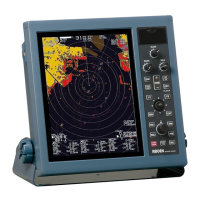
What to do if the operation panel is not connected on Koden MDC-2540?
- JjschroederSep 1, 2025
If the operation panel is not connected on your Koden Marine Radar, reconnect the operation panel connector.

What to do if the operation panel is not connected on Koden MDC-2540?
If the operation panel is not connected on your Koden Marine Radar, reconnect the operation panel connector.
What to do if speed over ground input failed on Koden MDC-2540?
If the speed over ground input failed under use of ground stabilization on your Koden Marine Radar, confirm sensor operation for speed over ground and GPS conditioning.
What causes 'No video signal' on Koden MDC-2540?
A 'No video signal' error on your Koden Marine Radar may be caused by a front-end malfunction or IF Amp malfunction. Check and repair the front-end circuit and IF amplifier.
Why did my Koden MDC-2540 change to relative vector?
Your Koden Marine Radar changed to relative vector because heading related signals cannot be input in EPA/ATA [True] vector mode. Verify the availability of required heading signals.
Why did my Koden MDC-2540 Marine Radar change to relative bearing?
Your Koden Marine Radar changed to relative bearing because heading related signals cannot be input in EBL true bearing mode. Make sure all required heading signals are available.
What happens if I attempt to input marks exceeding the allowed limit on Koden Marine Radar?
If you attempt to input marks exceeding 50 on the chart of your Koden Marine Radar, limit the number of marks being input to 50 or fewer.
Why does Koden MDC-2540 Marine Radar display 'No own ship information'?
The 'No own ship information' message on your Koden Marine Radar appears because heading, speed, and latitude/longitude signal cannot be input during chart display. Ensure that heading, speed, and position data are correctly input.
What to do if Koden MDC-2540 Marine Radar shows 'No signal on Speed'?
If your Koden Marine Radar indicates 'No signal on Speed', ensure VHV, VHW, VBW, VTG, RMC, or RMA signals are being received.
How to fix 'No signal on Heading' on Koden MDC-2540?
If you are getting a 'No signal on Heading' message on your Koden Marine Radar, confirm the reception of HDT, HDG, HDM, VTG, RMC, or RMA signals.
What happens if there is no speed input on Koden MDC-2540?
If you attempt to acquire ATA without speed input on your Koden Marine Radar, ensure you input speed to acquire ATA.
Explains the purpose and structure of the operation manual.
Provides essential safety precautions and warnings for operating the radar system.
Details procedures for safely disposing of the device's lithium ion cell and the unit.
Highlights key functionalities and technical specifications of the radar system.
Describes how to handle missing navigation signals and configure alarm settings.
Explains the layout and elements displayed on the radar screen.
Details the layout and function of the physical buttons and knobs on the control panel.
Instructs on how to safely power the radar system on and off.
Guides on adjusting the brightness of the display unit and control panel.
Explains how to start and stop radar transmission.
Describes how to adjust the radar's viewing range for observation.
Details how to adjust the receiver gain for optimal target detection.
Explains how to use the Sea Clutter (STC) function to reduce unwanted echoes.
Details how to use the Rain/Snow Clutter (FTC) function to improve image clarity.
Explains how to change the transmission pulse length for target detection.
Describes how to use the Enhance Target function to improve visibility of desired targets.
Guides on using VRM and EBL to measure target distance and bearing.
Explains how to switch between day and night echo color schemes for better viewing.
Details how to adjust the ship's position on the screen for a broader view.
Explains how to select different display modes for optimal viewing.
Describes how to use Automatic Tracking Aids (ATA) and Electronic Plotting Aids (EPA).
Explains how to navigate and operate the device's menu system.
Details the various settings and options available within the MARKER menu.
Covers the settings related to radar echo display and processing.
Outlines the navigation-related settings and functions.
Describes how to set up and manage alarm functions for safety.
Details the settings for ATA/EPA functions, including target acquisition and deletion.
Explains the settings for the Automatic Identification System (AIS) display.
Details the functions and settings for chart display and management.
Describes initial setup options and settings for the radar system.
Details input/output settings for navigation data exchange.
Provides functions for diagnosing the device's operational status.
Details the specifications of the different antenna types used.
Lists the specifications for the radar display unit.
Lists standard configuration items and available options for the system.
Provides physical dimensions and weight details for the device.
Explains the basic principles of how a radar system operates.
Discusses characteristics of radar radio waves and target reflection.
Explains radar interference and the device's rejection capabilities.
 General
| Power Output | 4 kW |
|---|---|
| Frequency | 9410 ± 30 MHz |
| Antenna Length | 4 feet |
| Rotation Speed | 24/48 rpm |
| Display Size | 10.4 inches |
| Beam Width | 1.8° Horizontal |
| Display | LCD |
| Power Supply | 12-24 VDC |