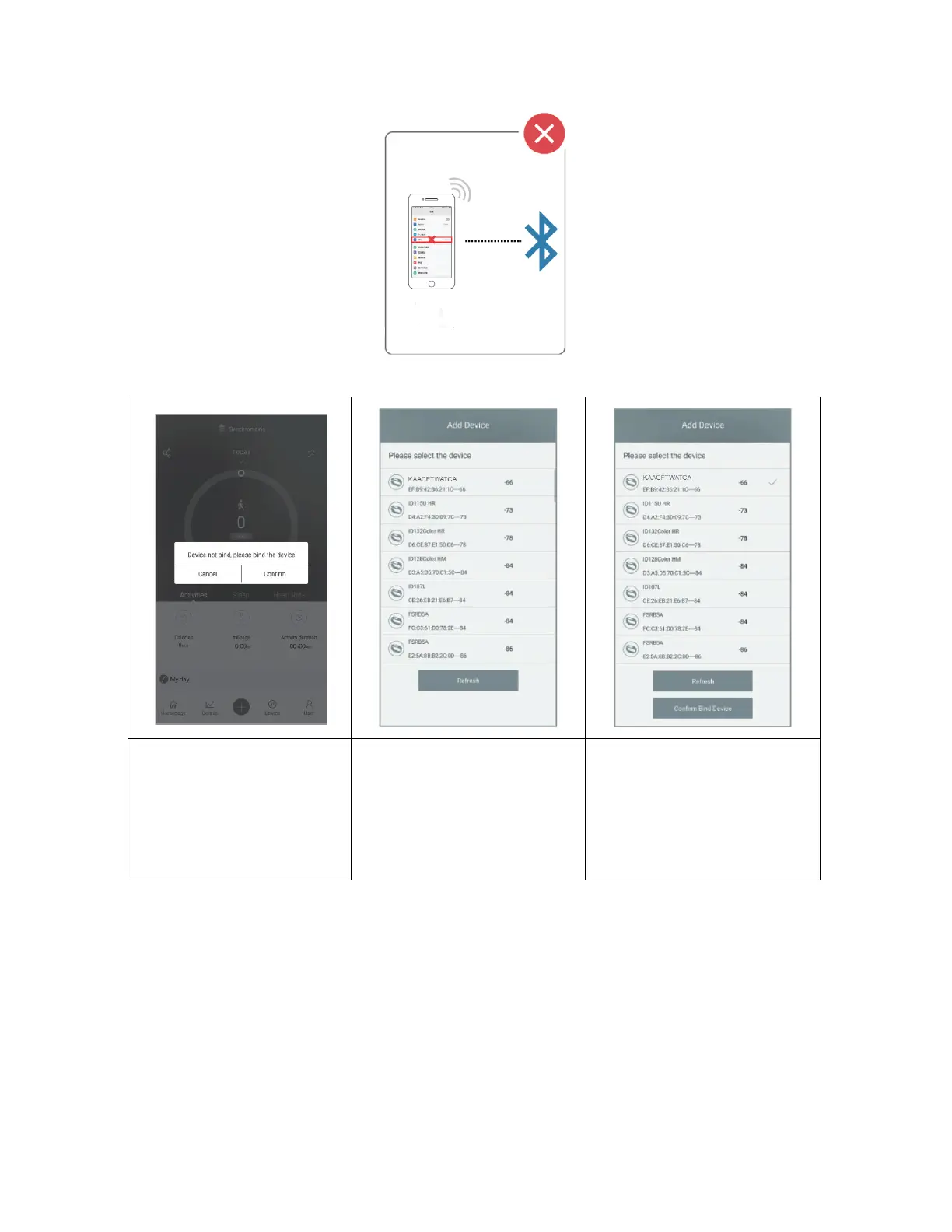
4
2. Pairing Process
1. Turn on the Bluetooth
and GPS on your mobile
phone.
2. Find the pairing request
on the pull-down list on
the home page of the app.
Select product model:
KAACFTWATCA
Click “Ok” to complete
pairing
Notes:
• During pairing process, VeryFitPro will prompt you to enable GPS and Bluetooth
and authorise VeryFitPro allow access to the GPS on your mobile phone.
• iPhones will not prompt you with any information unless you complete Bluetooth
pairing on your KAACFTWATCA watch.
Syncing Data
In daily wear, the watch can detect all kinds of data. The user needs to connect the watch with
Bluetooth on the app before the watch can sync data. You can do this by opening the mobile
app and swiping down. The sync prompt should appear.



 To Next Page