How to Charge
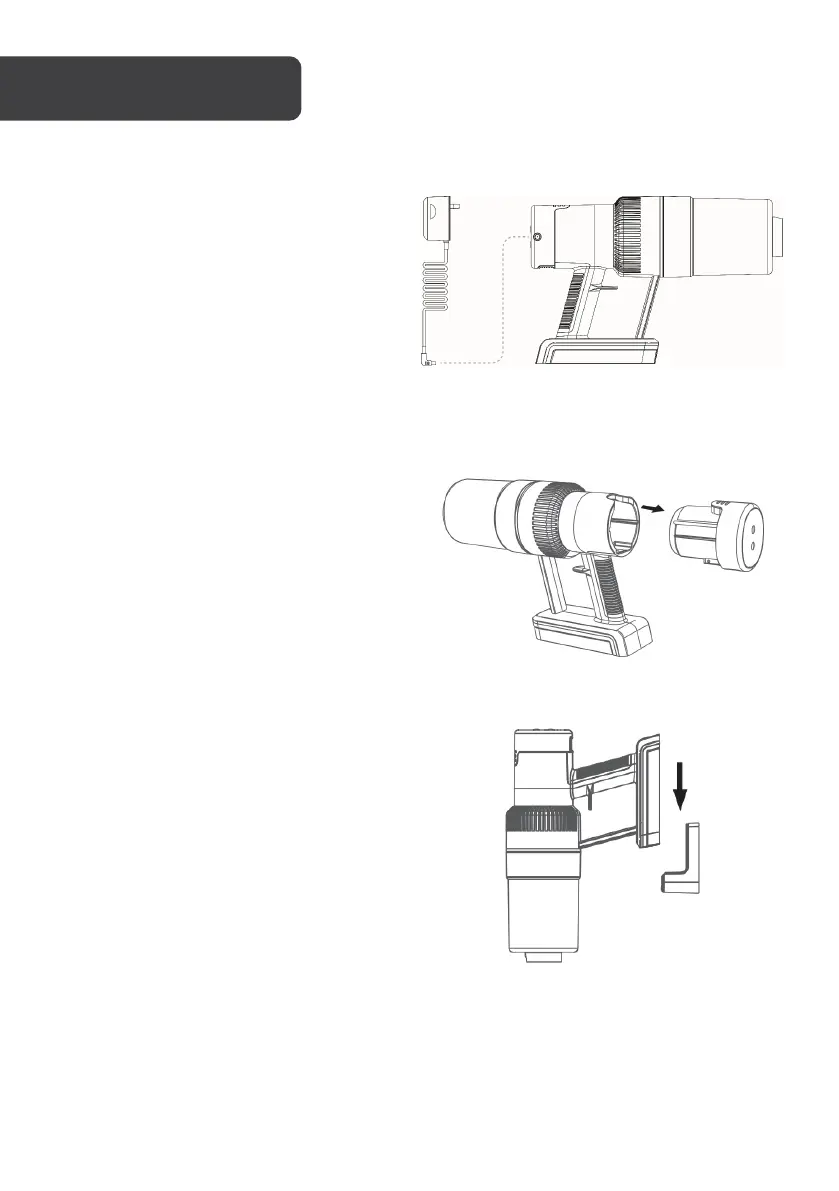
To charge the device, insert the charger
cable into the charging port on the side of
the battery pack, and ensure the adapter is
plugged into a wall outlet and switched on.
The indicator light will flash when charging
is in progress and remain solid when
charging is complete. Only use the original
adapter provided with this device.
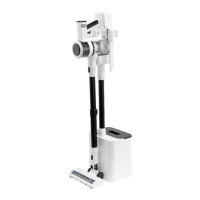
Removing battery pack
To detach the battery pack, press the
battery pack release button and remove
the pack from the back of the vacuum unit.
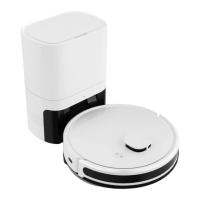
Installing the wall-mounting bracket
The mounting bracket is an optional
attachment for hanging the vacuum when
not in use. Assembly requires a hole of
8mm diameter and roughly 30mm depth.
Use a stud-finder and ensure the location is
safe to drill before drilling any holes.


 To Next Page